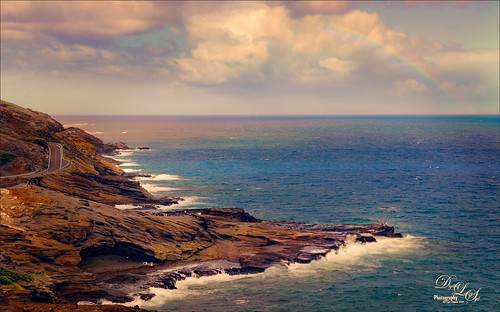
Just thought I would post another beautiful view taken on Maui in the Hawaiian Islands. There are several people in this image, especially a couple guys fishing out on the point. I actually added a little saturation this image to make it pop some. Topaz (see sidebar for website link) ReStyle’s Zambezi Zest preset was used to get the colors – this is one of my favorite presets for landscapes. The Spotlight Effect was used to lighten up some of the rocks out toward the fishermen. Otherwise just a pretty standard image…..Digital Lady Syd

Latest
Camachee Cove Yacht Harbor
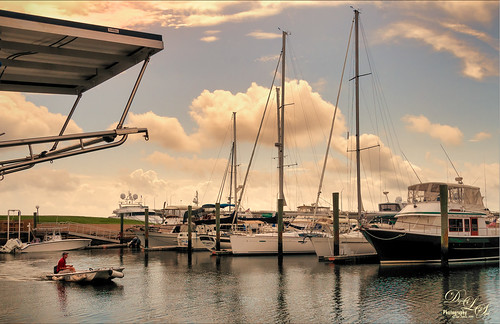
One of my favorite places to visit and take photos is at Camachee Cove Yacht Harbor in St. Augustine, Florida. If you’re a sailor, this is one of the best places to keep your boat along the whole East Coast of the U.S. Anyway, just wanted to prove that you can take a good image even in really bright light. This image was taken at around 11:00 AM and it was just fine. I know, it does not happen all the time, but it does happen! Not a lot needed to be done to it either. In Lightroom a Crisp Warm Soft profile was used from the free Matt Kloskowski Profile Sampler (same settings as the LUT file in Photoshop). Then just the same Basic slider changes. In Photoshop, Luminar 2018 (see sidebar for website link) was applied using just the AI Filter and the Brilliance/Warmth Filter – that was all and it looked incredible! Next my favorite Nik Viveza 2 was opened and the focal point was sharpened a bit – the guy in the boat and back of the boats. There was a blown out spot that was colored (yes you can do this in Viveza) to color in the effect. The last step was a Curves Adjustment Layer where just a small S-curve was used. That was it. What a beautiful day it was!…..Digital Lady Syd
Distant View of a St. Andrews Golf Course
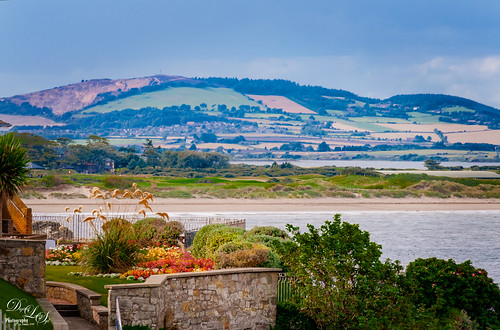
Wish I was at Carnoustie in Scotland to see the British Open, but at least I did have a chance to go to St. Andrews several years ago. (There are seven courses at St. Andrews now and this one is probably showing the Castle Course, but I am not sure.) Would love to live in this house! Not much done to this image – just some adjustments in Lightroom (used the Modern 07 profile) before doing clean up in Photoshop. Some spotlight effect on the flowers and a little darkening in the bushes. Used Nik Viveza to draw focus to the flowers and emphasize the plants sticking up. Added a slight vignette and that was it! Love Scotland in the summer!…..Digital Lady Syd
Fireworks at Epcot
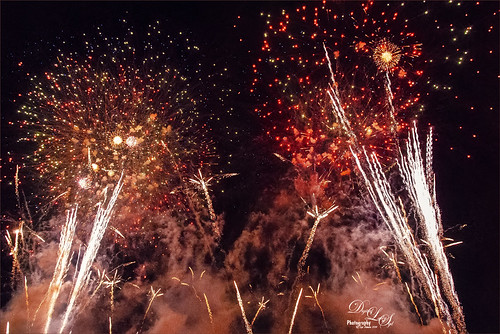
Did not get to a fireworks celebration this past July 4th, but still always enjoy my images from an Epcot nightly fireworks event at Disney World, Orlando, Florida. Not sure if they still are using real fireworks as this shot was taken a while back. In ACR used Adobe Vivid profile and made a few basic adjustments. On a duplicate rasterized layer, Luminar 2018 was opened and two filters were applied: Structure and AI Filter. Some Noise Removal was done due to the smoke noise created by the fireworks in the dark background areas only. Last step used the Color Lookup Adjustment Layer and set to Foggy Night preset at 24% layer opacity. Pretty simple – even though this is not the traditional fireworks image, it really reminds me of all the craziness going on at the fireworks!…..Digital Lady Syd
Pink Carnation
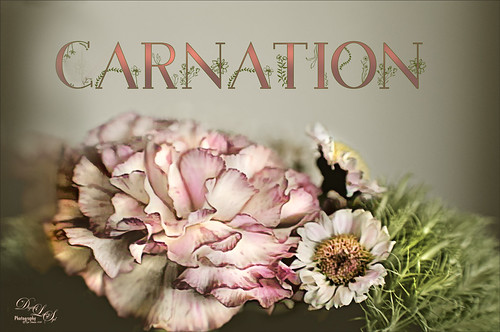
Image taken from a grouping I received for my birthday. I love carnations and they photograph so beautifully. Not much done with this image – used On1 Photo Raw 2018 (see sidebar for website link) Effects default settings for the Dynamic Contrast and the Sharpening effects. Then on a stamped layer Topaz Studio (see sidebar for website link) AI ReMix Adjustment was applied using the Parting Ways swatch and set to an opacity of 0.64. On another stamped layer, a Dodge Brush set to Range Highlights and Exposure 33% and just the light areas were dabbed – it gives a very natural effect. A spotlight effect layer was created to just emphasize the whites. My favorite thing about this image is the free font by Blossom by Chimerique. A Layer Style using the Stroke set to a green and 3 pixels, and an Outer Glow set to the same green color and Opacity of 86%. The text layer was duplicated and rasterized (right click and select Rasterize Text (not Rasterize Layer Style). Then with the same Dodge brush, the tops of the text were painted to lighten a little – really cool subtle effect. This was a lot of fun to do!…..Digital Lady Syd
Flamingo Standing Guard
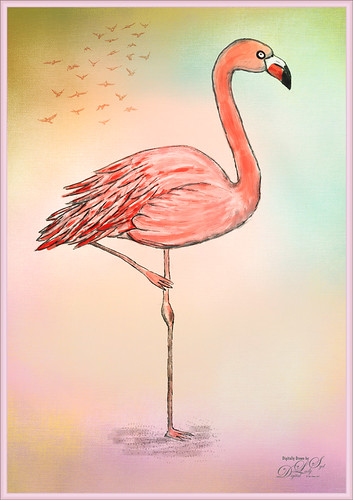
This image is drawn in Photoshop following a tutorial by Eugenia Hauss at Envato Tuts called How to Draw a Flamingo. I find her tutorials work really well digitally. (See my Enjoying a Swim blog.) Mainly used my favorite Grut I Qwillo brush for the outline and then increased the size to paint in the colors under the line drawing. Used one of my painter backgrounds and created a layer style for the border. Just a lot of fun – which is what Photoshop is all about for me!…..Digital Lady Syd
Bird on the Prowl
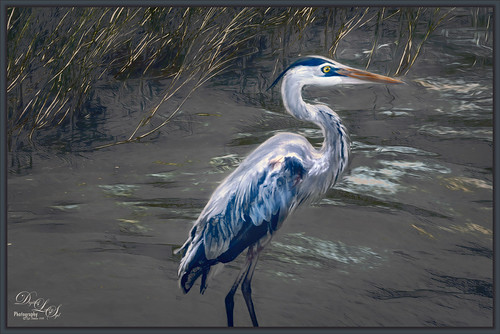
This Blue Heron image which was taken at Mount Dora, Florida, looks a little scraggly and I wonder if he has just gotten his adult plumage. That actually made it a little hard to post-process the image, so I decided to help him along a little bit with a few strokes of the Mixer brushes in Photoshop. Used On1 Photo Raw 2018 Effects (see sidebar for website link) to sharpen him up a little (the Dynamic Contrast and Sharpen filters at default settings does wonders on an image). Then on a stamped layer used Topaz Studio (see sidebar for website link) to get a more interesting background (used Impression with Chalk Smudge II along with Precision Contrast to just the background and AI ReMix for the more modern looking edges in the water). Added my favorite Color Lookup preset – Foggy Night at 78% opacity. From here it was just adding layers to clean him up a little. It was fun to do one of my favorite bird subjects again!…..Digital Lady Syd
Little Hidden Tree
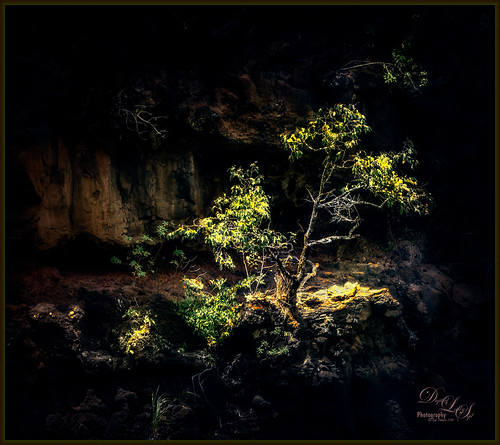
This little tree was growing on the side of the hill almost right behind the waterfall at Waimea Falls in Oahu, Hawaii. Lovely place to visit! Had lots of fun just trying out the different Photoshop plug-ins: Used On1 Photo Raw 2018 Effects to sharpen with the Dynamic Contrast filter, Luminar 2018 using their Golden Hour, Adjustable Gradient, Image Radiance and Dodge & Burn filters, and Topaz ReStyle’s Regal Blue Shades preset. See sidebar for links to all three plug-ins. Added a Black and White Adjustment Layer to fine tune the colors (See How to Use a Black & White Adjustment Layer to See Contrast in an Image blog) and a spotlight effect on the yellow leaves (see How to Add a Spot of Light blog). That was about it!…..Digital Lady Syd
Refreshing Water Lilies
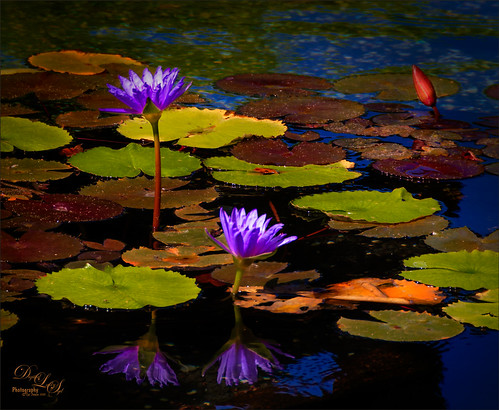
I really love water lilies and these are no exception. Taken at the Hilton Waikoloa Village a while back. I love the colors that were in this image. In Lightroom the HSL panel was adjusted to get the pretty colors. In Photoshop this image used Denny Tang’s Tone and Color Chart for Photoshop video – this worked very nicely on this image. A couple Spot Light layers were used in different colors set to Overlay blend mode to add some color focus. Topaz (see sidebar for website link) Lens Effect was used to add a soft olive Green vignette around the image. Nik Viveza 2 was used to slightly add focus to the water lilies. Not much was done to this image…..Digital Lady Syd
Blue Herons Nesting
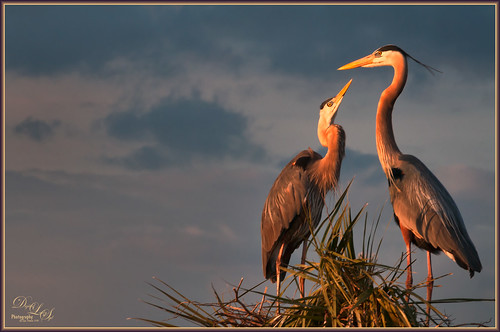
These two beautiful Blue Herons were nesting at the Viera Wetlands (also know as the Richard Grissom Memorial Wetlands) in Brevard County, Florida, a while back – I had not post-processed the image as I just could not get a great result. Now that Luminar 2018 (see sidebar for website link) is available for we Windows people, it really made the image pop! After doing some basic editing in Lightroom, it was then actually edited in Luminar (these filters were used: Accent-AI, Polarizing, Clarity, Golden Hour, Orton Effect, Details Enhancer, and Top & Bottom Lighting). Once image came back int LR as a TIFF file, Photoshop was opened for some quick clean up, applying Nik Viveza 2 to highlight the birds’ heads a little more, and a Curve Adjustment Layer for contrast. The frame was created using a Stroke Layer Style and setting it to Fill Type Gradient instead of Color – then sampled colors from the image to create the gradient. I love Herons!…..Digital Lady Syd
Topaz Labs AI Gigapixel
Check out AI Gigapixel stand-alone software for upsizing your images. It’s incredible! And it can now be used as a plugin when in Photoshop. Also Topaz Labs Photo AI has some great sharpening and denoise tools along with Photo Video AI.

Luminar Neo
Click here to visit Luminar for more info and check out their new AI Filters.

GRUT BRUSHES – Photoshop Brushes for Digital Artists
Click here to visit GrutBrushes.com
And be sure to check out his Free Brush of the Week and Brush Sampler! These are the best brushes you can find!

Topaz Studio 2 and Legacy Topaz Labs Filters
Unfortunately Topaz Studio 2 and other Topaz Lab filters are no longer available for sale as of 2020. If you had bought these filters and would like to put them back on, here is a link to the Legacy Apps where they can be downloaded again. Below is an example of the wonderful Remix AI Filter from Studio 2. The wonderful Impression still works fine in Photoshop right now along with Adjust (all versions), ReStyle, and even PhotoFXLab!

On1 Photo Raw
Wonderful software to use as a substitute for or plugin with Photoshop. Many great filter effects and lots of AI capabilities!
