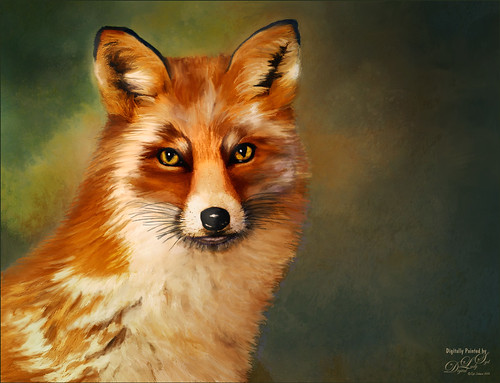
Enjoyed painting this beautiful fox – used Unsplash image by Linnea Sandbakk as a base for the painting. This follows pretty much the same painting process as used in my Wolf image except the body was not sketched first. This image contains 64 layers, so it took quite a bit of effort to get this result. Three textures were used to get the result and numerous brushes. I would go into more detail, but it is basically just finding a workflow and some brushes that work, and then painting. This is really so relaxing and fun to do!…..Digital Lady Syd

Latest
Girl Playing Erhu
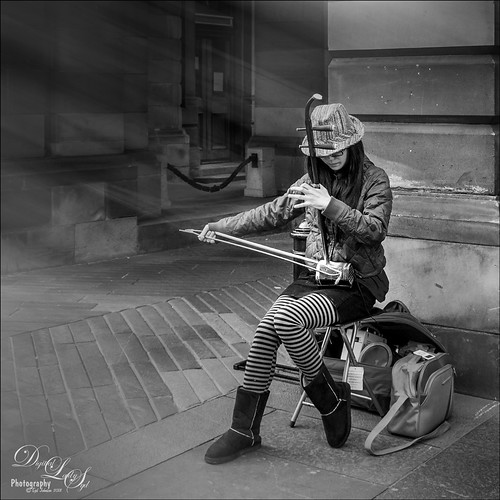
This is an image of a girl playing an Erhu, a traditional Chinese musical instrument from the Song Dynasty dating back to 1104 AD. She was playing along the Royal Mile, the main road through the historic district of Edinburgh, Scotland. This instrument has a very lovely sound and I actually bought a CD from her called Erhu by Yan Shi (unable to find a link for it as it is written mainly in Chinese). This image just seemed to need a black and white treatment so in Lightroom, one of Sergi Ramelli’s presets in his B&W pack called AA Drama Radial Circle Dark was applied and adjusted to fit. Then in Photoshop, Topaz (see sidebar for website link) Lens Effects was applied using the Streak Filter. I have never used this before, but I love the way it gave just a little light effect and added a motion feel to the bow. On a stamped layer, Nik Viveza 2 was applied to adjust the focus on her face and hand. That was basically all that was done. I wish had more images like this one. …..Digital Lady Syd
A Miniature Horse
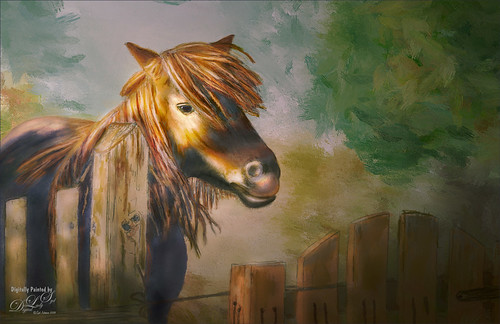
Doing a little more drawing and painting practice. This was a little miniature horse whose image was taken outside Minsk in Belarus. He was totally adorable. I decided he would make a good subject to paint. This time I did cheat a little on the rough drawing – used Topaz Simplify to create a very loose outline of the image and then removed the white using Select -> Color Range using the Shadows in the drop down. Then the Refined Drawing was done from this. After that the Local Color was added, Shadows and Highlights, and finally the texture was added to the horse, fence and gate. It is essentially the same workflow as was used in my Wolf drawing – see my Learning to Draw a Wolf! blog. Follow the links in my wolf blog for the great video by Aaron Blaise on how to do this. The background is one I created in Corel Painter a while ago and just seemed to fit this wonderful little guy. I am really enjoying trying out this new painting style in Photoshop. …..Digital Lady Syd
Trafalgar Square Fun!
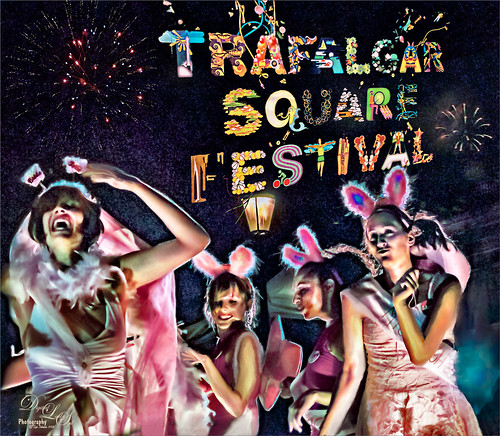
I am not sure why I did this image except that it was just fun to put together some older images I liked but were not that great to post as is. This is a composite using some of the girls that were in a nighttime show called Fashion Bus on the Square Show (a comedy fashion and dance show) at Trafalgar Square in London where it was pretty dark and crowded. The lettering was a banner at Trafalgar Square and the fireworks were added separately from my own sources. It ended up being a high-key image that looks pretty much how it did at the time of the event. The girl image was taken into Luminar 2018 (see sidebar for website link) where Joel Grimes Portrait Pop the Blues preset was applied (check to see if they are still available as a free preset from Luminar when in the software). Then it was mainly just a major clean up effort using clone stamps and mixer brushes. It was fun to try something kind of different. …..Digital Lady Syd
Double Rainbow
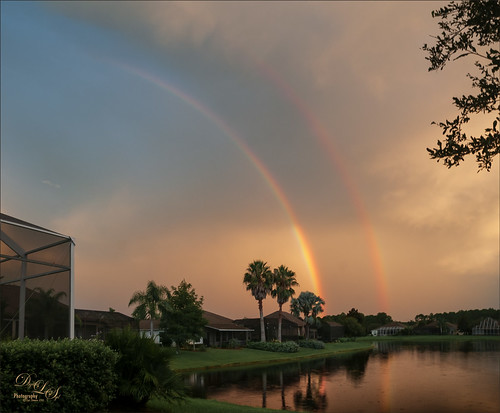
Totally enjoyed watching a regular rainbow turn into this gorgeous double rainbow as the clouds rolled in and the sun went down (image shot just before 8:00 PM). I do not think I have ever seen one here in Florida before. Very little post-processing was done other than the Adaptive Wide Angle filter was used to straighten the lines a little since I shot at 10 mm using my Nikor 10-24 mm lens to get the whole rainbow in the image. (Other settings were F/8.0, 1/15 sec, ISO 200, and -1/2 EV.) The clouds also were lit with the same beautiful sunset light. Hope I get to see some more of these in the future! …..Digital Lady Syd
Tiny Bubbles
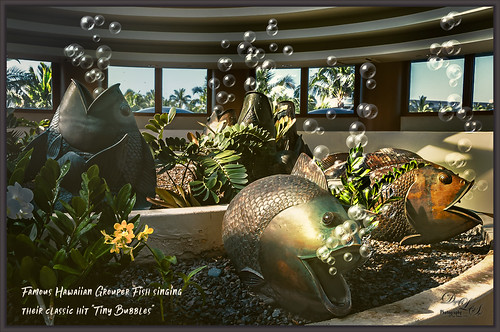
Been thinking about Hawaii’s Big Island getting hit by a hurricane and knowing how awful that is. Decided to post an image taken at the Hilton Waikoloa Village a while back at the Waters Edge Breakfast Buffet. These bubble blowers may not be grouper fish, but they are pretty close. It was a lot of fun to a do something with a little humor in it. This image was post processed using On1 (see sidebar for website link) Photo Raw 2018 Effects using the Dynamic Contrast, Sharpening, HDR Look, and Color Enhancer filters – I can really see improvements with this program. Some bubbles were created using a Lisa Cagney trick. Nik Viveza 2 was used so all the bubbles would show up. PS Color Lookup Table using the Foggy Night preset at 33% layer opacity was applied. Then a Gradient Fill Adjustment Layer beige to tan gradient at 36% layer opacity was applied. A couple Spotlight Effect layers were used to apply a little lightening and darkening effect. The text is Soak Up the Sun Script Bold. That was it. These guys always made me smile when we went to breakfast!…..Digital Lady Syd
Umbrellas Galore!
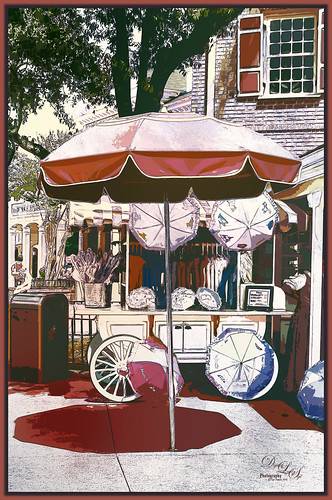
Love the color at the Magic Kingdom – total “eye candy” for the camera! This is one of my favorite images of the Umbrella Cart on Mainstreet USA. This time a sketch effect was added. I am one of those people that really like the sketch look. And although I have a couple actions and Topaz Simplify has some very good outline programs, it is hard to find one that fits all images. This technique did not work well on all my images, but for bright non-people images, it seems to be perfect. I learned this technique from a recent video called Creating a Realistic Pencil Sketch Effect in Photoshop at Davrophotofx. It was done using Elements, but it works fine in regular Photoshop since the filters are all the same. Biggest problem I had was that the Photo Copy Filter was not working correctly until I realized I had the foreground swatch set to white – it should be at the default black and white to look correct. Otherwise very simple steps. A couple of my textures were added and Nik Viveza 2 was used to adjust the color somewhat. Used a layer style for the border and that was it. Lots of fun to do this kind of image …..Digital Lady Syd
Pretty as a Postcard
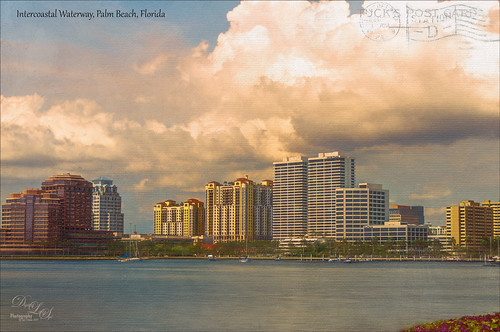
This is the Intracoastal Waterway (ICW) in Palm Beach, Florida. The skies were rather spectacular this day. Lucis Pro (now available for purchase again – see my Lucis Pro is Back!!!!! blog) was used on this image first. Then Photoshop’s Motion Blur Filter was opened and set to a Distance of 2000 pixels – once applied the far right icon on the layer was clicked and set to 63% opacity. A Selective Color Adjustment layer was applied to adjust the colors. On a stamped layer, Topaz Lens Effects (see sidebar for website link) Motion Blur was opened and 12.68 pixels was applied. Back in PS only the water was allowed to be visible in the layer mask so water looks smooth. The font Gabriola was used next. French Kiss (see sidebar for website link) Tableau Chateau was used to add texture to the image – this was done by clipping a Hue/Saturation Adjustment Layer to the image and setting the Saturation to -100. The texture was set to Hard Light at 15% layer opacity. Finally a Levels Adjustment Layer was also clipped to the texture to get the nice vintage postcard look. Nik Viveza 2 was added to add some emphasis to the buildings and a stamp from 2 Little Owls (see sidebar for website link) was added to further enhance the old look. I was love Palm Beach! …..Digital Lady Syd
Backwater in St. Augustine
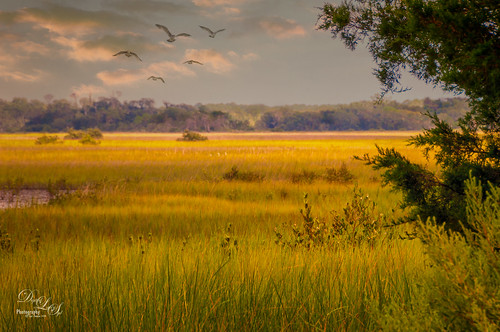
This is an image of the backwater area behind the ICW (Intracoastal Waterway) in St. Augustine and taken from the back side of Camachee Cove. Just had fun creating this image. Added a new sky from KelbyOne to the plain sky and a Curve Adjustment Layer to get the lighting just right. Also added some seagulls birds from a Pixabay image and softened them so they were not so sharp edged using the Blur Tool set to 30% Strength. Two Curves Adjustment Layers were added – one for darkening and one for lightening the image (filled masks with black and painted back where it needed to be adjusted). On a New Layer added a yellow light effect by setting the layer to Overlay blend mode and brush to 9% opacity. On a stamped layer (CTRL+ALT+SHIFT+E) applied Nik Analog Efex Pro 2 (Basic Adjustment, Lens Vignette, and Levels & Curves, especially the Luminosity Curve. It was set to 59%. The last step was to use Nik Viveza 2 to further sharpen the focal point of the flower-weeds sticking up. I love the warm feeling of this image…..Digital Lady Syd
Beautiful Blue Door
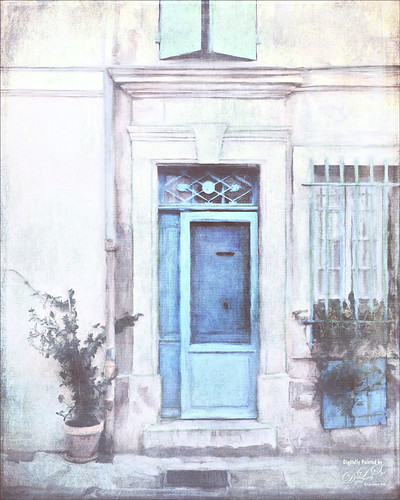
Just felt like doing a digital painting. This image was created using an image on Unsplash by Luca Bravo in Arles, France (unable to find link as it was downloaded 10 months ago). The original image is in beige tones and the door is more turquoise. Several of my Faye Sirkis mixer brushes along with some erodible mixer brushes from Photoshop were used for painting. Used different layers to create underpainting, more detailed layer, and fine details. The colors were changed using Topaz (see sidebar for website link) ReStyle’s Dull Cornflower preset. Five textures were layered : 3 from 2 Lil Owls Studio (see sidebar for website link) and 2 of mine using different blend modes and layer masks to fine tune the effects. A Curves Adjustment Layer was placed on top. That was it! It is so relaxing to paint!…..Digital Lady Syd
Topaz Labs AI Gigapixel
Check out AI Gigapixel stand-alone software for upsizing your images. It’s incredible! And it can now be used as a plugin when in Photoshop. Also Topaz Labs Photo AI has some great sharpening and denoise tools along with Photo Video AI.

Luminar Neo
Click here to visit Luminar for more info and check out their new AI Filters.

GRUT BRUSHES – Photoshop Brushes for Digital Artists
Click here to visit GrutBrushes.com
And be sure to check out his Free Brush of the Week and Brush Sampler! These are the best brushes you can find!

Topaz Studio 2 and Legacy Topaz Labs Filters
Unfortunately Topaz Studio 2 and other Topaz Lab filters are no longer available for sale as of 2020. If you had bought these filters and would like to put them back on, here is a link to the Legacy Apps where they can be downloaded again. Below is an example of the wonderful Remix AI Filter from Studio 2. The wonderful Impression still works fine in Photoshop right now along with Adjust (all versions), ReStyle, and even PhotoFXLab!

On1 Photo Raw
Wonderful software to use as a substitute for or plugin with Photoshop. Many great filter effects and lots of AI capabilities!
