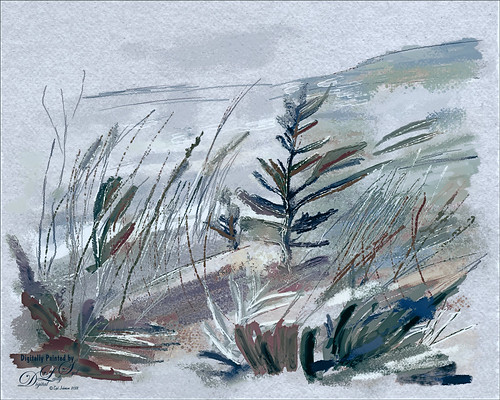
Once again just had some fun – this time painting with Grut’s Ink Brushes and paper. Decided to try and create an image somewhat like an Andrew Wyeth. (Right, like I could paint like Andrew Wyeth – I would be in heaven!) He is one of my favorite painters. It also gave me a chance to go through all the wonderful Ink Brush Nicolai has created at his Grut Brush site. There were so many I wanted to use but stayed instead to these brushes: Gone Coral, Coven Sloth, Pensive Linny, Bed Kelp, Bone Soak, Holy Slips, Go Folly, Raggedy Tag, and Wain Pip. (These were all placed into a brush Group named SJ Grut Ink Brush Favs – and backed up in the Preset Manager.) I also used his Oil Impasto Chip Gimble brush for ground cover. All these were used on separate layers so they could be adjusted and the opacity set correctly. Nicolai also has some marvelous papers – this one started with SP Espaloaf which gave the beautiful overall texture. To finish up, Topaz ReStyle was opened up and the Peppermint Gray preset applied for a very cool feeling to the image. Last step was to use Nik Viveza 2 to bring in the focus to the main tree. If you like ink brushes I suggest you check the Grut Brush Site – lots to choose from and for a low price, you can get all his brushes including these ink brushes. And the best deal is he gives away a free brush each week under his Freebies tab – all different kinds. I can’t tell you how many brushes I have gotten from this free downloads. …..Digital Lady Syd

Latest
Happy Halloween!
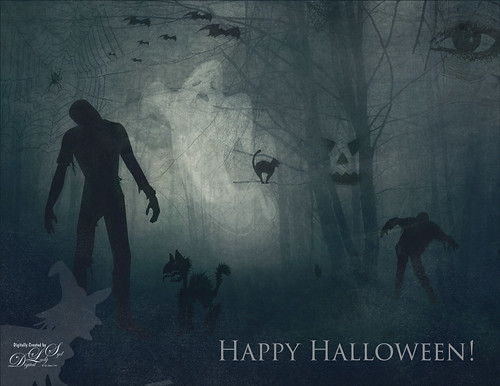
Happy Halloween! Had to do my annual post – they are so much fun to create! And had to do a post to thank all the various people who take the effort to create these wonderful Halloween objects. I would never be able to do these images without them!
So the create this image the base image is from a Creative Market Mysterious Forest Halloween Pack-01. The zombies are vector elements from Ben Blogged Zombieai – even though they are vectors, they will opened in PS – were copied over into the image on their own layers. The cats are all different: I love the foreground scary cat – he is a Halloween_Cat__s_Brush_by_altergromit, the cat in the tree is from a shape set of Halloween items, and the little cat way in the background is a brush from pureanodyne halloween-ciruelo cabral blackcat. Several cobweb and bat layers from the same set were also created. More spider and web layers, and a witch layer, were created using Obsidian Dawn’s Halloween brushes. The ghost was from Creative Market’s Halloween Illustrations – an Inner Glow layer style was used to give the transparent look. Two 2 Lil’ Owls Studio (see sidebar for website link) textures were used: Crackle 13 set to Hard Light at 81% layer opacity and texture 4 from the Artisan Collection Big Set 2, which was set to Linear Burn blend mode and 23% layer opacity. PS’s Foggy Night Color Lookup preset was set to 74% layer opacity to further darken down the image. The eye is one of I created in Photoshop. On another layer Function Subtle Grunge 6 brush by Liam McKay was added. The font is Trajan Pro 3, always a favorite. That was it. Lots of fun and lots of references – thanks creators for sharing!…..Digital Lady Syd
White Abstract Flowers
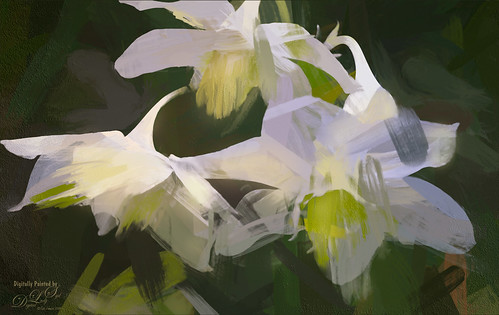
Love the results of this abstract applied to a rather ordinary grouping of white flowers. Applied a basic Topaz (see sidebar for website link) Impression Abstract preset to the flowers to remove the details. Then took the image into Corel Painter to paint in more of the flowers. Saved as a PSD file and opened up in Photoshop to further paint in details with Mixer Brushes. To get the interesting texture effect, added a rather light edged painted border in white and in the layer style, set the Bevel & Emboss to one created by John Derry. At this point I could not find a link where these can be purchased (I got them several years ago) but try playing around with this layer style effect. The opacity of this layer was set to 44% and the Fill amount set to 5% to get the interesting painting look. Used Nik Viveza 2 and added some color for lighting effect……Digital Lady Syd
The Beautiful Comet 67P
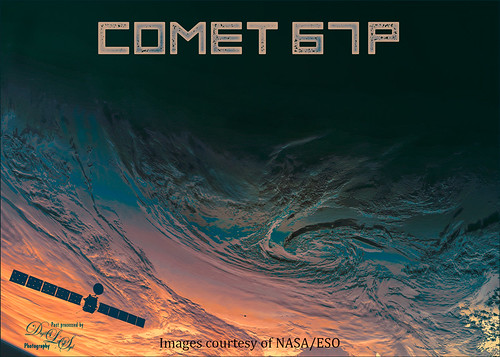
Totally enjoy downloading different images from the NASA and ESO websites and trying out different colors on them. (See my Colorizing NASA Photos Using Topaz Studio (And Check Out Updated Detail) blog for one with Saturn’s rings.) This is not a recent image (from November 13, 2009 and posted July 29, 2015) on the ESA’s website – check out all their images that can be downloaded. Added an image of the Rosetta Spacecraft Model from Wikipedia. Just played around with different fonts and colors and this is what I got!…..Digital Lady Syd
Posing for a Portrait
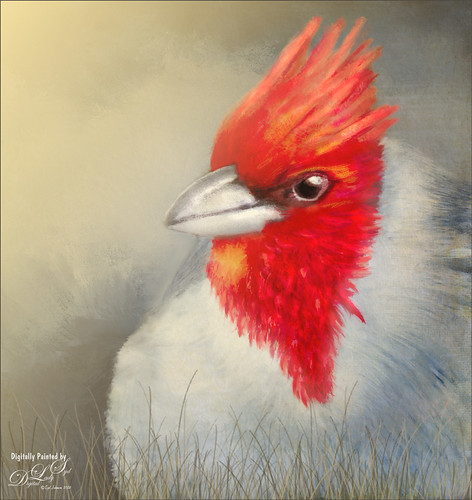
This guy is a Red Crested Cardinal and is not related to the beautiful red cardinals in the US. Although not native to Hawaii either (his image was taken at a park in Oahu), they are quite common. He was not very large in my image so the image was cropped in closely and run through my new favorite program, Topaz (see sidebar for website link) AI Gigapixel. Then I had a great image to work with. In Photoshop the same basic steps were followed that I did with my Wolf and Fox images completed recently. (See my Learning to Draw a Wolf! blog and Introducing the Beautiful Fox blog.) Since the image could be used as a guideline, I first started by sketching on a New Layer called Rough Drawing. Local Color, Shadows, Highlights, and Detail layers were added before working on the fur, textures, and overall lighting effects. Lots of layers, brushes, and time. Need to check out Aaron Blaise’s videos (links in Wolf blog) to learn the workflow. Anyway, I find it very relaxing to paint my bird buddies…..Digital Lady Syd
Viewing the Moon from a Scary Place
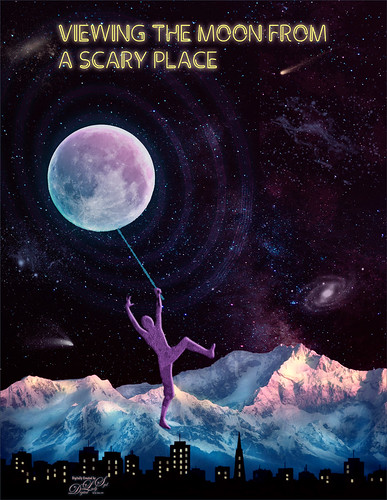
Just having fun with this crazy image of a guy hanging from the moon. Got part of the idea from Chris Spooner’s tutorial called How to Create 80’s Style Retrowave in Adobe Photoshop. Added several objects and blended in them using blend modes and opacity. Items included: Milky Way background image, White and Black Mountain image, Wireframe Vectors 30 by Designer Candies, Valentine by Julie Mead Valentine Gift6 to add some background fog, Wikimedia Commons Full Moon 2010, LifeLine by Gamarai Urb Brushes for the person and cityscape, Obsidian Dawn’s Space brushes for the comets, galaxy, and dust. The font is called Clip. After this just added a few adjustment layers: Darken Curve, Lighten Curve, and Color Balance. That was it. Sometimes it is just fun to create something different!…..Digital Lady Syd
Chatting with the Ladies on the Bridge
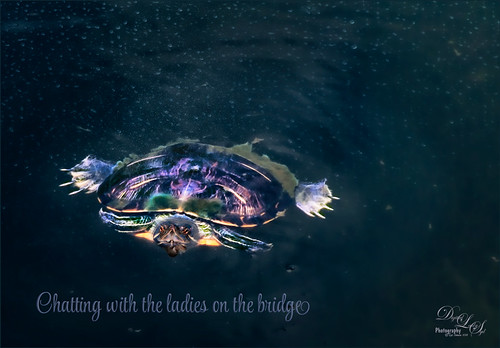
This was a fairly large sized turtle that was hanging around the bridge platform where I was talking with a few other ladies – he seemed totally enthralled with our conversation. Something tells me he was looking for a hand-out. Lucis Pro was added to sharpen him up a little first. Then Topaz (see sidebar for website link) Studio Texture Effects filter (started with Earthy Cat and Window Gaze preset – only used these adjustments: Blurs, Basic Adjustment, Texture and set the Opacity to 0.30 – used as it gave a natural looking interest in the water; added Dehaze Adj – 0.72 opacity and Strength 0.91 and Suppress Artifacts 0.73 – gave water a darker richer color; next added Radiance Adj – 0.97 opacity, Overlay bm, Radiance Type Light, Strength 0.53, Width 0.16, Length -0.28, Curl 0, Suppress Weak 0.01, Effect Coverage 1.00, Fade 0.13, and Sat 0.63 – in mask painted around turtle with small brush which lightened it up around turtle, then used the Adjust settings and set the Density and Contrast to blend the color into the water color – gave a very soft edge around the turtle; the Glow filter was added last – Opacity 0.58, Overlay bm, Primary Glow Type 0.10, Primary Effect Sharpness 0.74, Primary Electrify 0.23, Primary Simplify Details 0.87, Primary Edge Color 0.17, Primary Detail Strength -0.40, Primary Detail Size 0.20, Primary Brightness 0.37, Primary Contrast 0.98, Primary Sat 0.23, Primary Line Rotation 0, Primary Glow Spread 0.08, Coverage Transition 0.31 and Sharp Radius 0.10). In Photoshop a Vignette was created using Matt K’s technique (see my How to Create a Subtle Vignette blog). The font is called Style Casual, one of my favorites. ….. Digital Lady Syd
Emily the Pig
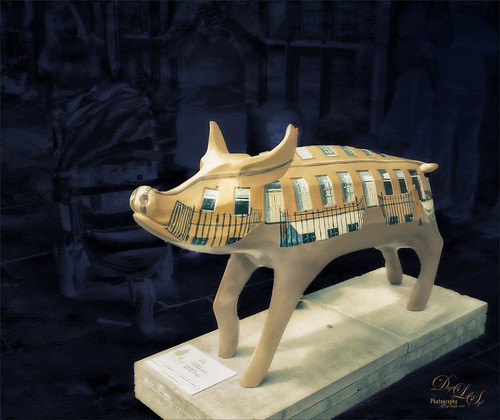
This little pig has the same story as another pig image I took way back in 2008 when the Town of Bath in England was having a public art event to celebrate Bath’s origins and artists. (See my King Bladud’s Pig blog.) King Bladud’s (cc 863 BC) pig, named Emily and painted by Charlotte Moore, is one of 106 pigs that were on display all over the city (I only saw a few) and they were sold at auction to raise money for the benefit of Bath’s Two Tunnels Project. Not a lot was done with this image. The pig was selected and a texture was placed behind her and set to Difference blend mode – that is why you can see the people behind her but not real clearly. Then Luminar was opened and one of my favorite presets by Joel Grimes was applied (Soft and Desaturated) – these preset can still be downloaded from Luminar for free from inside the program. Back in Photoshop a New Layer was opened and just a bit of black was added to darken the bright areas a little more. Last step used Nik Viveza 2 to emphasis the focal point a little more. That was it!…..Digital Lady Syd
Oahu Landscape
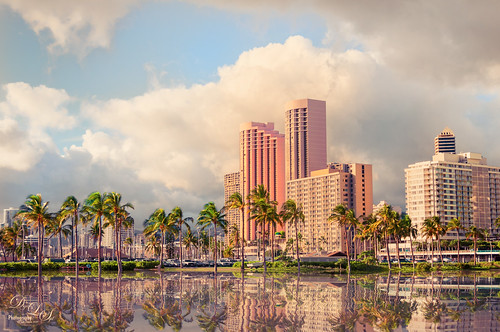
Had some fun with this image of some of the hotels and buildings along the beach of Waikiki. This image actually has a big pool of water in front with a large sandy beach and people swimming. Instead I added the Flaming Pear’s Flood Filter to create a beautiful reflection of the palm trees along the edge of the original water. A Channel Mixer Adjustment Layer was added to brighten up the colors – ran a free action by Sparklestock called Ultimate Vibrance. In a black layer mask the buildings and trees were painted back. On a stamped layer Nik Viveza 2 was applied to sharpen up the hotel fronts and add a subtle vignette around the edges. The last step involved going into the PS Camera Raw and applying a favorite preset from David duChemin’s older “Refining Your Vision in Adobe Photoshop Lightroom” book (all his books are great) named Classic India Split Tone (here are the very simple settings: use Split Toning section either in Lightroom or Camera Raw and set Highlights Hue to 50, Sat 60, Balance 0, Shadows Hue 266, and Sat 35). That was it. I loved the pinkish tones which this preset brings out…..Digital Lady Syd
Leaf Waterfall in a Rain Forest
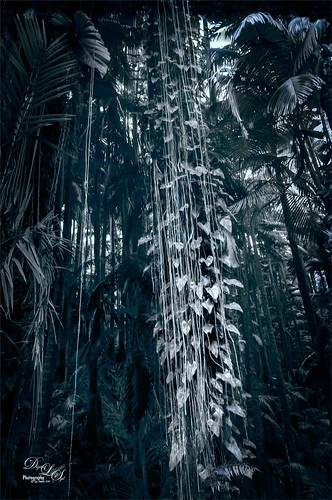
Image was taken at the Hawaii Tropical Botanical Garden on the Big Island near Hilo. This is a wonderful place to visit if you get on the island. Everything grows in giant size here including these philodendrons on a vine around the tree trunk – it really did look like a waterfall made of leaves. I created the image as a black and white and decided I liked having the dark green blue color in the image as it looked more natural to me. To change the color, Topaz (see sidebar for website link) ReStyle was used by applying the Midnight on Swan Lake preset. A Matt K vignette was created (see my How to Create a Subtle Vignette blog) and that that was about it.
Topaz Labs AI Gigapixel
Check out AI Gigapixel stand-alone software for upsizing your images. It’s incredible! And it can now be used as a plugin when in Photoshop. Also Topaz Labs Photo AI has some great sharpening and denoise tools along with Photo Video AI.

Luminar Neo
Click here to visit Luminar for more info and check out their new AI Filters.

GRUT BRUSHES – Photoshop Brushes for Digital Artists
Click here to visit GrutBrushes.com
And be sure to check out his Free Brush of the Week and Brush Sampler! These are the best brushes you can find!

Topaz Studio 2 and Legacy Topaz Labs Filters
Unfortunately Topaz Studio 2 and other Topaz Lab filters are no longer available for sale as of 2020. If you had bought these filters and would like to put them back on, here is a link to the Legacy Apps where they can be downloaded again. Below is an example of the wonderful Remix AI Filter from Studio 2. The wonderful Impression still works fine in Photoshop right now along with Adjust (all versions), ReStyle, and even PhotoFXLab!

On1 Photo Raw
Wonderful software to use as a substitute for or plugin with Photoshop. Many great filter effects and lots of AI capabilities!
