Anything Photoshop or Photography

Latest

Where Am I?

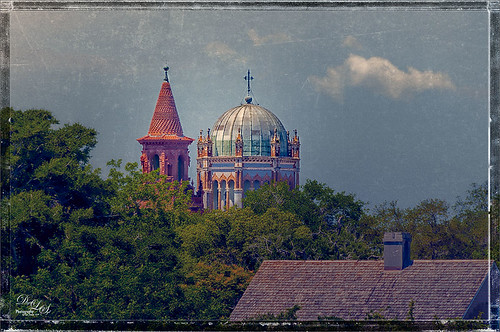
Image of a spire on Flagler College and the cupola on the Flagler Presbyterian Church
This beautiful skyline image was taken from the Castillo de San Marcos National Monument in St. Augustine, Florida. This is a spire from Flagler College (the old Ponce de Leon Hotel) and the cupola on the Flagler Memorial Presbyterian Church. In Lightroom did just basic changes and sharpened up the spire and cupola slightly. In Photoshop the first thing I did, and do a lot, is go into Topaz (see sidebar for website link) Detail 3- this time applied the Soft and Dreamy III preset to smooth out the leaves that were overly sharp and to reduce the detail in the close up roof. I changed the Cyan-Red, Magenta-Green and Yellow-Blue sliders (similar to the Color Balance Adjustment Layer) to get better colors. Some of my clouds (see my free Cloud Brushes) were added softly in the sky at 69% layer opacity. Kim Klassen Cloth & Paper Reign texture was used to add interest in the sky. Next Topaz ReStyle’s Warm Sand Dune Wash preset was applied to pop the colors a little. On a stamped layer (CTLR+ALT+SHIFT+E) the Camera Raw filter ‘s Radial Filter was applied to focus in on the spire and cupola. On another stamped layer OnOne (see sidebar for website link) Perfect Effects 8 was opened and a Blue-Yellow Split Tone set to a Balance of 81 was added, some detail painted back on the spire and cupola, and the Martha Border was the last step before saving back in Photoshop.  I love beautiful St. Augustine!…..Digital Lady Syd

Digital Lady Syd Related Blogs:
OnOne’s Perfect Mask Works Great!
Some of My Favorite Plug-Ins
Loving Both Filters!
Spring Flowers

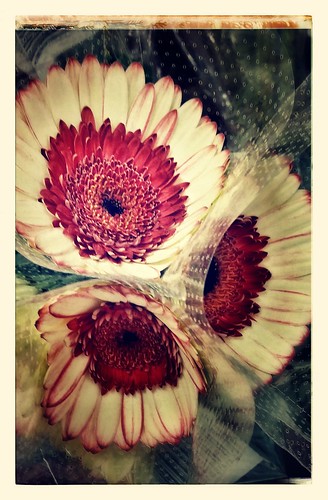
Image of Red and Cream Flowers

More beautiful and unusual flowers at my local grocery. This time they were post-processed on my phone using Nik’s Snapseed App which produces wonderful results. For this image these tools were used: Crop first, Drama Filter Structure +59 and Saturation +20; Grunge Saturation +24, Texture +60, Center Size +50, Style +60, and Brightness 0; Center Focus Blur +72, Outer Blur -72, Inner Blur +29, Weak circle, and focus control point placed on the top flower; and Frame-Frame 11 tapped three times. Once again, this app creates some beautiful results!…..Digital Lady Syd

Digital Lady Syd Related Blogs:
How to Use Nik’s Snapseed Photo App on Your Smart Phone

A Little Layer Style Fun

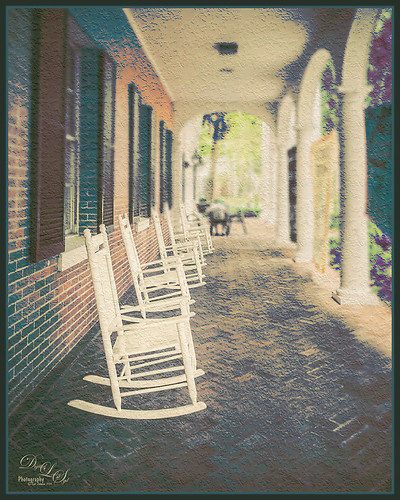
Image of rocking chairs at Stetson University
These are some of the rocking chairs that Stetson University in DeLand, Florida, offers students to use for resting or studying on the campus. I really liked the way they have them located throughout this small beautiful campus. One effect I did use on this image was the Blur Gallery in Photoshop so that the end of the walkway was definitely not too clear but the rockers up front are seen clearly. The other was to use Jack Davis’ Layer Styles called Stucco which adds a Pattern Overlay using one of his patterns to give a very textured surface. I changed the opacity from 25% to 19% and the scale to 203% from 61% which gave a very different look. Try playing around with this layer style using one of your favorite textured patterns and see what you get. Lots of fun!…..Digital Lady Syd

Dahlia Flowers Chatting with the New BLooms

Image of two light purple dahlias

Just a couple of pretty dahlias growing in my front yard. I really loved the nice spring colors. This time I created a selection of the flowers and added French Kiss Tableaux Madeleine texture behind them. French Kiss Tableaux Halcyon was added on top and the flowers painted back with a large soft brush so most of the image was revealed – just the edges and some of the stems were not completely revealed. A new layer was placed on top and the Mixer Brush was used to blend the flower petals to give a slightly painterly feel to them. French Kiss Studio 3 White Wash texture was added on top and set to 13% opacity. A layer mask was added and the darker flower was painted back very softly to help draw the eye there subtly. On a composite layer on top (CTRL+ALT+SHIFT+E) Topaz (see sidebar for website link) ReStyle’s Cream and Plum preset (one of my favorites in the filter) was applied to give a little more purple color to the image. This filter can really give a better color palette and there are so many choices it was heard to choose one. A frame I had created in Corel Painter was placed on top as a last step. Lots of fun to created!…..Digital Lady Syd

My Turtle Friend

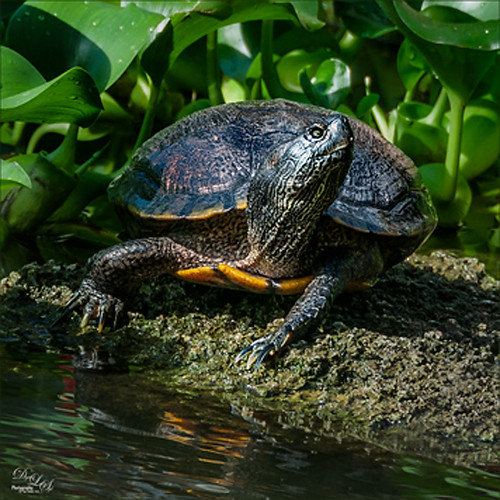
Image of a turtle that was processed with Nik Analog Efex Pro
Been enjoying my turtle pictures from the Ormond Beach Memorial Art Museum and Garden in Ormond Beach, Florida. This guy was just minding his own business and enjoying the Florida sun when I snapped him. Just basic adjustments were done in Lightroom. In Photoshop I used Nik Viveza 2 to sharpen his turtle lines and to draw focus to his face, and then the Camera Raw filter was applied using the Radial filter for a vignette effect. Really liked how this guy turned – just fun to do!…..Digital Lady Syd

Pretty Hats

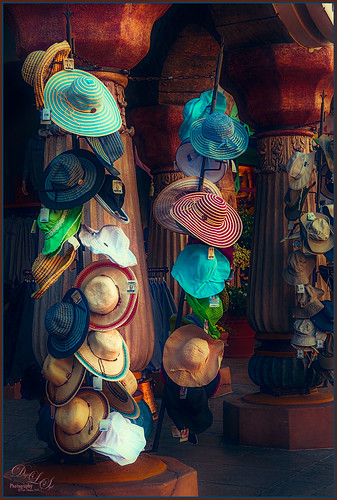
Image of a Hat Display at Universal Studios - Orlando

Had to take this image of these really cute hats. Topaz (see sidebar for website link) Detail 3 was applied first in Photoshop to add some general sharpness to the image. Then Topaz Restyle’s Waterloo and Mint preset was added – loved the resulting rich colors that were achieved. The last step was added three Camera Raw Filter Radial Filters to bring the focus of the image on the hats to the left. Add my SJ Thin Double Edge Frame using sampled colors from the image to match. I really enjoyed seeing these hats – so pretty!…..Digital Lady Syd

Soft Pink Calla Lilies!

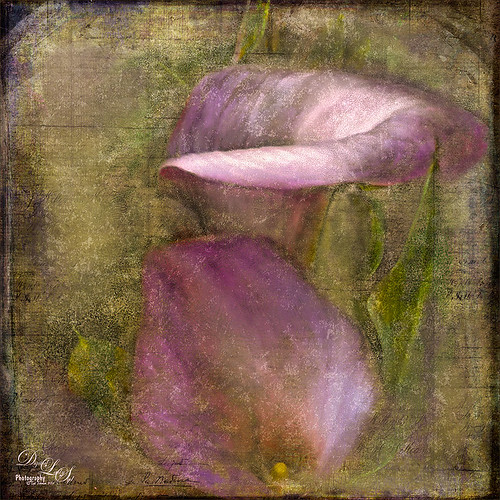
Image of beautiful pink calla lilies
Just wanted to play with this beautiful image of soft pink calla lilies – love their color! Took them with my Android phone in the grocery and loved the result. Did nothing special to them in Lightroom – just the basics, then did a little clean up on the image in Photoshop before adding 2 Lil’ Owls (see sidebar for website link) Carnavale texture. Painted back the flowers in a layers mask attached to the texture and topped it off with Kim Klassen‘s Cloth & Paper Collection’s Magicfilm set to Soft Light blend mode at 45% layer opacity. This completed the vintage feel. The colors just did not look quite right to me and I had a hard time figuring out what to do to get the final look I liked. Then it hit me – go to my favorite plug-in – Nik’s Viveza 2 – and sure enough, with just two control points on the flower petals, I got just the color effect I wanted. Once again, lots of fun to do on boring Monday!…..Digital Lady Syd

Adding Snapseed to a Regular Photo

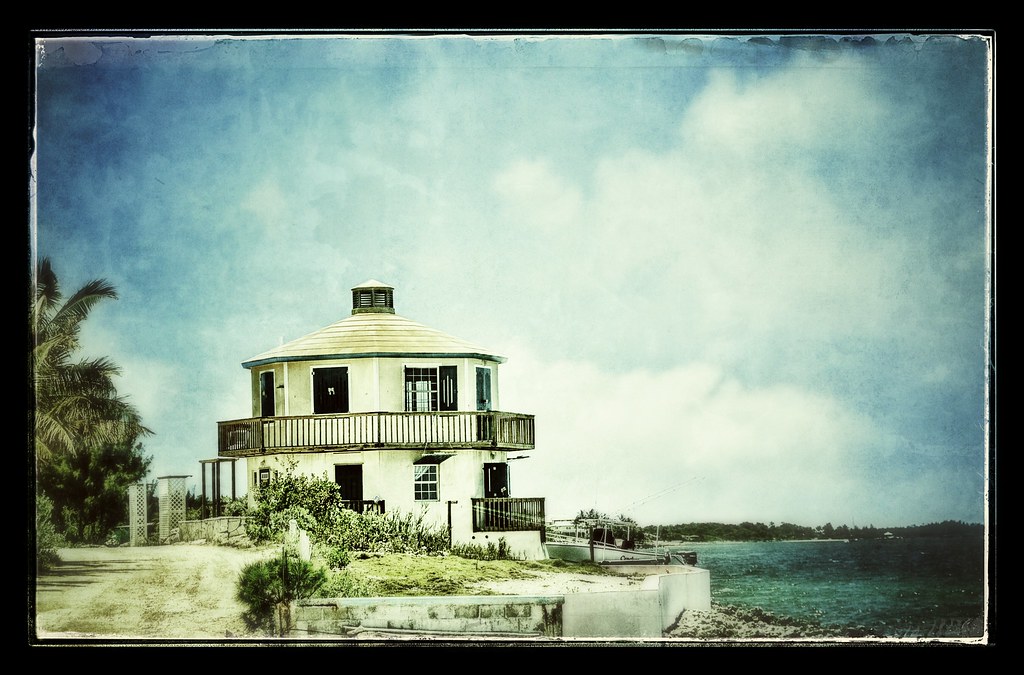
Image of house in Marsh Harbor in the BahamasAnother example of what Nik’s Snapseed phone app can do to an image. This is an image I took in Marsh Harbour in the Bahamas several years ago and put in my photo gallery on my Android phone. Since I have been learning how to use Snapseed (see How to Use Nik’s Snapseed Photo App on Your Smart Phone), I decided to try it on one of my already processed images just to see what would happen. Wow – I loved the results. These are the settings I used to get this result: Tune Image Brightness -9, Ambience +79, Contrast +9, Saturation +37, Shadows +16, and Warmth +35; Vintage Style 3 and Texture 1, Brightness +23, Saturation +15, Texture Strength +70, Center Size +19, and Style Strength +60; Grunge Style 292, Texture 1, Brightness +48, Contrast 0, Texture Strength +17, and Selection control point covering the whole image; Focus Center Bur +97, Outer Brightness -14, and Inner Brightness -44; and Frames – Frame 19. This app is great fun to play with on your phone and you can get some really surprising results!…..Digital Lady Syd

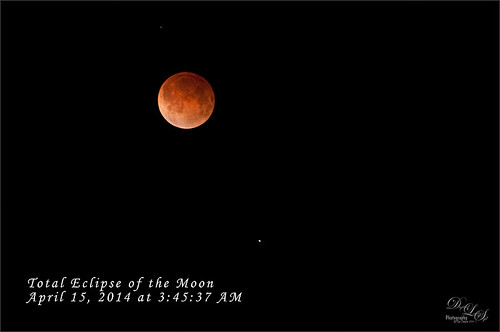
Total Eclipse of the Moon!

Image at Totality of the Total Eclipse of the Moon from Florida
Image of lunar eclipse taken on April 15, 2014 at 03:45:37 AM from northeastern Florida showing what was considered totality according to Astronomy Magazine. Image was shot with my AF-S Nikkor 70-300 mm 1:4.5-5.6 G lens set to aperture priority mode at F/5.6, 300 mm focal length (with crop factor 450 mm), and ISO 1600, with a resulting shutter speed of 2.0 sec. My Nikon D300 was set up on a tripod with a shutter release cord to get the sharpest results. Unfortunately the sky  was not all that clear when the photos were being shot and my equipment is not the latest, but all in all, I think it did a fair job of getting a beautiful lunar eclipse shot. No post-processing in Lightroom – just did not help. Took image into Photoshop and used Topaz (see sidebar for website link) DeNoise (Overall 10, Shadows 34), then applied a black layer mask and just painted in a few areas that really needed it – really not too much adjustment here even though my camera does not handle ISO 1600 real well. Topaz Detail 3 was applied (here are the settings: Small Details 0.28, Small Details Boost -0.02, Medium Details 0.55, Medium Details Boost 0.15, Large Details 0.61, and Large Details Boost -0.29 – best plug-in around for this type of detail work) and once again a black layer mask was applied and just a few areas were added back to get more detail in the moon surface. The text font is Monotype Corsive at 38 points. That was it! It was so much fun to go out and shoot at night. Also check out my blog of a lunar eclipse taken on 12/21/10 called Shooting a Lunar Eclipse for more info. Have a great day!…..Digital Lady Syd

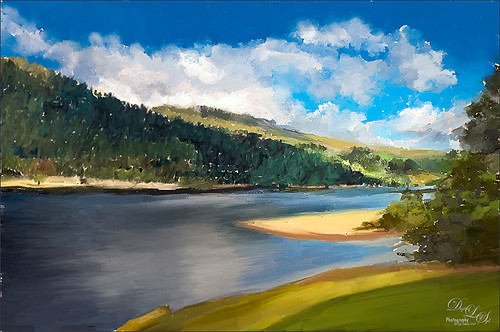
Painting Scotland!

Painted image of the Scottish Highlands
This image was painted from a shot I took while in Scotland several years ago – just can’t get enough of this beautiful country! This is where I am at with my painting journey. The basic image was painted in Corel Painter with some brushes I created after reading an older book by David Cole called Complete Digital Painting Techniques. Even though it uses an older software edition, I was able to follow his workflow for creating an oil painting and to create the brushes he was using in his example. I still had to supplement with a couple oil brushes from Fay Sirtis, a Corel Master who makes wonderful Painter and Photoshop brushes. After completing what I could in Painter, the image was brought into Photoshop and a Solid Fill Layer was added under the painted layer to add just a little different color in the areas that were not covered with paint, just to give a little interest. Come clean up was done to smooth out some rough edges, and a couple Radial Filters were applied using the Camera Raw filter. That was it and is where I am with my Painter journey, and oh yes, it was lots of fun to do!…..Digital Lady Syd