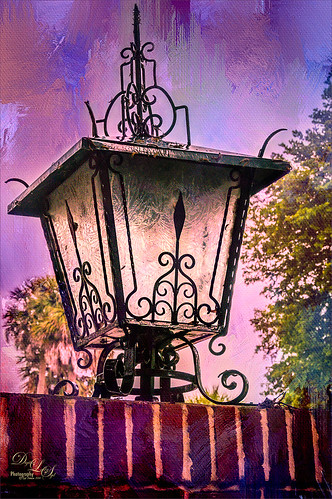
This beautiful large lantern was sitting on top of a large brick wall introducing Stetson University in DeLand, Florida, where my son goes to school. This was an easy image to post-process – just a little detail sharpening using Topaz (see sidebar for website link) Detail 3 so the glass etching could be seen better. Used a black layer mask and just painted back the glass areas. Next I used Mellisa Gallo (one of my favorite texture people) of Painted Textures November Twilight texture set to Linear Light blend mode at 100% layer opacity and April Impasto texture set to Multiply at 52% layer opacity – these were both from great deals she runs on her website each month. The lantern was painted back softly in a layer mask on each texture so the etchings still show up nicely. Now to get the lantern to light up just a little, I tried several different things and it just did not look right. My last attempt was using Nik’s Viveza 2 and setting a Control Point in the lantern. Then the Warmth was set to 44%, Brightness 36%, Contrast -32%, Saturation 52%, and Shadow Adjustments 100% to get the soft glow in the lantern. This filter never lets me down! Anyway, this image is just the way I wanted it!…..Digital Lady Syd

Latest
Smudging Those Petals!
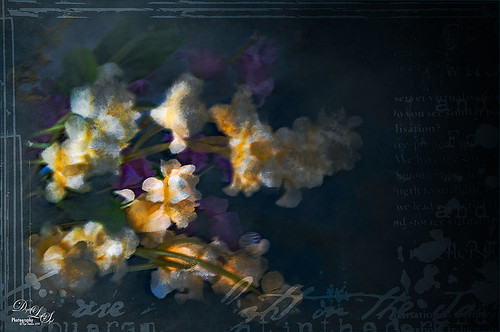
Last week I did a blog on using the smudge tool on my Fun Photoshop Blog (see How to Use the Smudge Tool). Thought I would post another example of the some of the nice results you can get when using it. In Lightroom Jared Platt‘s Pops Image preset was applied from one of his Presets, Presets, Presets! CreativeLive classes – this particular preset uses a Linear Tone Curve. In Photoshop some clean up was done, and Topaz (see sidebar for image website) Detail 3 was used to sharpen my focal point area. Next Topaz Simplify 4 was set to BuzSim preset with the Edge Strength set to 1.54. Once applied, a layer mask was used so just the center of the focal point has the plug-in applied. On a New Layer the Smudge Brush was used at 80% Strength to give the painterly effect to the petals. Just painted to give different opacities to each petal. Jai Johnson‘s Intenseblue-Canvas texture was applied and the flowers painted back softly in a layer mask using my chalk brush. On a stamped layer (CTRL+ALT+SHIFT+E) the Camera Raw filter was applied as a Smart Object and the Radial Filter was used to create the soft vignette. The last step involved using a mask created by Studio Viva Artistry on Studio Girls Scrapbookgraphics called Viva_Pennmanship_mask3 to add some additional interest. I really like the effect the Smudge Brush gives!…..Digital Lady Syd
The Red-Roofed Barn

Here is a good example of what not to do – I have no real idea how I post-processed this image of a red-roofed barn in Jackson, Mississippi, last week on my laptop, as it got saved accidentally as a flattened .psd file. I really like the results so I am going to guess. I believe that I placed a sepia version on top of a regular version by bring in two versions from Lightroom. With the sepia layer on top, I lowered the opacity a little on the sepia toned layer, and then back more of the the beautiful red roof and light green foreground. Usually I w0uld have removed all the wires, signs, and telephone lines, but in this case, it seems to really be how to the image actually looked. A stamped version (CTRL+ALT+SHIFT+E) was created on top of the layers, and a fairly strong vignette was added in OnOne (see sidebar for website link) Perfect Effects 8 along with some sharpening. This software does a really nice job on landscapes like this. Anyway, I liked the photo so I thought I would post it……Digital Lady Syd
Heathcliff in Toon Lagoon
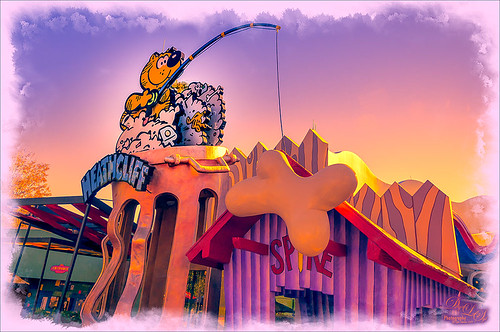
Just a funny picture comic character Heathcliff the Cat from Toon Lagoon at Universal Studios, Orlando, Florida. Just had fun doing this one. Actually used Topaz (see sidebar for website link) photoFXlab’s Instatone tool to get the really pretty sunset looking sky – it was really a bright blue sky and the middle of a sunny day. Created a watercolor border frame by painting around the edges of a New Layer on top and with a light purple color Solid Color Fill Adjustment Layer, the color was clipped to the frame (ALT+click between the two layers to clip). The Camera Raw Filter’s Radial filter was applied to try to draw the focus of the image to Heathcliff. Overall a pretty striking image that I would never have gotten without Instatone. Lots of fun to do!…..Digital Lady Syd
Digital Lady Syd Related Blogs:
InstaTone in photoFXlabs – Great Fun and Great Results!
Digital Lady Syd’s Review of Topaz photoFXlab v1.1
InstaTone Sunset
Harry Potter World
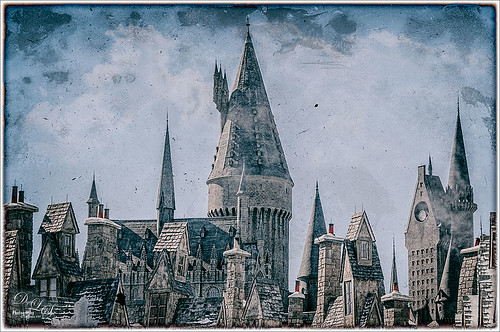
Having some fun here with two of my favorite filters in Photoshop. This is just an image of the tops of the Wizarding World of Harry Potter at Universal Studio in Orlando, Florida. Did basic slider adjustments in Lightroom, then in Photoshop applied Topaz (see sidebar for website link) Detail 3 to sharpen. Added a couple clouds from my free Cloud Brush Set, and applied Nik’s Analog Efex Pro plug-in to get the real vintage feel. Used Puppet Warp twice to try and straighten the towers which are not straight no matter what, but I wanted the big one in the middle straight looking. (See my Straightening with Puppet Warp! blog.) Added a layer style to create the framing. That was it……Digital Lady Syd
Where Am I?
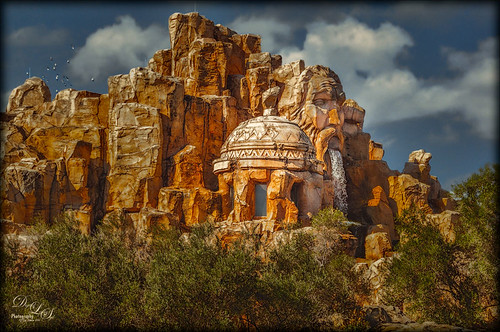
Loved the result of this interesting structure taken at Universal Studios in Orlando, Florida, that houses a The Eighth Voyage of Sindbad Stunt Show. This image originally had a really ugly sky in it, so I added one of my skies I took over the Intracoastal Waterway when sailing – much nicer looking with clouds! The birds were actually in the photo. Refine Edge was used to get a nice demarcation between the new sky and the rocks. Topaz (see sidebar for website) Detail 3, Topaz ReStyle using Orange Orchard preset, and Topaz Adjust using French Countryside preset were all applied. In Photoshop the Camera Raw Radial Filter was used to direct to the dome as the focal point. That was it. One of my favorite images from the day!…..Digital Lady Syd
A Splash of Color
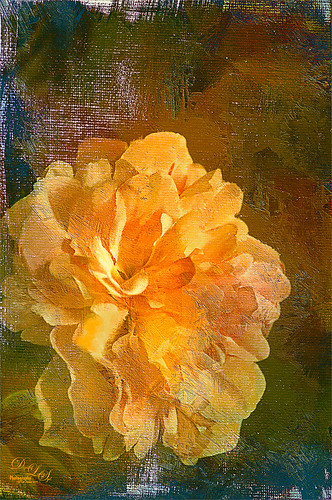
Love the texture on this flower. Lightroom basic changes, Topaz (see sidebar for website link) Detail 3 for sharpening the focal point, Mixer Brush painting on flower – Fays Signature Pastel Blender 02 on image above, Curves Adjust Layer for contrast, Painted Texture‘s Dark Naples Yellow texture twice using Linear Light and Multiply blend modes. A composite layer (CTRL+SHIFTS+ALT+E) was created and turned into a Smart Object. In the Smart Object the blend if This Layer dark tab was adjusted so I could let a little color through. A turquoise blue Color Fill Layer was added underneath the Smart Object so the color shows through. High Pass Sharpening was the last step. I love the colors in this texture!….Digital Lady Syd
Driftwood Eagle
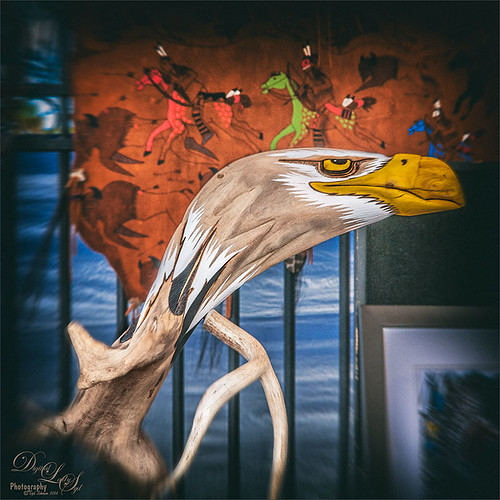
I loved this beautiful piece of art that one of the vendors was selling at the 2014 Native American Festival in Ormond Beach, Florida, recently. The image just seemed to say Nik Analog Efex Pro to me, so this filter was applied as a Smart Object. In the filter the Basic Adjustments, Lens Distortion, Zoom & Rotate Blur, Lens Vignette, and Film Type were selected. Then back in Photoshop, the actual face and part of the wood body were painted back in the filter mask. A Curves Adjustment Layer with a slight S-curve was added on top and that was it. Love the color in this image – really reminds me of the festival……Digital Lady Syd
Wishing I Was Back in Hawaii
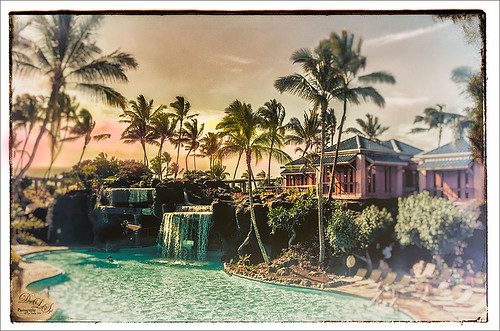
Wishing I was back in Hawaii – been a while. Taken at the Hilton Waikoloa Village on the Big Island – really fun place to stay. I just love the what Nik’s Analog Efex Pro does to give a nice vintage feel. Otherwise just a little clean up here and adding some contrast using Curves Adjustment Layer……Digital Lady Syd
A Dreamy Rose!
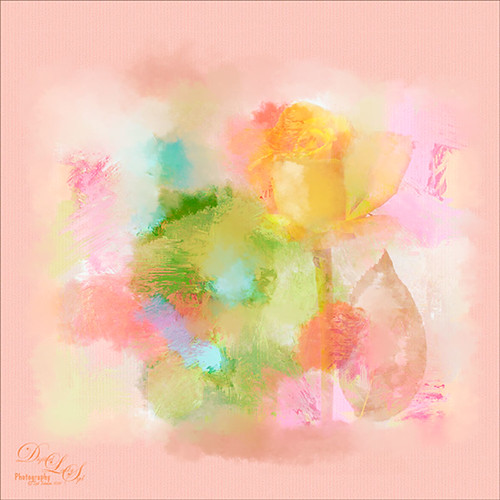
Really enjoyed making this image. This yellow rose, a free image from stock.xchng by MEJones, was used to begin my painting. Painted Textures Parisian Pool texture was used. The edges of various splotches of color on individual layers were blended in using a Mixer Brush – not sure which one, but the Adobe Chalk Brush with a Shape Dynamics set to 19% would work fine. This brush can be used both as a regular brush and a Mixer Brush. The Camera Raw Filter was used to adjust the color using the HSL sliders. A Curves Adjustment Layer was used to add a little contrast. That was it but lots of fun to do!…..Digital Lady Syd
Topaz Labs AI Gigapixel
Check out AI Gigapixel stand-alone software for upsizing your images. It’s incredible! And it can now be used as a plugin when in Photoshop. Also Topaz Labs Photo AI has some great sharpening and denoise tools along with Photo Video AI.

Luminar Neo
Click here to visit Luminar for more info and check out their new AI Filters.

GRUT BRUSHES – Photoshop Brushes for Digital Artists
Click here to visit GrutBrushes.com
And be sure to check out his Free Brush of the Week and Brush Sampler! These are the best brushes you can find!

Topaz Studio 2 and Legacy Topaz Labs Filters
Unfortunately Topaz Studio 2 and other Topaz Lab filters are no longer available for sale as of 2020. If you had bought these filters and would like to put them back on, here is a link to the Legacy Apps where they can be downloaded again. Below is an example of the wonderful Remix AI Filter from Studio 2. The wonderful Impression still works fine in Photoshop right now along with Adjust (all versions), ReStyle, and even PhotoFXLab!

On1 Photo Raw
Wonderful software to use as a substitute for or plugin with Photoshop. Many great filter effects and lots of AI capabilities!
