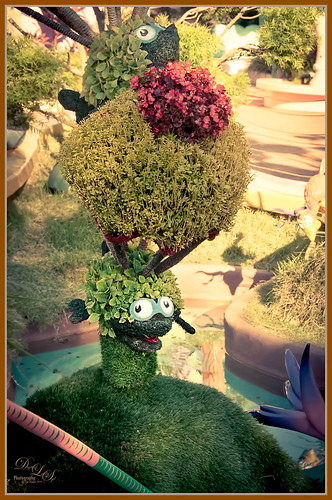
This image is another one of the adorable topiaries growing at Universal Studios-Orlando in Dr. Seuss Land. This photo was just a fun image to work on – loved the colors. An an old Trey Radcliff preset called Cross-Into the Sky from his Lightroom Presets Volume 1was applied first – liked the slightly vintage look it had. In Photoshop Topaz (see sidebar for website link) Detail 3 was selectively applied where the Highlights were emphasized and shadows were weakened. A black layer mask was added and only the edges of the topiary and the eyes were left sharpened. A Curves Adjustment Layer with the mask converted to black (CTRL+I in mask) was placed on top to the lower part of the topiary. Next Topaz DeNoise 5 set to Overall 73 and Highlights 69 (these are the highest settings I have ever used in this program) were set and on a white layer mask only the lower topiary and the eyes were painted out to keep them sharp. On a New Layer the Sharpen Tool was used again on just the eyes. A Levels Adjustment Layer was added and applied to lower part of the topiary by painting in a black layer mask. Finished up created a stamped (CTRL+ALT+SHIFT+E) layer and added my free SJ Double Edge Frame layer style – sampled an outside color from the image for the frame. Really love this part of the park – very colorful and fun!…..Digital Lady Syd

Latest
Digital Lady Syd’s Rule No. 11: Keep Practicing!
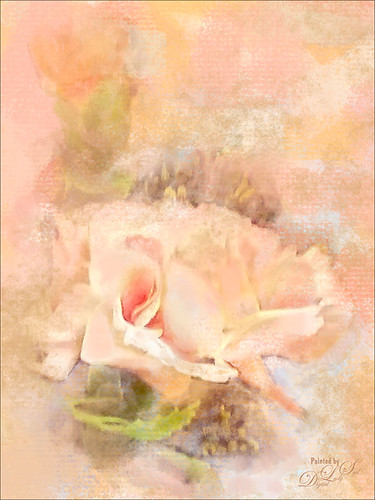
Just wanted to practice a little more painting so I found this image taken with my phone at the local grocery store recently. I have found that if I do not keep practicing on images, I lose some of my creative ability. That’s because I have to keep looking up how to do so things I forgot how to do! So this image was just one I decided to practice using my Photoshop skills to add a lovely painterly look to these flowers. Used Topaz (see sidebar for website link) Detail 3 to sharpen the total image a little – I wanted the center of the flower, the focal point, to be as sharp as I could get it. I added a texture I created in Corel Painter using three brushes including a nice chalk brush to get some interesting texture. Added a New Layer on top and used in Blur’s Good Brush 5.1 Pro set (a wonderful huge free download of all kinds of Photoshop brushes including several really nice Mixer brushes!) Circles 混凝土 – 1 brush. On another New Layer added some color into the image using a Pastel Mixer Brush – be sure you are set to add color in your options bar to get this to work. Next the Sharpen Tool was used in another layer. The last step was adding a Color Balance Adjustment Layer and a Levels Adjustment Layer. I just love painting in Photoshop and I do not even mind practicing this!…..Digital Lady Syd
The Old and the New
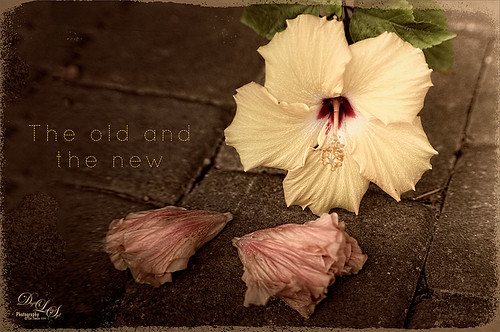
Just a set up image of my beautiful yellow hibiscus blossom and two spent Painted Lady pink blossoms. In Lightroom using Seim’s Power 4 Workflow (see sidebar for website link) Dreamscape preset and Dave Delnea’s LR Develop Custom Tone 002 preset were applied before going into Photoshop. The image size was extended using the Crop Tool: then the Magic Wand Tool to select extra canvas: then Select -> Modify -> Expand 4 pixels; and finally Edit -> Content Aware Fill. Got pretty good results! Used Topaz (see sidebar for website link) Detail 3 to overall sharpen the image, and then OnOne (see sidebar for website link) Perfect Effects 8 and Nicol S. Young’s Daydream preset set to 68% layer opacity. The text font is Quicksand. Just a little grunge frame added on top. I love the soft pastel colors of the blooms……Digital Lady Syd
Love the Tryptych in Nik Analog Efex Pro 2!
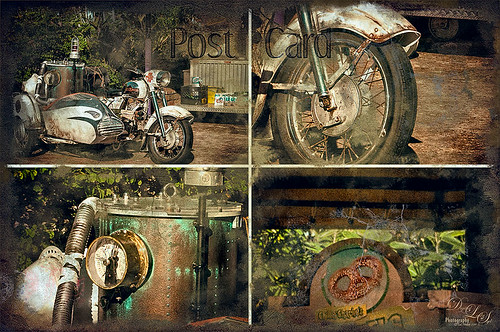
Universal Studios Orlando has so many interesting shooting places – this would have looked great with a person sitting on the bike too. Used the new updated Nik Analog Efex Pro 2 to get this great four image triptych effect. It uses the same image but each section can be manipulated individually. This is a lot of fun to do with an image that has a lot of areas to look at closely. The filters used in this plug-in were the Basic Adjustments with Detail Extraction at 66% and Brightness at -17%; Film Type Bolton 3 at 91% Strength; and Multilens with Variation Strength set to 73% and Variation Type 5. Back in Photoshop Shadowhouse Creations Old Post Set PCB texture (a free download) was added on top. A white layer mask was added and with my Charcoal Brush (Adobe’s Charcoal Brush 60 with an added 19% Angle Jitter in Shape Dynamics section of the Brush Panel to get a different angle with each stroke), the areas I wanted showing were painted back in leaving an interesting border effect. A Curves Adjustment Layer was added to bring back some contrast and a New Layer was used to paint in a little grunge for more vintage feel. On a New Layer, the Sharpen Tool was used to just sharpen up the focal areas in each section. The last step involved added Topaz (see sidebar for website link) ReStyle using the Peat and Rock Preset at 74% opacity. This really popped the image. This was lots of fun to work on!…..Digital Lady Syd
Digital Lady Syd Related Blogs:
How About That Update to Nik Analog Efex Pro 2?
“But we can have lots of good fun that is funny!”
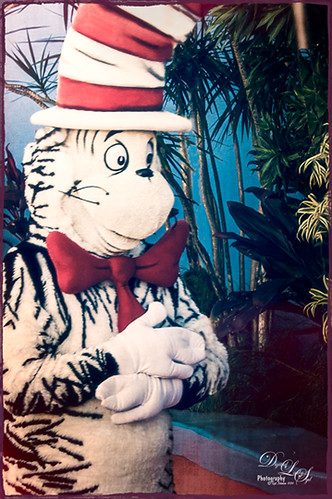
This fun shot is of the Cat in the Hat character in Dr. Seuss Land at Universal Studios Orlando. (Title quote from The Cat in the Hat book.) In Lightroom Seim Effects (see sidebar for website link) Super HDR X and Dave Delnea‘s Backlit Vertical Left presets were applied – these are probably the best sets of Lightroom presets I own! In Photoshop some basic clean up was done before OnOne’s (see sidebar for website link) Perfect Effects 8 plug-in was opened and Jacob Lucas Old Mans Chair preset (supplied by OnOne and one of my favorite Perfect Effects presets) was applied. Back in Photoshop the Sharpen Tool was used on the eyes and hands. Last a basic thin grunge border was applied using a dark purple Color Fill Adjustment Layer clipped to it (ALT+click between the layers to clip). That was it! Such a cute character in this fun part of the theme park……Digital Lady Syd
Where Am I?
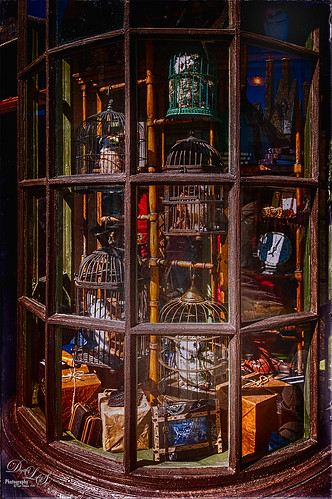
OK – the owls in the birdcages should be the big clue if you are a Harry Potter fan! Just another shot taken at the Wizarding World of Harry Potter in Universal Studios Orlando, Florida. Even though this window shot of the owl and school supply store was not the greatest, I really liked it. Some of the reflections in the panes actually show the high tops of the buildings on the other side of the street – so Harry Potterish! Felt this image needed a quick fix with the newly updated Nik Analog Efex Pro 2 since the whole Harry Potter feel is rather dark and vintage. In Lightroom just some basic adjustments and Seim Effects PW4 (see sidebar for website link) Sampler Magic Shade Fixer preset – a free download of some marvelous presets. Since I was going to use the Adaptive Wide Angle Filter in Photoshop, the Lens Profile was turned off. In Photoshop my go-to filter, Topaz (see sidebar for website link) Detail 3 was used and then the Adaptive Wide Angle filter was opened to straighten up all the unsquare window panes – did a pretty good job I think. Next Nik’s Analog Efex Pro 2 was applied using Basic Adjustments, Light Leaks, Lens Vignette, Film Type, Frames, and Levels & Curves which really gave the image the real vintage feel. Back in Photoshop a vignette was created by using a Curves Adjustment Layer to darken the image overall and then paint back with a large soft white brush the lower center focal point to direct the eye. The last step involved using the Sharpen Tool on a New Layer to sharpen up the owls just a little. Done! Love this new update from Nik!…..Digital Lady Syd
Digital Lady Syd Related Blogs:
How to Use the Adaptive Wide Angle Filter
How About That Update to Nik Analog Efex Pro 2?
The Candy Store Staircase

Just had to give a painterly look to this cute pink spiral stairway in a candy store in Harry Potter Land at Universal Studios Orlando. The original was not that great an image – not real sharp and or straight. I really liked the shot though so by adding Alien Skin Snap Art 4 plug-in and the Pastel preset on it, it became a really nice image. To be honest, this image took a long time to get the effect I wanted even with this great filter effect. The Camera Raw Filter’s Radial Filter was added to the light in upper left to make it the focal point and lighten it up a little more. Several Curve, Levels, and Selective Color Adjustments Layers were added. Several clean up and painted layers were added and even my Snow Overlay-slight blur was added at 6% layer opacity to add in a little white canvas feel. The last step was adding a simple painted border that I created in Painter. I have to say that Snap Art really does a pretty good job of painting…..Digital Lady Syd
Digital Lady Syd Related Blogs:
Digital Lady Syd Review Alien Skin Snap Art 4
Digital Lady Syd Reviews Alien Skin Snap Art 3
A Blast from the Past!
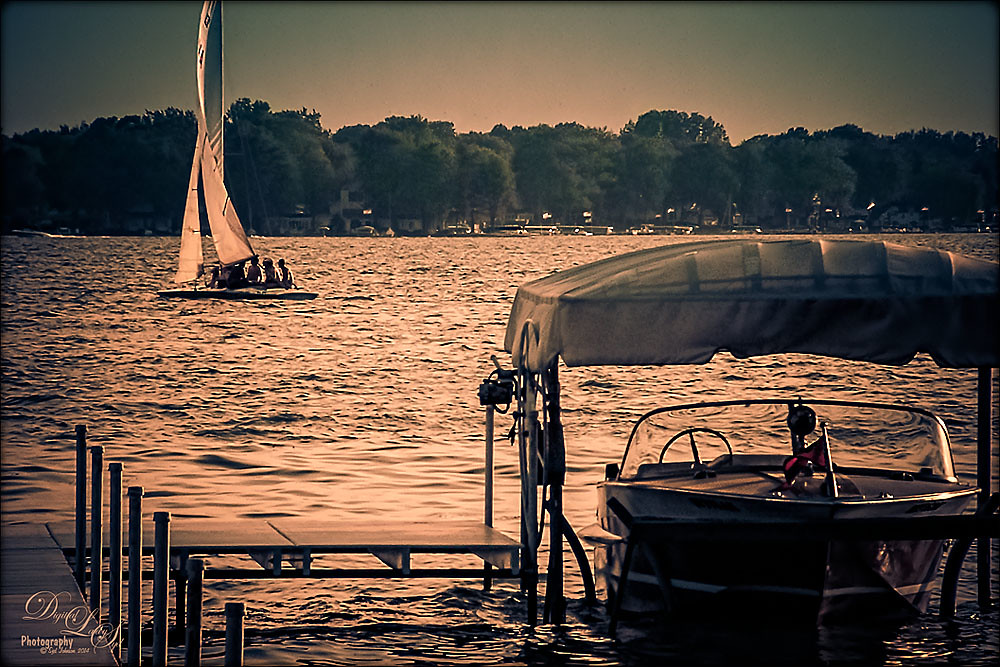
Got an E-mail from an old lake friend yesterday so I thought I would post this shot for him and my old “lake” family of a place I will always remember as “home.” If you are in the vicinity in Indiana, check out Lake Wawasee – a beautiful fresh water lake. This image was taken with my old 2 mg Casio QV-2900 UX Digital Camera – my first digital camera. It actually did a pretty good job. Trey Radcliff’s Friday Night of Regrets Lightroom preset was applied first before opening Photoshop. Topaz (see sidebar for website link) Detail 3’s Feature Enhancement II was applied next. A Selective Color Adjustment was used to add a little more green color into the background trees that look washed out. The mask was filled with black and just the trees painted back with a very low opacity brush. Two New Layers were created and both set to Overlay blend mode. The tree edges were painted in the dark areas with a black brush on one layer and a white brush was used to paint in tree highlights on the other layer using a brushes set to 12% layer opacity. The layer opacities were then lowered. The Sharpen Tool was used on the houses on the shoreline and a Curves Layer Adjustment Layer was added and set to 50% layer opacity. Probably more info than you ever wanted to know, but it is nice to see that some of the newer Photoshop technology and tricks can perk up those older digital photos!…..Digital Lady Syd
Digital Lady Syd Related Blogs:
The Best Dodging and Burning Technique!
Turning the Old into the New
Beware of Snoozing Cat!
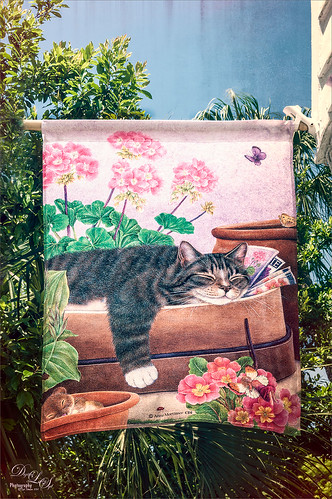
Loved this banner by Anne Mortimer CDI (she does great cat images) outside a darling upstairs cat boutique in St. Augustine, Florida, called City Cat County Cat. (No website so here is their store address: 72B St. George Street, St. Augustine, FL 32084 – definitely worth a stop if you love cats!) If I had a cat, I would buy this! Just basic changes in Lightroom before going into Photoshop. This time I used the Adaptive Lens Filter to straighten up the edges of the banner just a little. On a duplicate layer, OnOne (see sidebar for website link) Perfect Effects was opened and Jason Lucas’ preset Old Man’s Chair (from an OnOne give-away set when you own the suite) was applied and the top Texturizer layer’s opacity was reduced for less Light Leak effect. A Detail Adjustment Layer was added on top in the plug-in and just the cat’s face was sharpened. Back in Photoshop the layer opacity was set to 73%. I created a stamped or composite layer on top (CTRL+ALT+SHIFT+E) and the Sharpen Tool was used just a little bit on the cat’s face and the mouse. That was it – very simple and I really like the preset by Jason – gave a great vintage effect!…..Digital Lady Syd
Digital Lady Syd Related Blogs:
How to Use the Adaptive Wide Angle Lens Filter
Vase of Spring Flowers
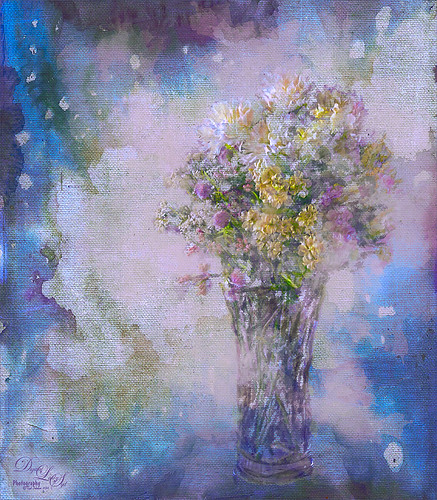
Just a vase of spring flowers that I decided to paint using Photoshop’s mixer brushes. I first increased the contrast of the flowers so they showed up sharp using Topaz (see sidebar for website link) Detail 3 – I do this a lot when I want a nice overall sharpness to an image. Also used a Curves Adjustment Layer to add some contrast to the image. 2 Lil’ Owls Stained Glass 25 (see sidebar for website link) was added on top and the flowers painted back in a layer mask. Next a new layer was added where some soft pink color was lightly brushed onto the layer to add a little more color around the flowers. The last major step was going into Topaz ReStyle and using the Light Pastel Daisies preset which changed the texture color from turquoise to more bluish tones. Love the result. …..Digital Lady Syd
Topaz Labs AI Gigapixel
Check out AI Gigapixel stand-alone software for upsizing your images. It’s incredible! And it can now be used as a plugin when in Photoshop. Also Topaz Labs Photo AI has some great sharpening and denoise tools along with Photo Video AI.

Luminar Neo
Click here to visit Luminar for more info and check out their new AI Filters.

GRUT BRUSHES – Photoshop Brushes for Digital Artists
Click here to visit GrutBrushes.com
And be sure to check out his Free Brush of the Week and Brush Sampler! These are the best brushes you can find!

Topaz Studio 2 and Legacy Topaz Labs Filters
Unfortunately Topaz Studio 2 and other Topaz Lab filters are no longer available for sale as of 2020. If you had bought these filters and would like to put them back on, here is a link to the Legacy Apps where they can be downloaded again. Below is an example of the wonderful Remix AI Filter from Studio 2. The wonderful Impression still works fine in Photoshop right now along with Adjust (all versions), ReStyle, and even PhotoFXLab!

On1 Photo Raw
Wonderful software to use as a substitute for or plugin with Photoshop. Many great filter effects and lots of AI capabilities!
