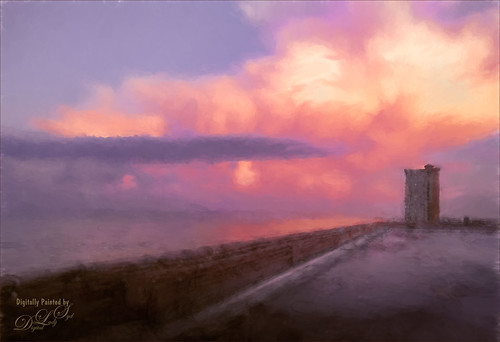
Just a quick phone pix I took from the penthouse at the La Playa Resort in Daytona Beach, Florida. This was taken facing east over the Atlantic Ocean while the sun was setting on the west behind the Intracoastal Waterway. Not much done here – just Topaz (see sidebar for website link) Impression applied using the Watercolor IV preset with a little color adjustment, some Mixer brush clean up, and a Selective Color Adjustment Layer to reduce the overwhelming blue effect in the image. Loved how the sunset plays off the ocean clouds!…..Digital Lady Syd

Latest
My Magical Front Yard
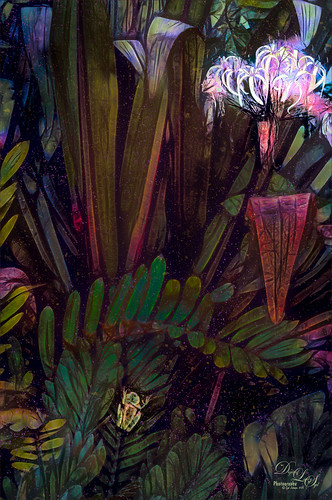
My front yard is a little crazy looking but it is a happy place, at least for the tree frog! This was just a lot of fun to do. Used Topaz (see sidebar for website link) Glow and my SJ Inter Web Variation preset set to Exclusion blend mode at 100% layer opacity. On a stamped layer (CTRL+ALT+SHIFT+E) Nik Viveza 2 was used to brighten the Tree Frog and the flower. Some painting clean up was done on a separate layer. On another stamped layer, Topaz ReStyle’s Rustic and Orange preset was applied. Another stamped layer set to Smart Object, Photoshop’s Camera Raw Radial Filter was used three times to lighten exactly where I wanted. Last step was to add some splatters more so in the dark areas to add a little more magical feel. Hope you enjoyed it!…..Digital Lady Syd
Topaz Glow Inter Web Variation preset settings: Primary Glow Type Dark, Glow Strength 1.00, Effect Sharpness 0.12, Electify 1.00, Simplify Details 0.06, Edge Color 0, Detail Strength 1.00, Detail Size 0.42, Brightness 0.16, Contrast 0.18, Saturation 0.08, Line Rotation 0, and Glow Spread 0; Secondary Glow Glow Type Light, Glow Strength 0, Effect Sharpness 0.54, Electrify 0.11, Simplify Details 0, Brightness 0, and Contrast 0; Color Overall Saturation to 0.62, Red Sat to 0.44, Yellow Sat to 1.00 Yellow Lightness -0.36, Green Sat 1.00 and Lightness -0.51, Aqua Lightness -0.36, Purple Sat 1.00, and Magenta Sat 1.00 and Lightness 0.50.
Abstract Wetlands
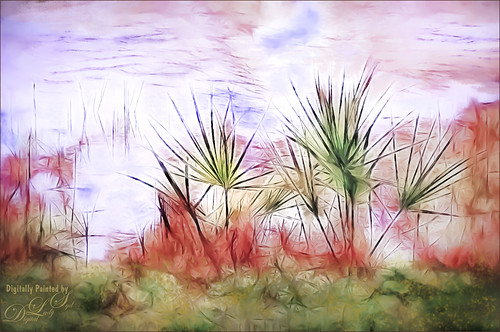
Felt like doing something a little different with a rather ordinary image. This was another shot from the Ritch Grissom Memorial Wetlands in Brevard County, Florida (also known as the Viera Wetlands). This image was first Merged to HDR in Adobe Camera Raw 9.0 – thought I would put it through its paces and it worked really well. I have a lot of HDR programs, but it is so nice to have all the ACR tools available to clean up the result.
Once the HDR file was created in ACR, the image was opened as a Smart Object in Photoshop CC2015 to add a few filter effects. Topaz (see sidebar for website link) Glow was using my Inter Web Variation preset set to Hard Light blend mode. (Here are the settings: Primary Glow Type Dark, Glow Strength 1.00, Effect Sharpness 0.12, Electify 1.00, Simplify Details 0.06, Edge Color 0, Detail Strength 1.00, Detail Size 0.42, Brightness 0.16, Contrast 0.18, Saturation 0.08, Line Rotation 0, and Glow Spread 0; Secondary Glow Glow Type Light, Glow Strength 0, Effect Sharpness 0.54, Electrify 0.11, Simplify Details 0, Brightness 0, and Contrast 0; Color Overall Saturation to 0.62, Red Sat to 0.44, Yellow Sat to 1.00 Yellow Lightness -0.36, Green Sat 1.00 and Lightness -0.51, Aqua Lightness -0.36, Purple Sat 1.00, and Magenta Sat 1.00 and Lightness 0.50. Set to Screen blend mode at 66% Strength; and no Finishing Touches.) On a stamped layer (CTRL+ALT+SHIFT+E), Topaz Impression’s Turner Storms II was added. It was turned into a Smart Object and Photoshop’s Camera Raw filter was opened – used Photoshop Cafe’s PS Cafe-euro model preset with some Basic adjustments and color changes. I really liked the fantasy feel I was getting. Some clean up on a New Layer was done. On another New Layer Kyle’s Real Watercolor Spatter Mixed brush was used on the foreground, a gradient overlay layer style added, and then a Guassian Blur filter set to 2.0 radius was applied to this layer. The last step was using Nik Viveza 2 to draw attention to the focal point. I really liked the results of this image….Digital Lady Syd
A Tricolored Heron That Fell in a Painting!
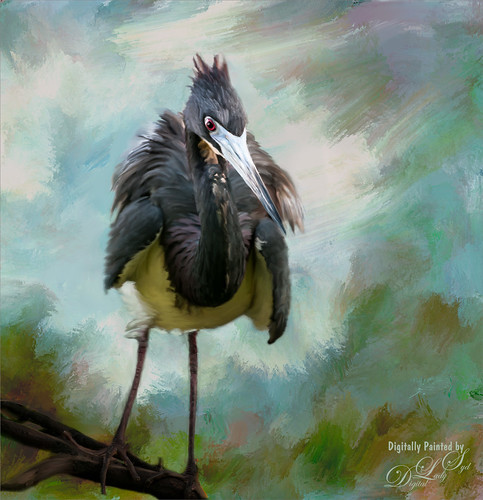
I seem to have an endless supply of these bird images from the St. Augustine Alligator Farm Rookery. It is such an incredible place to get bird images in the Spring. This is just another example of one of the magnificent birds hanging out looking for a mate. This time I actually used a layer mask to separate most of the bird from the tree limbs behind him. Since I was going to paint him, it did not have to be perfect. The bird was painted using Fay Sirkis’s (from KelbyOne) Precious Diamond Blender brush (her Mixer brushes are wonderful), then changing to it to add color when needed. This is my favorite brush for painting birds and has been used on most of my bird paintings. The texture is made up of two textures I created in Corel Painter 2015. Both textures used Quick Fix Color Brushes from Karen Sperling’s Artistry Quick Fix Video (#4 in this case) Series (check them out-and inexpensive way to learn Painter and she provides some of the best Painter brushes!), and the second also used a blender I created, and the other used Karen’s . They were placed underneath the bird and on a New Layer on top, the edges of the bird were blended into the texture. An Exposure Adjustment Layer (see my How To Do a Quick Eye Sharpening in Photoshop blog) was used to sharpen the eye. On a stamped layer on top, PS Camera Raw’s Radial Filter was used to add focus to the face and beak – painted out with the brush parts of body not to be emphasized. A Selective Color Adjustment Layer’s White Color was selected to make the white color behind the bird stand out just a little more – set Black slider to -37. That was it. I was pleased how the texture fits with the bird……Digital Lady Syd
Soaring Spoonbill

Still enjoying the bird images I took at the St. Augustine Alligator Farm Rookery this Spring. The original image was captured with a totally light blue sky behind this Roseate Spoonbill. This made it easy to add a texture underneath the image (my painted texture created in Corel Painter called Seashore) and changing the blend mode of the bird layer to Multiply. Topaz (see sidebar for settings) Clarity and DeNoise 5 were applied to cleanup the the bird layer. On a stamped layer (CTRL+ALT+SHIFT+E), Topaz Glow’s Room Glow Blake Rudis preset was applied (check out Integrating Topaz Glow into Your Workflow for info on this). Next on a New Layer Fay Sirkis’s (from KelbyOne) Precious Oil Diamond Mixer was used to clean up the feathers and beak a little. Topaz Impression Watercolor II preset with no spill was applied. Nik Viveza 2 was used to bring out the color of the bird just perfectly and a Curves Adjustment Layer was used as a last step for overall contrast. I love my bird pix!…..Digital Lady Syd
Hiding Out in the Wetlands
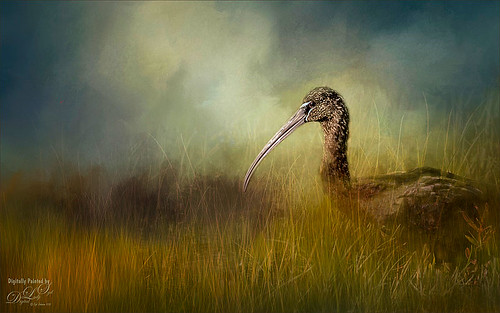
Took this image of a Limpkin bird a while back when photographing at the Ritch Grissom Memorial Wetlands in Brevard, Florida (also known as the Viera Wetlands) with my photo club. This was not actually how the bird appeared – he was trying to hide from all the tourists taking his picture by standing in a batch of grass and reeds. That was the challenge. I had heard that CC2015 had updated their Spot Healing Brush and it worked nicely on this image. I tried it in CS6 first and got marginal results. I have heard that a lot of people are having trouble with the update Healing Brush and Adobe is looking into it. So do watch the results if you are using it. Like I said, I had no problems in this image. Otherwise on a New Layer just added in some of my favorite and free Frostbo Set 2 Grass brushes 009 and 005 strokes to fill in some grass – need to lock the layer and paint over with Color Dodge and Multiply to get the natural feel. Set layer opacity to Color Dodge, duplicated layer, and adjusted opacities of both layers. Jai Johnson’s beautiful Clouds Over the Pasture texture was used and Nik Viveza 2 to add sharpness to the birds eye and beak. That was it. Love playing in Photoshop!…..Digital Lady Syd
Just a “Big Scoop”
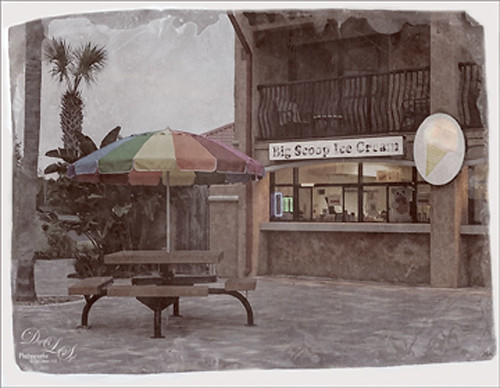
Loved the vintage result of my favorite local ice cream place. This was a phone image processed using OnOne Photo Suite 9.5 (see sidebar for website link) – used B&W Effects and Perfect Effects to get this look. The original layer was converted to a Smart Object so I could tweak later the results. In B&W Effects, the Daguerreotype Clean preset was selected with adjustments to its settings. In Perfect Effects the Bleach Bypass preset was set to Lighter. With the Lighten Paintbrush, the umbrella was painted and with the Detail Paintbrush, the inside of building and picnic table were painted. Since the B&W effect was too strong, I clicked the little icon on the right edge of the Perfect BW layer in Photoshop and the opacity was changed to 75%. Then a layer was added on top to paint back in solid white border where needed. Last step was to distort the letters as they totally draw the eye whenever letters appear in an image. Just painted over with a little grunge brush. Enjoyed creating this vintage look!…..Digital Lady Syd
London Back When????
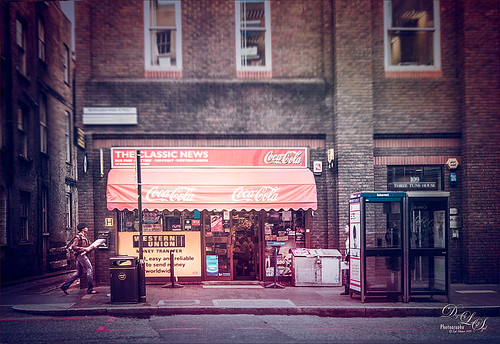
Just having some fun here with a technique that I learned from Colin Smith (he is a regular on CreativeLive and Photoshop guru) at PhotoCAFE. He created Photoshop Secrets: Photographic Effects videos using CS5, but there are some very good techniques in them. This one is from his Toy Camera video where he teaches you how to add some very nice light leaks. Oh yes, these are free to watch. This image was taken in London Borough High Street – loved the images I took of this store – so British looking!
I added a bit of a vintage feel in Lightroom by applying 2 Lil’ Owls (see sidebar for website link) At the Vineyard 7 preset before going into Photoshop. Then just followed Colin’s instructions. This image used both reddish and light green light leaks. Used the Blur Gallery Tilt Shift filter in CC2014 (Blur set to 14 pixels, Distortion 100%, and Symmetry turned on) to get a more blurred effect on the top and in the foreground of the image. The layer was converted to a smart object and the Camera Raw filter was opened. Two Radial Filters were used to direct the eye more to the left side of the image and on the storefront as the primary focal point, and on the person as a secondary focal point. The signage was also blurred slightly using the Blur Tool at 75% Strength on a separate layer since text really draws the eye. A Blue Solid Color Fill Adjustment Layer set to Color blend mode and layer opacity of 25% – I decided it looked more vintage using the cooler tones. A Curves Adjustment Layer was added for contrast. I just did not like how these old buildings were standing so finally got the buildings straight using the Perspective Warp Command and then the Crop Tool to clean up edges. That was it. Loved the effect!…..Digital Lady Syd
Digital Lady Syd Related Blogs:
How To Create/Use a Light Leak
Topaz Lens Effects Plug-In
Digital Lady Syd Reviews Nik Analog Efex Pro
Cattle Egret Looking for Love
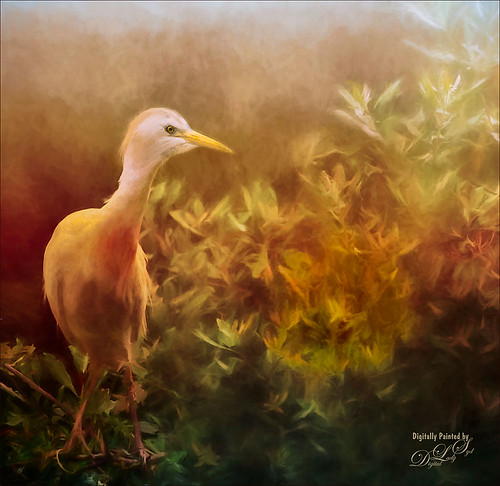
Loved this beautiful Cattle Egret who was checking out a group of egret ladies (they are more colorful during this time of year) at the St. Augustine Alligator Farm. Jai Johnson’s free texture called antiquebrownlight-canvas was used on this image. Lots of painting, Topaz (see sidebar for website link) Lens Effect and Topaz Impression were used to get this final image. I really love the mystical result……Digital Lady Syd
A Little Scottish Architecture
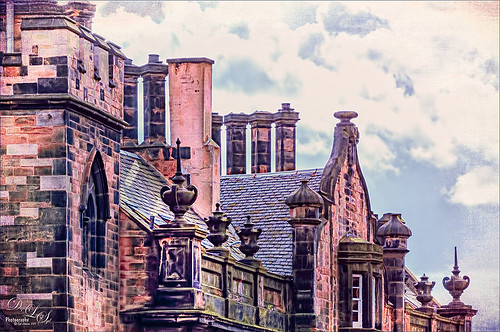
Just an image of the beautiful architecture taken near Edinburgh Castle in Scotland. The original image in Lightroom was major dark – not sure why. Used the Basic sliders to brighten up the image, but the noise was pretty bad. Therefore , in Photoshop Topaz (see sidebar for website link) DeNoise was used. Topaz Glow was used on a stamped layer above and my SJ Graph III preset was applied – layer was set to Overlay blend mode at 65% layer opacity. (Here are the settings: Primary Glow: Glow Type Dark, Glow Strength 0.17, Effect Sharpness 0.09, Electrify 0.23, Simplify Details 0.25, Edge Color 0.20, Detail Strength 18, Detail Size 0.24, Brightness 0.23, Contrast 0.17, Sat 0.01, Line Rotation 0.09, and Glow Spread 0.20; Secondary Glow: Glow Type Light, Glow Strength 0, Effect Sharpness 0.47, Electrify 0.17, Simplify Details 0, Brightness 0.36, and Contrast 0.62; Color Red Sat 1.00; Orange Sat 0.27; Yellow Sat 0.20 and Lightness 0.09; Aqua Sat 0.78 and Lightness -0.26; and Blue Sat 0.49; Finishing Touches: Effect Coverage 0, Smudge 0.00, Sharpness 0.25, Sharp Radius 0 and Vignette Size 0.) Also in the Layer Style, the sky was brought back using Blend If Underlying Layer slider and splitting the white tab (ALT+drag on tab to split) with settings of 122/145. Topaz Lens Effects Reflector filter was used to lighten up the face of the buildings (Type Golden, Strength 0.28, Transition 0.31, Position 0.49, and Angle 208.5). By adding a layer mask, the sky was painted black so the effect only applied to the buildings. Next on a stamped layer used Nik Color Efex Pro using Tonal Contrast, Brilliance/Warmth, and Vignette Lens. A vintage frame was added on top and set to Overlay blend mode. I love working on images from Scotland!…..Digital Lady Syd
Topaz Labs AI Gigapixel
Check out AI Gigapixel stand-alone software for upsizing your images. It’s incredible! And it can now be used as a plugin when in Photoshop. Also Topaz Labs Photo AI has some great sharpening and denoise tools along with Photo Video AI.

Luminar Neo
Click here to visit Luminar for more info and check out their new AI Filters.

GRUT BRUSHES – Photoshop Brushes for Digital Artists
Click here to visit GrutBrushes.com
And be sure to check out his Free Brush of the Week and Brush Sampler! These are the best brushes you can find!

Topaz Studio 2 and Legacy Topaz Labs Filters
Unfortunately Topaz Studio 2 and other Topaz Lab filters are no longer available for sale as of 2020. If you had bought these filters and would like to put them back on, here is a link to the Legacy Apps where they can be downloaded again. Below is an example of the wonderful Remix AI Filter from Studio 2. The wonderful Impression still works fine in Photoshop right now along with Adjust (all versions), ReStyle, and even PhotoFXLab!

On1 Photo Raw
Wonderful software to use as a substitute for or plugin with Photoshop. Many great filter effects and lots of AI capabilities!
