
Considering
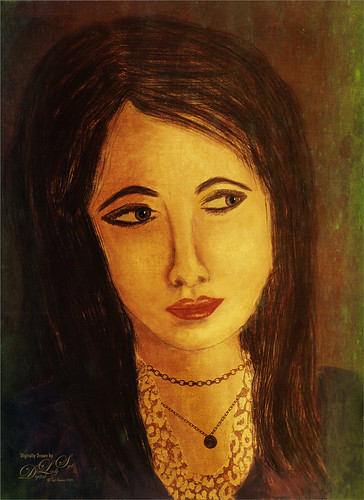
This drawing was a lot of fun to do – it has been a while since I created one from scratch and no AI was used. I am trying to stay away from this as much as possible right now. All Photoshop brushes were used and many were adjusted to get the effect I wanted. As learned by doing my selfie series, one of my favorite brushes is a Chalk Brush with a heavy texture added in the texture settings. The original image used a Legacy Chalk brush with a texture taken from the legacy Crayon Brush (see my Just Drawing and Painting in Photoshop Fun Photoshop Blog – at bottom go to Adding Texture to Your Brush Information section on how to do this.) Used David Belliveau’s Paintable free brush download of Portrait Brushes (Textured brush 02). Created the collar and jewelry from Jessica Johnson‘s Chain Brushes set and her Luxe-Gold Leopard Exclusive brushes set to Mixer and sampling a gold texture. Need to sign up for her newsletter to learn this technique ,and she often sends out free brushes to try. These were Christmas give-aways from a couple years ago. Stacked a couple 2 Little Owls old textures from years ago. Hope you enjoy her thoughtful expression…..Digital Lady Syd
My Bubble Office with my Creative Assistant

Yes Sophie, my sweet tailless feline, has come to my rescue this time and suggested we create this whimsical office that we both would love as a workspace. Note, she still can’t keep her eyes off the birds! So how was this image created? Using the Photoshop Beta version, an image was created with this text prompt “Office space in an office with windows high up in a building” using Special Effects Sketch and Watercolor. The variations that did not work were deleted keeping just a similar version as above. On a duplicated Smart Object Layer, the Parametric Filter (which are only available in Beta at the moment) Spherify was selected (set to Medium, Close Up, Size 1, Image Scale X:2.69 and Y3, Sphere Scale X:1.9 and Y:1.18, and Background Color White). On separate layers lots of clean up was done. Put some of my cartoon images on the computer screens. Sophie’s image is from a generic cat picture placed in Topaz Studio 2 – used the Impression filter to give her a painterly look. To get the soft sunny background effect, the cleaned up image was taken into Anthropics Smart Photo Editor and settings called Beach by InoculateIT were used. The final step was to add a few birds into the sky with a brush Bert Monroy teaches how to make. This was a lot of fun to do!…..Digital Lady Syd
Glamor Gal Selfie
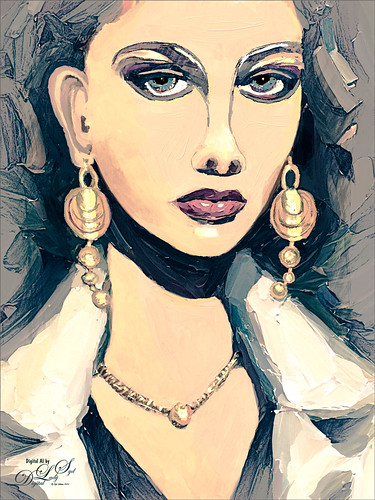
Just playing with another selfie that came from the Generative Fill variations in Photoshop 2024. Original prompt for image was “Oil Painting of beautiful woman with larger gold loop earrings and a white coat.” I was not sure if I liked the original crop but decided it added a modern art feel to it so it was kept. Used Escape Motions Rebelle 7 to metallic paint for the jewelry – cool new feature in this program. This image was so cleaned up it looked sterile. Therefore I took a stamped layer into Anthropics Smart Editor and added a Line Drawing effect to it which turned the layer black and white. It looked nice so the layer was set to Screen blend mode at 44% opacity. Then took another stamped layer into OnOne Effects 2023 where the Honky Tonk filter was applied which give it a bit of poster look. Used some new brushes from Kyle T. Webster: a new Winter 2024 brushes called Staccatto Ink for some edge lines, and Ocean Brush from the Summer 2018 set for painting- both are nice brushes to experiment using. Otherwise just the same process as before. Love these ladies!…..Digital Lady Syd




