
I guess I just like to make holiday cards – they are so much fun to do. These three snowmen are one of my favorite holiday brushes from Christmas Brushes by Flina. I actually painted the background in Corel Painter using various Karen Bonaker brushes (her Painter brushes are some of the best and she gives many away) – just playing around and it turned out nice and wintry. In Photoshop Painted Textures Thanksgiving Winter Marsh texture was added and set to Linear Light at 55% layer opacity. My free SJ Holiday Greeting PNG Overlay was used for the greetings and set to a darkish turquoise color. The snowmen were added and then on a layer underneath, I painted in the color. On separate layers footsteps were created and snow was stacked. The lights on the tree were from Dirt2 Fantasy Light brushes. My SJ Snow2 Overlay slight blur (in with Overlay set above) was added and set to 30% opacity. This is way too much fun! Happy Holidays!…..Digital Lady Syd

Latest
Christmas Flowers!
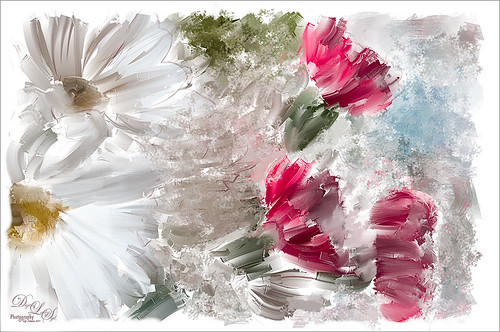
Recently I set a goal to learn how to use Corel Painter. These Christmas flowers were a perfect choice for me to practice some of my newly developing skills. I love the colors that the brushes created although I am not sure exactly which brushes I used, but several blending brushes were used. I have learned to keep a custom panel of my favorite brushes set up so I do not have to keep searching for them. (Not unlike setting up your own panels in Photoshop.) After I finished painting it, I wanted to show a few outlines for emphasizing certain area. The original image into Topaz (see sidebar for website link) Simplify and a sketch with black lines on a white background was created. Back in Photoshop, the white was removed using Color Range, and then the layer was moved into the Painter image. A layer mask was added and lines I did not like were removed and the layer was set to 51% opacity. A dark brown Solid Color Fill Adjustment Layer was clipped (ALT+click between the layers) to the lines layer. A Hue/Sat Adjustment Layer was added to make the flowers the perfect color of red. Some localized contrast was added by selecting a Curves Adjustment Layer and filling the layer mask with black. Just the areas where I wanted contrast was painted back, which was mainly the red flowers. I love the way Painter and Photoshop work together! Hope everyone is having a wonderful Holiday Season!…..Digital Lady Syd
Some Floral Holiday Cheer!

Happy Holidays to everyone! Had to post my beautiful gerberas that look so Christmasy (is that a word?). This was so easy to do. Started with my flowers in Lightroom – just the basic slider changes were done. In Photoshop the first step was to add Isabelle Lafrance‘s Fairytale Winter 2 overlay (apparently this overlay is no longer available which is a shame since it is so pretty) – she makes some of the best overlays available. A layer mask was added and the flowers were gently painted back. A stamped layer (CTRL+ALT+SHIFT+E) was created on top and desaturated (CTRL+SHIFT+U). To sharpen the image the layer was changed to Overlay blend mode and the Filter -> Other -> High Pass was opened using a setting of 7, just until I started seeing a little crispness without haloing. Now the Aaron Nace trick is to add a black layer mask and just paint back where the sharpening should be applied – just the parts of the flowers closest to the viewer. On a new layer Kim Klassen’s free Mini Sampler Holiday Brush holiday 10 was applied – I love everything Kim creates – textures, brushes, videos. I added my own text layer using the Bambino font. Then I remember I had been playing around in Corel Painter and created this little fur tree that looks like it was blowing in the wind on a white canvas. Therefore I added to my image and set it to Linear Burn blend mode at 61% – loved the final look. I am still loving Painter! Hope you have a wonderful Holiday Season!…..Digital Lady Syd
Digital Lady Syd Related Blogs:
Trying Out Some Aaron Nace Techniques
A Secret Garden
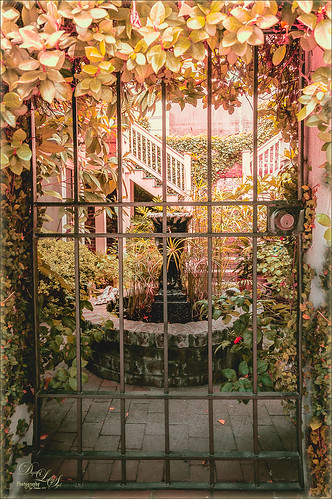
This was one of my favorite images from Savannah, Georgia, when visiting last month. Not a lot was done to this image although the Puppet Warp command had to be used to straighten out the walls due to the lens distortion. Also Topaz (see sidebar for website link) ReStyle was applied to get the pretty soft light effect – the settings were from a Test Preset when I first got the program so I am not sure where I started. Finished up with a little Nik Viveza 2 to direct the eye to the stairs. This image uses some of my favorite colors……Digital Lady Syd
Just Painting!
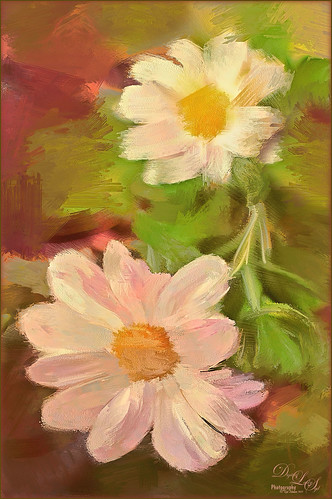
This is one of my first recent major efforts using Corel Painter – I am still trying to understand this program. Basically I painted this image using a brush I created after listening to Melissa Gallo‘s video on the Corel Painter website – her video is Reason #2 – Cloning Feature. Since Melissa is absolutely one of my favorite texture people, I was totally absorbed with what she did. This image of my miniature mums is pretty basic, but I thought it turned out nice. I created the Luscious Oil Paint brush she used and find I am it a lot on other images. Then I took the image back into Photoshop where I added Topaz (see sidebar for website link) ReStyle to really get a pop in the colors. (Here are the settings if you are interested: Sandy Butterflies preset. ReStyle Opacity 55%; Color Style Hue Fifth 0.13; Sat Primary 0.50, Secondary -0.37, Third 0.38, and Fourth 0.78; and Lum Primary 1.00, Secondary 0.30, Third -0.25, and Fifth -0.30; Texture Strength -0.66; Basic Opacity 55%; Color Temperature 0.19, Tint 0.17, and Sat 0.02; Tone Black Level 0.53, Midtones 0.14, and White Level -0.16; and Details Structure 0.25 and Sharpness 0.36.) A little clean up and a Layers Adjustment Layer was done and that was it. Painter really is a lot of fun!…..Digital Lady Syd
Digital Lady Syd Related Blogs:
Topaz ReStyle with Corel Painter and Nik Analog Efex Pro
Surprising Results with Nik Analog Efex Pro
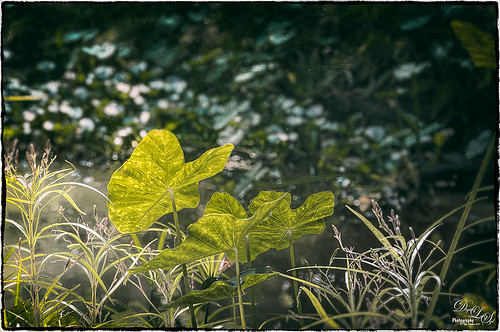
I really love how the light was playing through these beautiful huge philodendron leaves – bright sunlight was shining on them near a pond at the Ormond Memorial Art Museum and Gardens in Ormond Beach, Florida. By applying Nik’s new Analog Efex Pro Photoshop plug-in to the image, I was able to make the background slightly blurred while maintaining the striking light on the leaves. I really like this plug-in as it can be used without getting too much of that vintage effect on the image but yet you can still use some of the tools that can really localize an effect in an image. I think what really added to the image is that there are some unusual patterns in the leaves the misty water effect is interesting. Anyway, turned out to be a surprise which is what is so much fun about Photoshop and all the plug-ins available for it!…..Digital Lady Syd
Rural Church in Belarus
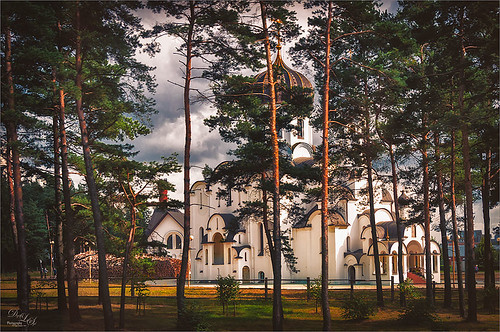
Just another pretty picture of a church in the Belarusian countryside. I wish we had stopped so I could set up the picture, but the trees are so pretty it does not seem to matter that the church is partially hidden from view. Once again in Lightroom I started with a Trey Radcliff preset – this time I used . In Photoshop Nik’s Analog Efex Pro was applied – it really lightened up the image. Therefore a Curves Adjustment Layer was added above the plug-in layer to add back just a little bit more contrast. That was it! I really like what the Nik plug-in does on images – it takes a while to work with the settings, but once you figure them out, it can add interesting and beautiful effects…..Digital Lady Syd
Mossy Turtle
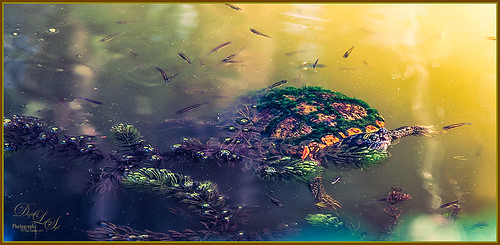
This turtle is carrying a lot of moss on his shell – didn’t realize this until I downloaded the image. Really funny looking but he does not seem to mind and the little fish seem to think it is cool! This image was taken during the brightest part of the day in a pond at Ormond Memorial Art Museum and Gardens in Ormond Beach, FL. Used a little split toning in Lightroom on this image, then in Photoshop added some sharpening using Topaz (see sidebar for website link) Detail 3. Filled a layer mask with black and painted the sharpening back in the mask just were I wanted it. Added a Brightness/Contrast Adjustment Layer with no changes but set to Soft Light at 45% layer opacity to brighten the image a little. (See my How to Use an Adjustment Layer to Localize Light and/or Dark in Image blog for more info on this.) I actually revised this image as I downloaded some really nice Nik Color Efex Pro presets from Flypaper Textures – ended using one of my own recipes but I really liked some of the results with the other presets. My preset used the Pro Contrast filter and Balance/Warmth filter to warm of the image just a little more. The last step was to add my SJ Thin Double Edge Frame to the image.
Let’s Hear It for the Graphophone
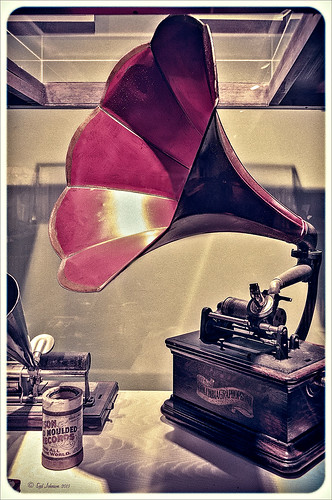
This image of a Columbia Grand Graphophone built in 1901 in France was taken at the Lightner Museum in St. Augustine, Florida. Really catches you eye when at the museum. Sears was selling it for $50.00 – it used 5-inch cylinder records and could also be used as a recorder. Apparently it came with different horns depending upon what you were doing. Just had fun playing with this image. In Lightroom the basic sliders were adjusted and some pretty crazy spit toning applied where a really pink tone was created. In Photoshop applied Topaz (see sidebar for website link) ReStyle’s Cream and Plum preset (only changes were to Black Level -0.22, Midtones 0.11, and White Level -0.73; and Detail Structure 0.44 and Sharpness 0.75). A Levels Adjustment Layer was added and all the tabs were adjusted (Black 3/Midtone 0.70/White 196) which created quite a bit of clipping in the image. It seemed to help with the reflections of glass. A little clean up and that was it. I love working on the old items – the materials and color are so nice……Digital Lady Syd
Feeling Peachy!
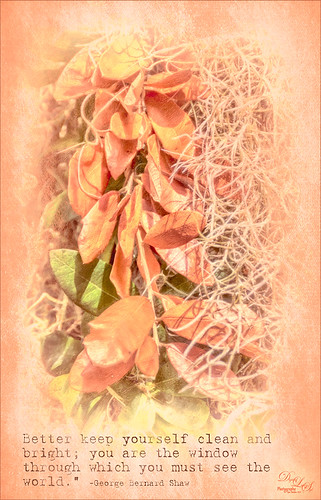
This image was taken at the Ormond Memorial Art Museum and Gardens in Ormond Beach, Florida. Very small park-like area with lots of little spots to take pictures – one of my favorite local places to practice a little photography. This is a 3-shot HDR tone-mapped image using Photomatix Pro’s Merge to 32 bit HDR so I could use the sliders in Lightroom to process the resulting TIFF file. Topaz (see sidebar for website link) Black & White Effects and Alien Skin’s Snap Art 3 were applied. An overlay I had created from Kim Klassen’s Cloth & Paper Touch 1 texture was placed on top and changed to a tangerine color. The text uses my favorite type text, Batik Regular. It was really just playing with the things I already had. I just love the warm tones in the image……Digital Lady Syd
Digital Lady Syd Related Blogs:
How to Create an Overlay Out of a Texture
Topaz Labs AI Gigapixel
Check out AI Gigapixel stand-alone software for upsizing your images. It’s incredible! And it can now be used as a plugin when in Photoshop. Also Topaz Labs Photo AI has some great sharpening and denoise tools along with Photo Video AI.
Luminar Neo
Click here to visit Luminar for more info and check out their new AI Filters.

GRUT BRUSHES – Photoshop Brushes for Digital Artists
Click here to visit GrutBrushes.com
And be sure to check out his Free Brush of the Week and Brush Sampler! These are the best brushes you can find!

Topaz Studio 2 and Legacy Topaz Labs Filters
Unfortunately Topaz Studio 2 and other Topaz Lab filters are no longer available for sale as of 2020. If you had bought these filters and would like to put them back on, here is a link to the Legacy Apps where they can be downloaded again. Below is an example of the wonderful Remix AI Filter from Studio 2. The wonderful Impression still works fine in Photoshop right now along with Adjust (all versions), ReStyle, and even PhotoFXLab!
On1 Photo Raw
Wonderful software to use as a substitute for or plugin with Photoshop. Many great filter effects and lots of AI capabilities!
