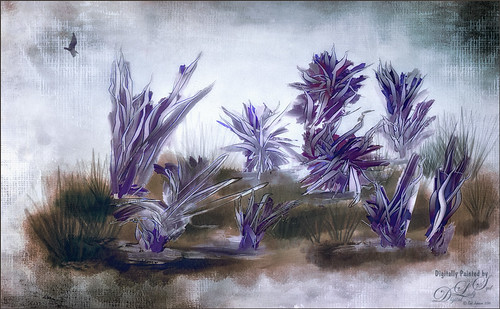
These flowers were painted in an inexpensive painting program I recently purchased called Paintstorm Studio. Just learning how to use all the various settings, but if you save down your images as a PSD file, you get nice layers with objects on them. That is how I created these flowers – just painted on a layer and saved down as a PSD file. This program has some incredible brushes and you can import PS brushes! Pretty cool! A couple textures were added in PS – 2 Lil’ Owls (see sidebar for website link) Mosaic Set’s Aveline set to Multiply blend mode and 56% layer opacity and Jai Johnson’s DT-Be My Valentine-12 set to Color Burn blend mode at 80% layer opacity. Topaz (see sidebar for website link) Restyle’s Lavender Gray preset was applied which make the image more purplish instead of pinkish. I tend to do a lot in pink so I liked the change here. Nik’s Color Efex Pro 4 was applied using the Warm Preset (Polarization, Sunlight, and Vignette Lens filters). Obsidian Dawn’s Birds Flying Single 3 brush was added to the image and a Pattern Fill was used to give the nice wing effect.

Latest
Taking a Cat Nap!
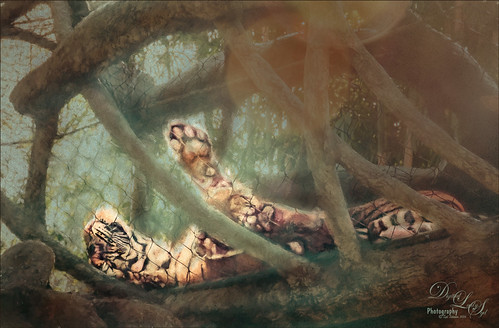
This was one of my favorite images when I went to the Jacksonville Zoo a while back. This guy just reminds me of any cat taking a little snooze during the day, but keeping one eye slightly opened just to make sure he doesn’t miss anything! And those paws! Anyway, not sure it is the best image, but loved it anyway. Not much was done in PS – Jai Johnson‘s DT-Emerald texture was applied first and set to 64% layer opacity and the cat was lightly brushed out on a layer mask. A Hue/Saturation Adjustment Layer was used to reduce the Saturation to -39 and Lightness to -8 so it was not so green. Then opened Topaz (see sidebar for website link) Impression set to Rembrandt II preset with a few settings adjusted which gives it the dreamy look. Used a layer mask to bring detail back to the tiger . This was a lot of fun to do!…..Digital Lady Syd
A Little Birdie Told Me So
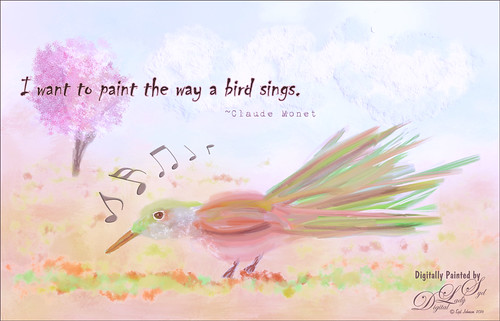
Just having some fun today creating this little bird. The bird, tree, and background were done in Painter. In Photoshop some Impasto effect was added to the some feathers, the music notes and clouds using a layer style. The free font is called Chiller and the wonderful Musical Note brushes are by Coby 17. It was fun to try out some different brushes in Painter ……Digital Lady Syd
Standing Guard
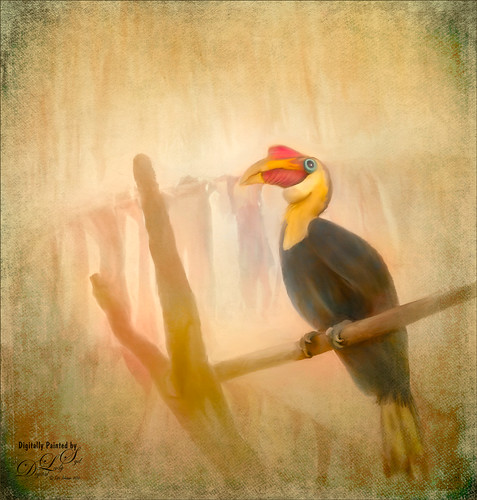
This Wrinkled Hornbill bird was taken at the Jacksonville Zoo. These birds looked like they were having so much fun flying across their enclosure and trading places on the various tree branches. Looked like a marvelous game from my childhood! This image took a long time to paint. Just followed my normal process of selecting the bird and in this case some branches in Topaz (see sidebar for website link) ReMask 5. Underneath he original background was actually kept, but one of my Corel Painter backgrounds was added above and set to Darken blend mode at 82% layer opacity. The background details are actually a large plant that was hanging across the back. The texture changed how they look. Lots of painting layers and Topaz Lens Effects was used to add some golden reflector effect. Nik Viveza 2 was used to adjust the focal point. 2 Lil’ Owls (see sidebar for website link) overlay texture Color Bokeh Grunge Set 3 was used on top and a layer mask was used to bring back the bird. That was it – pretty standard. These birds are so much fun to paint!…..Digital Lady Syd
A Spring Scene
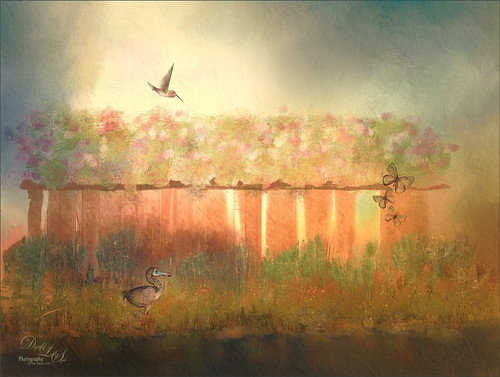
Just having some fun here. Created the original image in Corel Painter – got stuck and came into Photoshop to finish up the image. The basic structure, flowers and plants were created in Painter using various brushes. In Photoshop the DoDo bird Hummingbird were from a scrapbook set called HappyUnBday by Mischief Circus (this is one of my favorite sets) and the Butterflies are from a set called Intermixture Elements & Papers by Algera Designs. A texture called Clouds Over the Pasture from Jai Johnson was added underneath and set to Hard Light blend mode – it gives the beautiful light around the bird. Several layers were added where some texture was added in using plant brushes and texture brushes. Nik Viveza 2 was used twice and Topaz (see sidebar for website link) Lens Effects three times to get this final result. Also some Impasto layers were used on the plants to give a little 3-D effect to the image. This actually took quite a while as I just could not get the feel I liked. I think it is now complete!…..Digital Lady Syd
In the Country
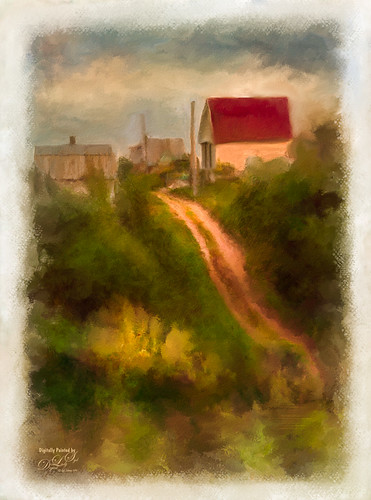
This is an image taken several years ago of the Belarusian countryside. I just watched on the Corel Painter website an older set of videos by John Derry (see Workflow 1, Workflow 2 and Workflow 3 videos) and decided to try his technique. It involves using several layers of auto-painting with different brush sizes and then adding layer masks to target your focus area. I had a little trouble following all the steps at the end, so I went into Photoshop to use my favorite brushes for cleaning up paintings. Overall I liked the final effect but I am not too sure if I liked the auto-paint results. This is definitely one you need to play with the different Painter brushes to get a pleasing effect. …..Digital Lady Syd
Looking Glamorous!
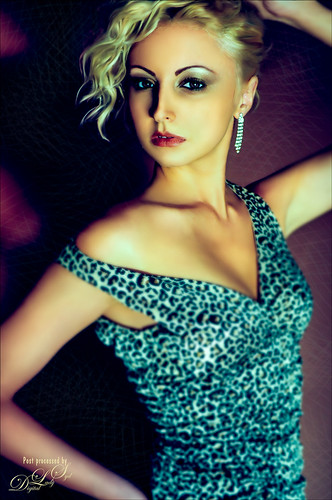
Just practicing a little light face painting – this time giving a bit of a glamour look to the image. Lots of liquify and dodging and burning to get the effect besides blending skin with mixer blenders in Photoshop. The original image had a brownish tone to it, but I changed it with a Color Balance Adjustment Layer to get this blue and pinkish effect. Not a whole lot to this, just some light painting fun…..Digital Lady Syd
Reflection of Blue Trees
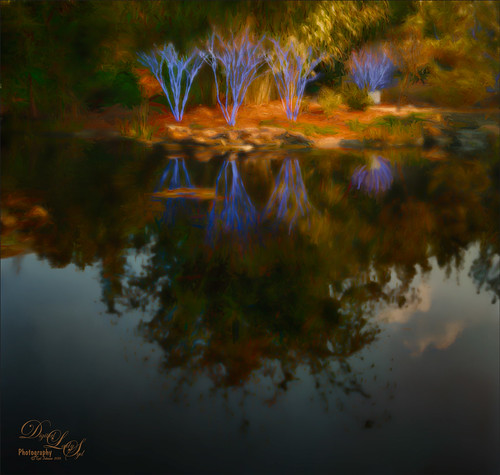
This is what I consider is a rather unusual image of tree trunks and branches painted blue on several trees at the Jacksonville Zoo’s Asian Bamboo Gardens. There was a lot of bamboo around, but not in this reflection shot. This image took a while for me to figure out what I wanted to do with it as I really wanted to give that beautiful reflection justice in the image. Did basic adjustments in Lightroom, then in Photoshop added Topaz (see sidebar for website link) Clarity’s Sunny Day Blue Sky preset. Next the Spot Healing brush was used to clean up a lot of little bits of stuff floating in the water. On a stamped layer (CTRL+ALT+SHIFT+E) the Topaz Black and White Effects plug-in was opened. What made this different is that the Transparency was set to 0.89 so almost 50% of the image in color through the black and white setting. In the Creative Effects section, Simplify as is and Diffusion set to a fairly high setting of 0.97. In PS a layer mask was added and the effects were painted out gently over the reflection which was soft and diffused already. On another stamped layer Topaz Impression’s Palette Knife II preset was added with no texture. In a layer mask, once again the reflection was painted out so it applied only to the top portion of the image. On a New Layer the Mixer brush was used to blend some of the harsh edges in the top part of the image – this evened out the colors a little. On yet another stamped layer, Nik Viveza 2 was used to draw the eye to the blue tree area. Two textures were added on top – one of mine that is a lot of light yellows painted in Painter and was set to Multiply at 70% layer opacity and one of Jai Johnson, Soulful Sea Breeze, set to Set to Multiply at 70% layer opacity. On top texture a layer mask was added and the top area was painted out so a vignette feel was created at the top. That was it. Just a lot of experimenting!…..Digital Lady Syd
The Hidden Boat
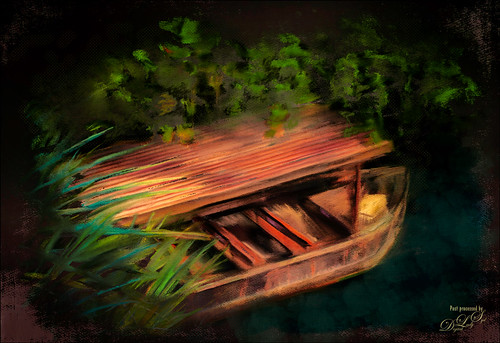
Loved this stock photo I found on pixabay.com of this boat hidden in the shade. Decided it would be a good practice painting so that is what I did. Use Topaz (see sidebar for website link) Simplify’s BuzSim preset to start as an underpainting. Still using Lori Jill’s instructions from her Turn Photographs Into Digital Paintings Using Photoshop videos and using the PS Mixer Brush Cloning Paint Setup action. A lot of painting, 3 textures and some brush clean up layers. Just a lot of fun to paint – very relaxing! …..Digital Lady Syd
Just Being a Little Abstract
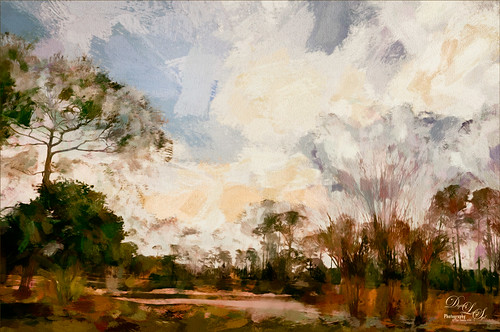
This image shows a local golf course view seen when playing. I had some fun with a couple of Topaz (Stroke: Brush Type 04, Brush Size 0.91, Paint Volume 0.42, Paint Opacity 0.87, Stroke Rotation 0, Stroke Color Variation 0, Stroke Width 0.33, Stroke Length 0.89, Spill 0.23, Smudge 0.26, and Coverage 1.00; Color: Overall Hue 0.15, St -0.20, and Lightness 0.06; Red Sat 0.47 and Lightness 0.14; Orange Sat 0.60 and Lightness -0.42; Yellow Sat -0.33 and Lightness 0.13; Green Sat 0.20 and Lightness -0.32; and Blue Sat 0.36; Lighting: Brightness -0.04, Contrast 0.39, and Light Direction x0.33 and y0.06; and Texture: Strength 0.78, Size 0.30, Canvas IV, Background Type Solid, and Background #d38967 (soft melon color).)
see sidebar for website link) Labs newer plug-ins. The initial layer was duplicated and Topaz Impression was added using my SJ WC like effect on bldgs preset. This preset is sort of crazy but gives some wonderful results at time. (Settings for preset: On a New Layer, some clean up was done where the paint went that did not look good. On a stamped layer (CTRL+ALT+SHIFT+E) Nik Analog Efex Pro 2 was applied using just the Basic Adjustments 5 control points were added to adjust the Detail in different parts of the image. Also Film Type Warm (Row 2 Col 2) was added to the stack. Now the image was brightened up quite a bit. Last step using Topaz ReStyle’s Warm Tones Contrasted preset. That was it. I just liked the rather abstract feel that Impression gave to the image……Digital Lady Syd
Topaz Labs AI Gigapixel
Check out AI Gigapixel stand-alone software for upsizing your images. It’s incredible! And it can now be used as a plugin when in Photoshop. Also Topaz Labs Photo AI has some great sharpening and denoise tools along with Photo Video AI.

Luminar Neo
Click here to visit Luminar for more info and check out their new AI Filters.

GRUT BRUSHES – Photoshop Brushes for Digital Artists
Click here to visit GrutBrushes.com
And be sure to check out his Free Brush of the Week and Brush Sampler! These are the best brushes you can find!

Topaz Studio 2 and Legacy Topaz Labs Filters
Unfortunately Topaz Studio 2 and other Topaz Lab filters are no longer available for sale as of 2020. If you had bought these filters and would like to put them back on, here is a link to the Legacy Apps where they can be downloaded again. Below is an example of the wonderful Remix AI Filter from Studio 2. The wonderful Impression still works fine in Photoshop right now along with Adjust (all versions), ReStyle, and even PhotoFXLab!

On1 Photo Raw
Wonderful software to use as a substitute for or plugin with Photoshop. Many great filter effects and lots of AI capabilities!
