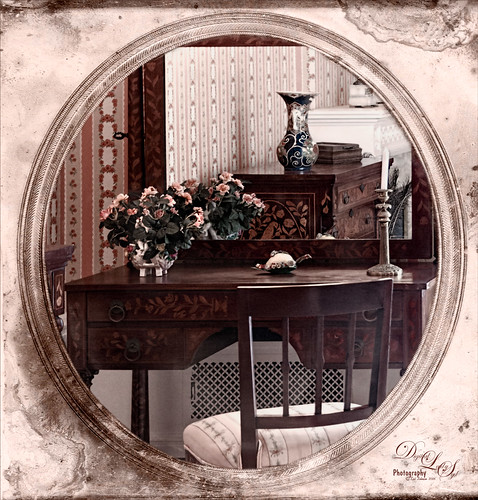
This is an image of a dressing table in one of several bedrooms at the Flagler Museum (Whitehall) in Palm Beach Florida. I really loved the effect of the furniture in the mirror – real vintage flavor here! Basically this image used several filters to get this result. Started with Lucis Pro 6.0.1 (AOIC 0/100; Red 207, Green 207, and Blue 79) (See my Fun Photoshop Digital Lady Syd Reviews Lucis Pro 6.0.9 (Now Affordable!) blog.); Topaz Detail 3 to sharpen it up a bit; the now free Nik Color Efex Pro 4 using Film Efex Vintage Film Type 11, Pro Contrast, and Midnight using Color Set Neutral and overall opacity at 64%. Darken and Lighten Curves Adjustment Layers were added. (See my Fun Photoshop How To use Curves Adjustment Layers to Dodge and Burn an Image blog.) Then on top a Vintage Film was used for the old frame opening. A Pattern Adjustment Layer was clipped to the frame (ALT+click between layers) and set to Color blend mode and a Solid Color Fill Adjustment Layer set to a brown tone was also clipped. Last step was to add a Luminosity Curves Adjustment Layer. (See my Fun Photoshop How To use a Red Channel to Create a Nice Blended Image Effect blog.) That was it – it was a lot of fun to do!…..Digital Lady Syd

Latest
Spotlight on the Canna Lily
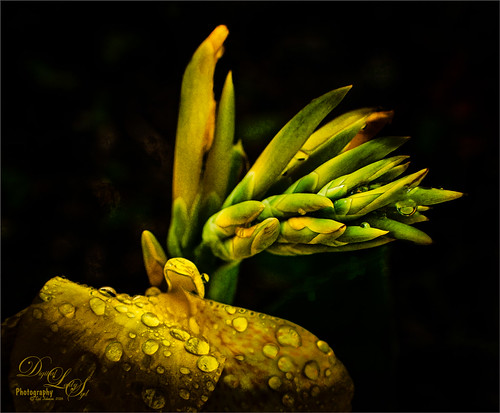
This is a macro image of a Canna Lily in my front yard taken after a recent rain. It was taken at F/2.8 with my Nikon 60 mm Macro Lens with a Bower 0.5 x High Resolution Digital Lens with Macro added to the lens.In Photoshop Topaz (see sidebar for website link) Simplify using BuzSim preset, the currently free JixiPix Spectral Art Dark Lines preset, and free Nik Viveza 2 to drive the focal point home. Last step was to add my free Cat Painting Canvas set to Overlay blend mode on top. That was it. Really simple image but I love the water drops!…..Digital Lady Syd
My, What Big Eyes You Have!
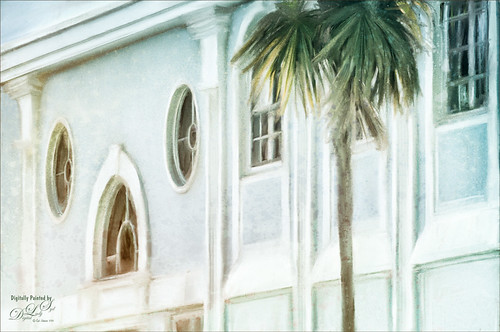
This image was taken from my car – I just loved the color of the building. Who knew it actually looks like a bird face in the windows. I actually thought it would make a nice image to paint, so I did. This time it was painted in Photoshop using Lori Jill’s class called Turn Your Photos Into Paintings Using Photoshop, which uses Photoshop’s default action called Mixer Brush Cloning Paint Setup and her brushes. Lori is the only person I know teaching how to really use this action effectively. For finishing steps, 2 Lil’ Owls (see sidebar for website link) After the Rain texture was applied and Topaz Lens Effects (see sidebar for website link) Gold Reflector filters was added. It was a lot of fun to paint again……Digital Lady Syd
Fountain Grass
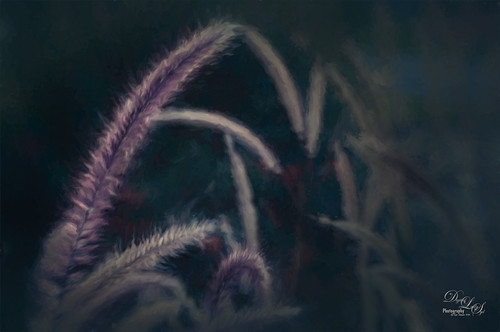
This image is of Hameln Fountain Grass that is growing in my front yard around my, of all things, dolphin fountain! This image was taken with my older Lensbaby Composer at F/4. Kim Klassen’s free Truegrit Lightroom preset was applied before bringing image into Photoshop. The Background was duplicated and Topaz (see sidebar for website link) Impression 2’s Cezanne II preset was applied as is. A layer mask was added and parts of the grass were lightly painted back to bring in some detail on the stalks. On a stamped layer, the now free Nik Color Efex Pro 4 was opened and three filters were stacked. First the Darken/Lighten Center filter, Monday Morning filter set to Color Set Neutral and overall opacity at 53%, and the Vignette Filter and sampling a darker color in the image to blend nicely. The last step involved adding a Black and White Adjustment Layer set to Luminosity to bring out the colors just right. I really like how Impression 2 is worked so well with this image!…..Digital Lady Syd
Ghostly Dandelion
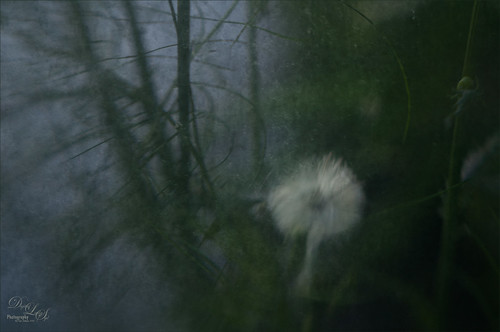
This is another in a series of Dandelion images I took of this humongous weed growing by my front door???? This time my old Lensbaby Composer was set it to F/4 with the +10 Macro Lens attached. In Photoshop all that was done was to add two free rust textures which can give an almost wintry feel to an image when the blend mode is changed. The first was called Texturez Rust Texture 3559 and set using Soft Light blend mode at 28% layer opacity – then a Hue Saturation Adjustment Layer was clipped to the texture (ALT+click between the layers to clip) and the Saturation slider was set to -100 to remove all the color of the texture, just leaving the pattern. A layer mask was added to the texture layer and just the Dandelion was painted out so it was no texture covered it. Next another texture called Hrt Rust Metal 7 was added on top and set to Hard Light at 31% layer opacity. Another Hue/Saturation Adjustment Layer was clipped to it and the Saturation slider was also set to -100. A Layer Mask was also set on this texture layer. The last step was to use the now free Nik Viveza 2 plug-in to further drive the focal point to the dandelion. The flower was brightened and structure increased while the corners of the image were slightly darkened to give a gentle vignette effect and drive the eye to the dandelion. That was it. I really like the moody feel to the image…..Digital Lady Syd
Little Fern Flowers
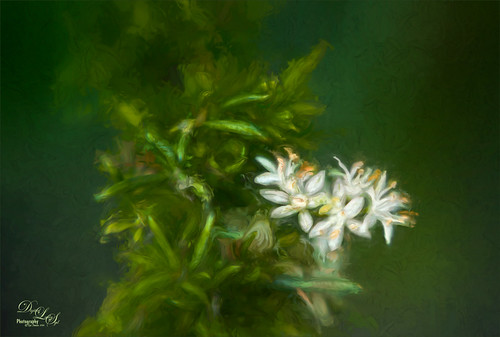
This image is of little white flowers growing out of the top of a Foxtail Fern or Asparagus Ferns in my yard. An older Lensbaby Composer was used – set to F/4 and using the Macro +10 lens. In Lightroom Seim’s (see sidebar for website link) Super Super HDR X preset was applied to the image before going to Photoshop. Used a Hue/Saturation Adjustment Layer to remove just a little haloing on the edges of the white flowers. On a stamped layer (CTRL+ALT+SHIFT+E) Lucis Pro was applied. (Settings: Assign Original Image Color 31%/69%; Enhance Red 147/Green 87/Blue 47.) See my Digital Lady Syd Reviews Lucis Pro 6.0.9 (Now Affordable!) blog for info on this. A black layer mask was added and just the white flowers were painted back. On another stamped layer Topaz (see sidebar for website link) Impression 2’s was opened and my SJ Renoir WC Look preset was applied at 71% layer opacity. (Settings: Stroke Type 13, Brush Size 0.73, Paint Volume 1.00, Paint Opacity 0.91, Stroke Rotation 0, Stroke Color Variation 0, Stroke Width 0.65, Stroke Length 0, Spill 0.79, Smudge 0.55, Coverage 0.67, Coverage Transition 0.30, Cover center X0/Y0; Color Overall Hue 0.07, Sat 0.15, and Lightness 0; Red Sat 0.50; Orange Sat 0.50; Purple Hue 0.85 and Sat 0.65; Lighting Brightness 0.08, Contrast 0.12, Vignette 0, Light Direction X-0.27/Y0.15; Texture Strength 0.11, Size 1.00, Background Type – solid white, and Background – #b25b41.) On a New Layer used the Smudge Tool to smooth some areas. On yet another stamped layer, the now free Nik Viveza 2 was applied to adjust the focal point just right. That was it! Was a lot of fun to take the shot and paint the image!…..Digital Lady Syd
The Mighty Ant
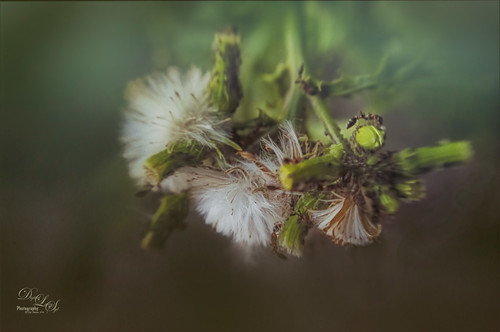
For some reason, this dandelion weed has grown to some humongous size by my front door in this major hot summer we are having and the ants are having a ball tromping all over it! I decided to pull out my old Lensbaby Composer set it to F/4 and Macro +4 lens to get this guy doing some kind of balancing act on a bud. This pretty much is how the image looked out of camera. I love the soft DOF you get with the Lensbaby. On a duplicate layer the now free Nik Color Efex Pro 4 was opened. The Detail Extractor was applied to mainly just the ant and a little bit of the foreground to give it a little more sharpness, and the Vignette Filter was used where a darker green color was sampled from the image to soften the bottom. Back in PS, Topaz (see sidebar for website link) Texture Effects’s Crisp Morning Run preset was applied (removed Adjustments, and added Diffusion panel, changed the Blur to 0.42, then painted back the ants, then set Strength 0.58, Softness 1.00) to get the beautiful turquoise effect in the background. I had not used this lens in a long time so it was a lot of fun to use!…..Digital Lady Syd
Busy As a Bee!
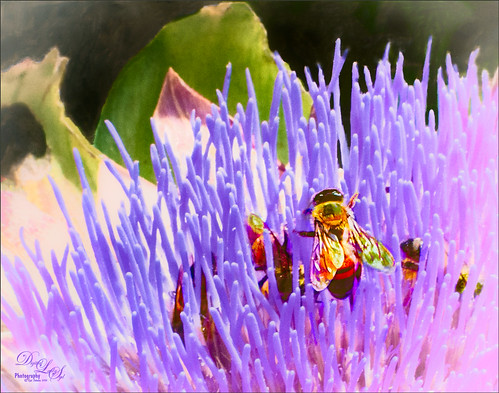
This little bee and his buddies were very busy checking out this magnificent specimen of a purple succulent at the Harry P. Leu Gardens in Orlando, Florida. I am not sure what kind of plant this was, but it was a gorgeous color! No wonder the bees were attracted to it! The image was opened in Photoshop and the background duplicated. Next JixiPix Spectral Art’s Dark Lines preset was applied to the layer – see my How to Use the Free Spectrel Art Plug-in blog to download. A black layer mask was added and the effect was only applied to the bees to give a little more detail to the wings. A stamped layer was created on top (CTRL+ALT+SHIFT+E) and Lucis Pro 6.0.9 (see my Digital Lady Syd Reviews Lucis Pro 6.0.9 (Now Affordible!) blog) was applied to further sharpen up the bees. Another black layer mask was added and the bees were painted out again and in the Properties bar, the Density was set to 80%. Some clean up was done on a layer. On another stamped layer the now free Nik Color Efex Pro 4 was applied using my favorite grouping of Film Efex: Vintage (set to Film Type 2), Darken/Lighten Center, and Monday Morning set to no Smear, Color Set Sepia, and overall Opacity 56%. On yet another stamped layer, Topaz (see sidebar for website link) ReStyle was opened up. The Sunflower Fields preset was applied and in the ReStyle Masks section, just the color was painted into the bees – this gives the really pretty golden color in the bees, and in the Basic section, the Detail Structure was set to -0.69 to soften everything but the bees. The last step was to create another stamped layer and apply the also free Nik Viveza 2 to the image to draw more focus to the bees. It always amazes me how these different plug-ins work together to get some great effects!…..Digital Lady Syd
Red Sunflower Saying Hello
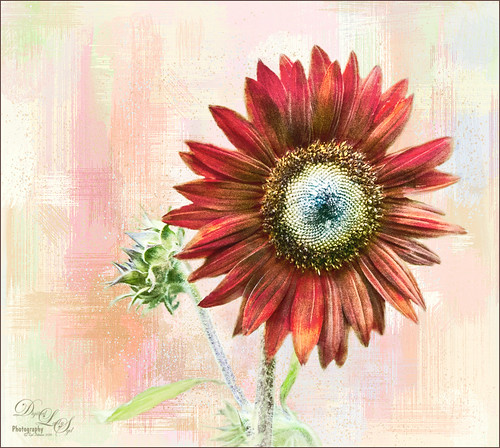
This gorgeous red sunflower image was taken at the Harry P. Leu Gardens in Orlando, Florida (a wonderful place to take flower pix!). I had never seen a red sunflower growing before – grew up around yellow ones! Did a tight crop around the flower first. Next tried out the new Photoshop feature called Select and Mask to remove the flower, buds and stems from the busy background. Works pretty nicely but takes a little practice to get a good result – the computer runs pretty hard while using it. The selection was applied on a new layer with a mask. Placed one of my Corel Painter textures behind the flower and buds. Next created a stamped layer (CTRL+ALT+SHIFT+E) on top and opened up the now free Nik Color Efex Pro 4 – used 3 of my favorite filters: Film Efex Vintage Film Type 6 and placed several control points around the outside removing the filter effect from these areas – this preserved the texture effect; Darken/Lighten Center; and Monday Morning with 4 control points on outside and 48% opacity. Back in Photoshop the Nik layer was set to 77% layer opacity. That was it! Pretty easy and I like the results – it feels summery to me!…..Digital Lady Syd
Just a Little Flower
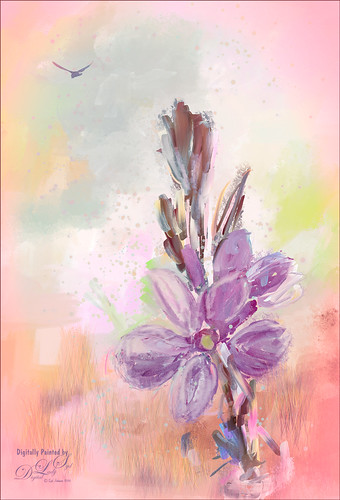
This image was created by painting over a flower taken at the Harry P. Leu Gardens in Orlando, Florida. The flower was actually selected from its background with Topaz (see sidebar for website link) ReMask 5 and saved as a PSD file to take into Paintstorm Studio. This program has some beautiful paint brushes at a very reasonable price. Several different layers were painted with different brushes including the watercolor spots before saving as a PSD and re-opened into PS. A bird was added and my Corel Painter Fresh Air texture was used behind the flower. Added a little grass using Frostbo Set 2 Grass 005 brush to add some ground. Used Kyle T. Webster’s free Animator Pencil to draw around the petals a little and the free Nik Viveza 2 to adjust the focal point. It was a lot of fun to paint!…..Digital Lady Syd
Topaz Labs AI Gigapixel
Check out AI Gigapixel stand-alone software for upsizing your images. It’s incredible! And it can now be used as a plugin when in Photoshop. Also Topaz Labs Photo AI has some great sharpening and denoise tools along with Photo Video AI.
Luminar Neo
Click here to visit Luminar for more info and check out their new AI Filters.

GRUT BRUSHES – Photoshop Brushes for Digital Artists
Click here to visit GrutBrushes.com
And be sure to check out his Free Brush of the Week and Brush Sampler! These are the best brushes you can find!

Topaz Studio 2 and Legacy Topaz Labs Filters
Unfortunately Topaz Studio 2 and other Topaz Lab filters are no longer available for sale as of 2020. If you had bought these filters and would like to put them back on, here is a link to the Legacy Apps where they can be downloaded again. Below is an example of the wonderful Remix AI Filter from Studio 2. The wonderful Impression still works fine in Photoshop right now along with Adjust (all versions), ReStyle, and even PhotoFXLab!
On1 Photo Raw
Wonderful software to use as a substitute for or plugin with Photoshop. Many great filter effects and lots of AI capabilities!
