
The Majestic Water Lily
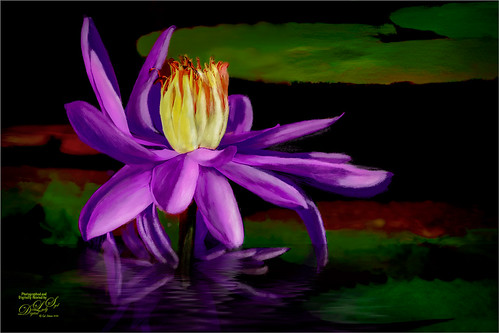
This purple water lily image was taken at Ames Park in Ormond Beach, Florida a while ago. Decided to make this more of an artistic look instead of a realistic feel and no AI was used. I did use a few oldie-but-goodie filters though. Topaz Simplify was used to create a black line drawing (still works in PS, but no longer available from Topaz). Kyle T. Webster’s Real Watercolor Wamazing Extra Rough was used to paint the flower (for info on how to use this brush and download it, see my A Little Halloween and a Little Creativity with Photoshop blog). Also used a Smudge Brush to smooth out edges. On a stamped layer the Camera Raw filter was opened and the new Glow Diffusion effect was added. Used Sam Peterson’s brush to create more highlights and shadows (also info on this in the Halloween blog). Then the Flaming Pear Flood filter was added just make it look a little different. Next three Adjustment Layers: Color Lookup, Light, and Clarity and Dehaze. Last step was a dark vignette. I love painting water lilies….Digital Lady Syd





Leave a Reply
You must be logged in to post a comment.