
Waiting for Sunset
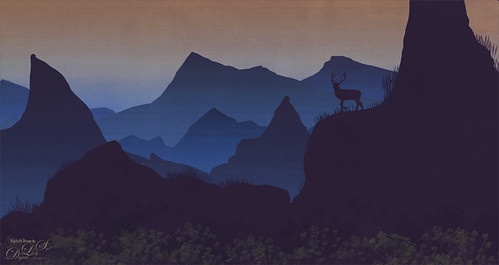
Just had some fun creating a little atmospherics image. Following Aaron Blaise’s Digital Painting videos – these are from 2017 but they are still really relevant. One of the sections is called Creating Atmospheric Perspective using Layers. It was a lot of fun to do and pretty easy. Just used a Hard Round PS brush with Transfer on for the mountains layers and with a lighter color added using the Gradient Tool for atmosphere layers. Can make as many mountains and as much atmosphere as you want. The foreground flowers are from Maddy Bellwoar Hand Painted Gouache Brushes Plant and Flower set – Wildflower Stamp 9 – really nice. The deer shape is from a Photoshop set by Timoes Animal Shapes from 2002 and the grass reeds were created in Aaron’s class. Lots of fun. And Aaron has just released a new digital class but I have not tried it yet. I am sure it is also great!…..Digital Lady Syd
The Chocolate Shop

Had fun post-processing this image from Kilwin’s Chocolate Shop in St. Augustine, Florida – excellent chocolate! This image was pretty tricky to do as that little train was moving all over the place and it was in front of the food sign to make it even harder. It really helped to have Topaz Sharpen AI (see sidebar for website link) on this one – use it as a first step almost on every RAW image. The biggest problem was all the spectral reflections on the sign – totally blocked out some of the lettering. Therefore, a lot of clone stamping and painting was done on this image. For cloning, a brush from PS Guru Aaron Nace that is just a 30-pixel round brush set to 25% Spacing and 28% Hardness – the Options Bar was set to 100% Opacity and 80% Flow, Aligned checked and Sample Current & Below. It does a pretty good of job but is a little choppy looking where the strokes stop. To fix that, another clone brush was used – one I call Soft Build up Clone by Pratik Naik, a famous retoucher. It is a very simple brush too – Size 100 pixels, Spacing and Hardness 25% and Build-up checked in the Brush Settings Panel. In the Options Bar, the brush has an Opacity 100% and a Flow of 9% – be sure to turn on the Airbrush – also turn on Aligned and Sample Current & Below. If this does not smooth out the lines enough, just increase the Flow a little. This brush is really fabulous! Just cloned over other lettering to reconstruct the bad letters. Also used Kyle’s Drawing Box-Glide Sketch Pencil/14% (for smoothing) Sm brush and my SJ Pastel3-Painting brush (all over my blogs if you want the settings) for clean up. The font is one I really like – Onamura Thin. That was about it – took some time but overall a good final result!…..Digital Lady Syd
Winter in Indiana

Just practicing my painting and decided to do an abstract from one of my childhood haunts. The originals of this image were really of the lake trying to freeze but I decided to add a little more drama for my image. In this case, the lake has frozen and melted several times to get this rough edge.
One reason this image was done was to try out a couple Smudge brushes created since I discovered I don’t have any in my favorite painting tool set. Basically followed the older Digital Painting Techniques Volume 1 from Brian Recktenwald tutorial. It served the purpose and several brushes were made and used on this image. Also a lot of painting was done with my SJ Pastel 3-Painting (have used this brush forever – great for just painting in solids with a little texture in it.) I also downloaded Daarken’s brushes and used one called Texture Sample Brush 45 3 to add the icy feel to the image. Used Carlos Cabrera’s brush for the overcast clouds from the same book. The bird set is called Bird Brushes by Canmax Stock-SB 3. Lots of other brushes were used like Kyle’s Animator Pencil 2016 and his Glide Sketch Pencil and David Belliveau Mixer Brush. Last step used Viveza 2 to get a nice focal point to the birds……Digital Lady Syd
American Goldfinch

Spent what seems like hours working on this gorgeous Goldfinch. The reference photo was by Stephen Walker at Unsplash. Totally drawing and painted following the technique in the Behance Video called Painting Beautiful Birds in Photoshop with Maddy Bellwoar. I am still working on the second half, but the technique used on this bird is from the first part. She provides brushes to draw and paint with and spend a lot of time showing how to draw birds. Excellent tutorial! The flower brushes are from her Hand-Painted Gouache Brushes for PS and Procreate that she just released. I used some of them as Pattern Stamp brushes. The Pattern used was from Jessica Johnson at Creators Couture using her Romantic English Garden Multi-color Floral Set – this set has some beautiful floral patterns, and some great Pattern Stamp brushes too. The background was created using Kyle T. Webster’s 2020 Summer Set’s Brix Brush in Photoshop. A Lookup Table using the Cerulean preset gives it this bold dark blue/purple effect. Otherwise bunches of layers and brushes and hours but lots of fun to do!…..Digital Lady Syd
Let’s Have a Little Chat

Going to make this short and sweet. Been practicing my digital painting and thought I would post this guy whose image is from a pack from ISO Republics 30 Free Images (be sure to change Image Size from 72 ppi to 300 ppi before starting so image is of a manageable size). The real trick is to find the right brushes to use – mainly the Mixers, Regular Brush and Smudge Brushes. The main Mixer Blender brush is from one I brought into Photoshop from Corel Painted and just make a bunch of iterations of regular, smudge and mixers from the tip. (See my older blog called How to Bring a Corel Painter Brush into Photoshop – it still works!) Most of the painting effect was placed on a layer above the original painting (Option Bar setting were Load the Brush After Each Stroke off, Wet 100%, Load 50%, Mix 80%, Flow 100% and Sample All Layers check on. Then used several layers to do whiskers, eyes, nose, etc. A Shadow and a Highlight layer was added to distribute the lighting correctly. Added an Autumn Colors Color Lookup Adjustment Layer at 63% and a Gradient Map set to light yellow to white, Multiply blend mode, and 47% opacity. That’s about it. Lots of fun here!…..Digital Lady Syd
Happy Lily

This white lily just appeared in my front yard last summer – I had planted this variety several years ago. I was excited to see it but the white color did not lend itself to great photo shots. I decided to give it a digital touch Here are some tips I had for this image:
- Had to use a special brush I made to get rid of some of the color from chromatic aberration in the white lily petals – created a clone brush set to Color blend mode at 32% opacity to paint over those areas very lightly with a small 15 pixel brush. Brush called SJ Remove Chrom Abb around color edges. Only used where there is white or light color on the subject, now on the long edge and side of the petals which were way too soft. Used a regular soft cloning brush here.
- Did not like the line definition of the petals so decided to use a new brush I created from Kyle’s Spatter Video – named it SJ Drawing Br-Airbrush – very small 3 pixels but very nice for this type of line drawing on flowers.
- To get a more interesting effect, on the line drawing I opened the Layer Style – Glow and set it to Opacity 16%, Color a dark blue or #2d354e, Spread 41% and Size 32 to get a rather interesting shadow effect around the lines and gives a bit of a painterly effect to the whole image. This definitely turned out really good.
- Used the Pattern Stamp Tool to created the pretty flowers on the ground – Used Jessica Johnson’s English Garden brush and pattern – in this case used one with the blues and purples in it. (Brush 11 at 200 pixel and Pattern 14) The brush had too much texture in it but when I turned it off, it did not look as good when repainted. Therefore I added a slight Gaussian Blur to the layer and set the Radius to 1.4 to remove the texture quality but still maintain the detail in the flowers.
- Used Grut P Limbo Lift brush in his Pencil set to add shadow and highlights and his S Tend Octo brush to add the green and white small flower look.
- The Bokeh Texture was from Jill Wellington from a long time ago and was set to Color Burn blend mode. Added a layer mask and painted out the flower.
That is basically what was done. It is fun to try new things!…..Digital Lady Syd
Celebrating Winter
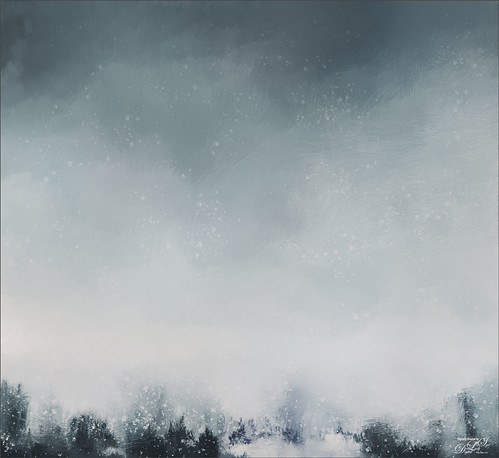
Just practicing painting. This is one that I created following a set of videos called Painting with Photoshop from Corel Painter Master, Melissa Gallo from many years ago. This series is still the best one out there to learn how to paint in Photoshop. This image used several variations of her Pencil Sketch Brush which comes with the workshop. If you really want to learn how to do this, it is totally worth the money. Created this image due to the fact that everyone is getting large amounts of snow this week. Enjoy the beauty of wintry mess!…..Digital Lady Syd
Feeling Groovy

Just had some fun with ISO Republic’s Guitar Man, my favorite practice image, to create a rather crazy abstract using some Corel Painter brushes mainly. A while back I had purchased a learning video and some brushes from Karen Sperling called Quick Fix Color – I decided to use these brushes that make these really interesting dabs. Back in Photoshop added a splatter brush to fill in missed areas, a Curves Adjustment Layer, a Color Lookup Adjustment Layer using On1’s Heat Wave LUT set to Overlay blend mode at 57% opacity, and the Camera Raw Filter. Anyway, just lots of fun to do!…..Digital Lady Syd
Fisherman’s Cabin

This image was created using one of Shorpy.com’s great images called Fisherman’s Cabin-Shore Road-Magnolia-Cloucester-Massachusetts, cc1905. This image was run through the Image Colorizer (see my How to Colorize Using Image Colorizer blog for info on this) first, then after some clean up in PS before taking the image into Topaz Studio 2 where Impression, Edges, and Color Theme filters were applied. Then the image was taken into Corel Painter and the image was painted over where the canned Impression program left stroke I did not like. Back in PS, the Mixer brushes were used to do the final clean up on the image. Lots of fun to do!…..Digital Lady Syd
Looking for his Valentine

My Valentine Jaguar buddy from the Jacksonville Zoo was caught looking into what looked like a little window is all dressed up in his holiday pajamas. I thought this image would make a nice Valentine’s Day card so that is what I did. He was actually turned into a sketch using a tutorial called 5 Easy Steps to Create a Realistic Little Drawing from a Photo in Photoshop by Jesus Ramirez. Just followed the steps and painted in some heart shapes on the rocks using a Color blend mode to give the painted effect. Painted the heart pattern out of his spots using an 8-pixel soft round brush and Gruts H Hatch Wren brush (if you have not checked out Gruts brush website, take a look-it’s great). It took awhile but was lots of fun to do. Happy Valentine’s Day!…..Digital Lady Syd
The Rag-a-Muffins

Enjoyed painting this image but it took awhile to figure which way to do it. I actually ended up using Jessica Johnson’s Pattern Stamp technique using her brushes also (see my What About the Pattern Stamp Tool? Not Bad! blog). Clean up was done Gavin Phillips smudge brush, which is actually a regular brush but does a great job. An Impasto Layer was created to give a more painterly look (see my How to Create an Impasto Texture Layer Style blog). Otherwise that was about it. Lots of fun!…..Digital Lady Syd
Painted Flowers
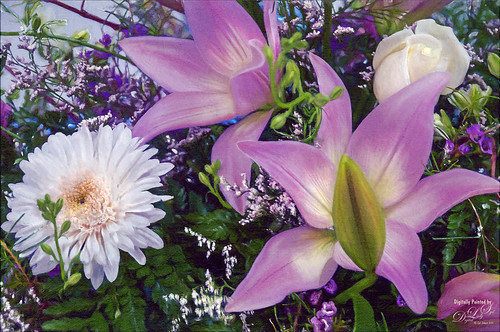
Just had fun painting – I like to practice a bit each week so I do not forget how to do this. Topaz (see sidebar for website link) Sharpen AI was used to sharpen the image. Actually used a plugin I got recently, Perfectly Clear, to brighten up the image – just used Tone, Color and Preprocessing panels. Had to clean up a little and then put together several brushes in a group to use for painting -mainly mixers, blenders, and a couple regular brushes. A bevel and emboss layer style was added on top to get the canvas effect…..Digital Lady Syd
Practicing in Painter

Just got an updated version of Corel Painter so decided to try out a few of the new Thick Paint Brushes. I will not go thru all the steps but the thick paint was used on the sails and parts of the boat reflections. I have to admit most of the real post work ended up in PS where I did more sketch work and added the textures. Overall it was just a lot of fun to do – and that is what it is all about. Check L. S. Lowry‘s art work as he did some beautiful paintings – and his original looks a lot different (and better) than this one. ….. Digital Lady Syd
On Duty at the Zoo
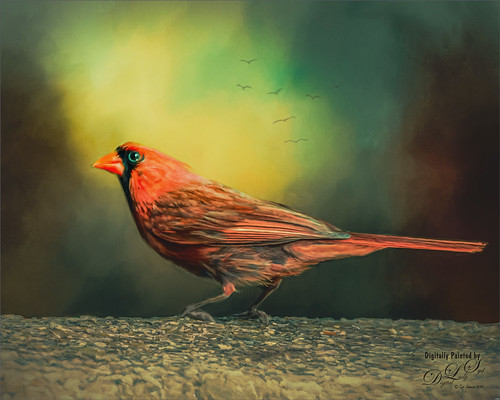
This beautiful male Northern Cardinal just sort popped in front of my while I was visiting the Lion exhibit at the Smithsonian National Zoo in Washington, DC recently. I decided to give him a better location as he was right in the middle of a bunch of us tourists. He was painted with mixer brushes and I believe an older Jai Johnson texture, with the colors and size of the texture changed to fit the scene. You do not have to keep a texture exactly the way it was when you got it. That is what makes it fun! Topaz (see sidebar for website link) Impression was used to paint in the foreground rocks – just the default settings with Brush 06 using the Graduated Filter to line it up on the front. The background birds are a brush from Jenteva Plant Brushes. Last step was a Curves Adjustment Layer. It is so relaxing to paint birds!…..Digital Lady Syd
A Rose Hanging In There

This once beautiful rose was trying its best to show pretty even though its outer ring of leaves were pretty much spent. I decided to paint it since it had some pretty leaves and nice central rosebud. Several painting layers were created using Photoshop’s Legacy Brush called the Fan Flat Blender. I created a couple variants so color could be added easily, but it is pretty much the same brush. What is so nice is that it has a texture in the brush which adds a great effect to the mixer brush. Also Color Efex Pro 4 was added using the Darken/Lighten Center, Film Efex Vintage, and Detail Extractor filters. In PS On1’s Moody 5 Color Lookup preset was added at 61% layer opacity. And the last step was to use Viveza 2 to emphasize the center of the flower and give a slight vignette effect…..Digital Lady Syd
Hibiscus Stamen

This interesting stamen was part of a huge Hibiscus flower at the Harry P. Leu Gardens in Orlando, Florida. Luminar (see sidebar for website link) Flex was used to sharpen up a stacked macro image. Then PS mixer Flat Blender was used to paint and add texture into the strokes. A variation was created to add color using the same brush. One of my Corel Painter Textures was added on top – the Blend If sliders were used to add a little more texture effect in the background. It took a while to finish up, but it was a lot of fun to create!…..Digital Lady Syd
Wanted: Female Interested in Long Relationship

This handsome specimen of a Vulture (he really is not that grumpy when you meet him) was really fun to paint. A couple of textures were used, one I painted in Corel Painter and another containing a heart bokeh effect, an Evelyn Flint Flickr Texture. The bird was separated from his background and then my newly created Flat Fan mixers were used to paint in his feathers. Some spotlight effect was used on his face and the text font is called Parkway Lush. Lots of fun to do!…..Digital Lady Syd
Posing for a Portrait

This Ring-Tailed Lemur looks like he has been posing for portraits before – he does have a bit of that Star Wars Yoda look going for him. Biggest problem I had with this image was a really large black fence across his body. Had to get a little creative but it was not really that hard. Mainly used the Clone Stamp Brush and Spot Healing Brush to paint over the bars and remove any patterning. In a couple places some new hair needed to be added so using an older free Wildlife Texture Brush Pack by Coyote Mange, several fur brushes were used to add it in – these are terrific brushes so if you do need animal hair brushes in PS, try them out. Otherwise just the basic PS workflow to get the final result. Really love this image…..Digital Lady Syd
I Am Feeling So Sleepy!

This beautiful Caribbean (or American) Flamingo was just an example of the many beautiful flamingoes strutting around the enclosure – it looks like he had a very busy evening the night before. It was a lot of fun to post process this guy but it was a bit of a challenge. The behind of another bird was in the image so I decided to just pull the bird head out of the image and start from scratch. No filters were used this time – and only a little sharpening and noise removal was done in Lightroom. Then I just painted around the bird and added in the grass and plants from PixelSquid. Put a sky background in as a texture taken from the Fantasy Text Effect file, and just added in some spotlight effects, a Color Lookup Adjustment layer, a French Kiss Pencil Frame (not sure it is still available), Curves and Levels Adjustments Layers, and some text (Zing Rust Line Horizontals and Vild Scrapes fonts). That was it but it took awhile to get this all looking right. ….. Digital Lady Syd
A Little Wintry Guitar Playing
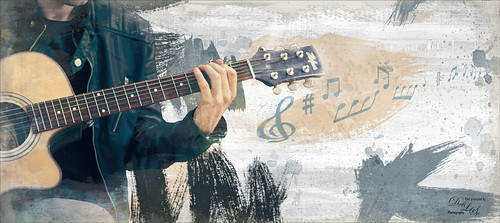
Well here is one of my favorite ISORepublic images called Guitar Man that I often choose when trying out a new technique. I used to play guitar and I think that is why I like it. This time I liked the result so well I decided to post it. I spent a lot of today watching a video (unfortunately it was not a talky), but it was so good I took notes and worked along with the basic steps anyway. The video is on You Tube and called Technical Dost/Digital Painting/Smudge Painting/Photoshop Tutorial by Nikhil Shirkar – some of the technique just did not work for this image like a lot of the smudging, which seems to apply to portraits more than this type of image. What I did like were the brushes he linked for the download. I especially liked the Danger Pig Strokes 01 free brush set and there was also a nice white watercolor grunge texture to use. I decided to use my own background texture, but his is quite nice. Otherwise it is just adding in elements and strokes to get a nice grunge feel. I used a watercolor border at low opacity to give a little vignette effect. The notes were created from some sheet that was downloaded and made them into brushes – I use them all the time. Overall just a lot of fun to do and the only filter used was Topaz (see sidebar for website link) AI Clear to sharpen the image. And also beware that when using some free images (including this image), the resolution is set to 72 dpi. Need to adjust this by going to Image -> Image Size and setting the Resolution to 300, then uncheck the Resample – the Width and Height will readjust – and recheck. That will give you a normal size image with the correct Resolution. ….. Digital Lady Syd
Color of the Wind
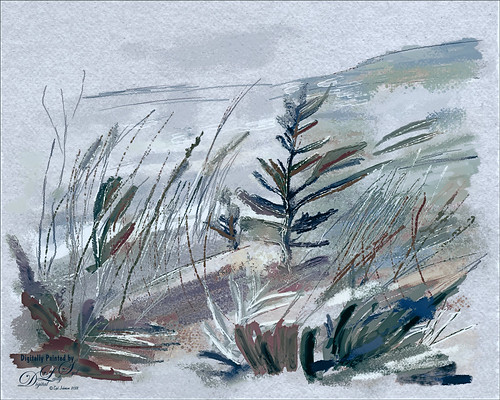
Once again just had some fun – this time painting with Grut’s Ink Brushes and paper. Decided to try and create an image somewhat like an Andrew Wyeth. (Right, like I could paint like Andrew Wyeth – I would be in heaven!) He is one of my favorite painters. It also gave me a chance to go through all the wonderful Ink Brush Nicolai has created at his Grut Brush site. There were so many I wanted to use but stayed instead to these brushes: Gone Coral, Coven Sloth, Pensive Linny, Bed Kelp, Bone Soak, Holy Slips, Go Folly, Raggedy Tag, and Wain Pip. (These were all placed into a brush Group named SJ Grut Ink Brush Favs – and backed up in the Preset Manager.) I also used his Oil Impasto Chip Gimble brush for ground cover. All these were used on separate layers so they could be adjusted and the opacity set correctly. Nicolai also has some marvelous papers – this one started with SP Espaloaf which gave the beautiful overall texture. To finish up, Topaz ReStyle was opened up and the Peppermint Gray preset applied for a very cool feeling to the image. Last step was to use Nik Viveza 2 to bring in the focus to the main tree. If you like ink brushes I suggest you check the Grut Brush Site – lots to choose from and for a low price, you can get all his brushes including these ink brushes. And the best deal is he gives away a free brush each week under his Freebies tab – all different kinds. I can’t tell you how many brushes I have gotten from this free downloads. …..Digital Lady Syd
White Abstract Flowers
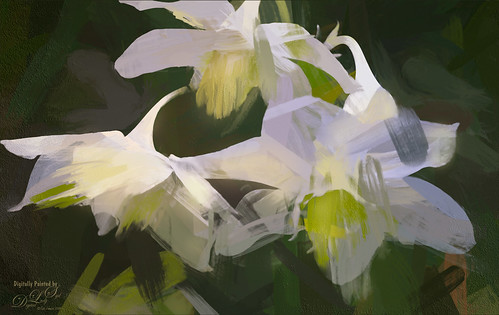
Love the results of this abstract applied to a rather ordinary grouping of white flowers. Applied a basic Topaz (see sidebar for website link) Impression Abstract preset to the flowers to remove the details. Then took the image into Corel Painter to paint in more of the flowers. Saved as a PSD file and opened up in Photoshop to further paint in details with Mixer Brushes. To get the interesting texture effect, added a rather light edged painted border in white and in the layer style, set the Bevel & Emboss to one created by John Derry. At this point I could not find a link where these can be purchased (I got them several years ago) but try playing around with this layer style effect. The opacity of this layer was set to 44% and the Fill amount set to 5% to get the interesting painting look. Used Nik Viveza 2 and added some color for lighting effect……Digital Lady Syd
Posing for a Portrait
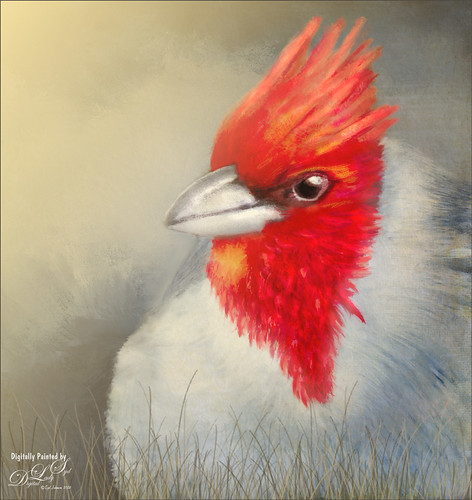
This guy is a Red Crested Cardinal and is not related to the beautiful red cardinals in the US. Although not native to Hawaii either (his image was taken at a park in Oahu), they are quite common. He was not very large in my image so the image was cropped in closely and run through my new favorite program, Topaz (see sidebar for website link) AI Gigapixel. Then I had a great image to work with. In Photoshop the same basic steps were followed that I did with my Wolf and Fox images completed recently. (See my Learning to Draw a Wolf! blog and Introducing the Beautiful Fox blog.) Since the image could be used as a guideline, I first started by sketching on a New Layer called Rough Drawing. Local Color, Shadows, Highlights, and Detail layers were added before working on the fur, textures, and overall lighting effects. Lots of layers, brushes, and time. Need to check out Aaron Blaise’s videos (links in Wolf blog) to learn the workflow. Anyway, I find it very relaxing to paint my bird buddies…..Digital Lady Syd
Introducing the Beautiful Fox
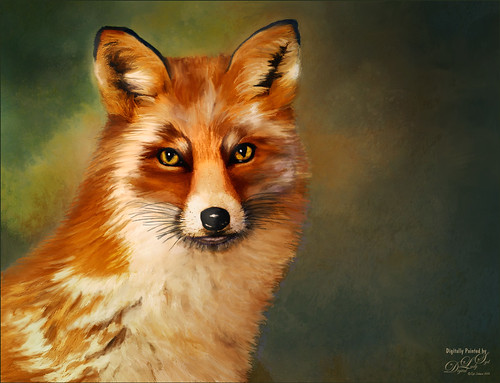
Enjoyed painting this beautiful fox – used Unsplash image by Linnea Sandbakk as a base for the painting. This follows pretty much the same painting process as used in my Wolf image except the body was not sketched first. This image contains 64 layers, so it took quite a bit of effort to get this result. Three textures were used to get the result and numerous brushes. I would go into more detail, but it is basically just finding a workflow and some brushes that work, and then painting. This is really so relaxing and fun to do!…..Digital Lady Syd




