
Hey Tiger!
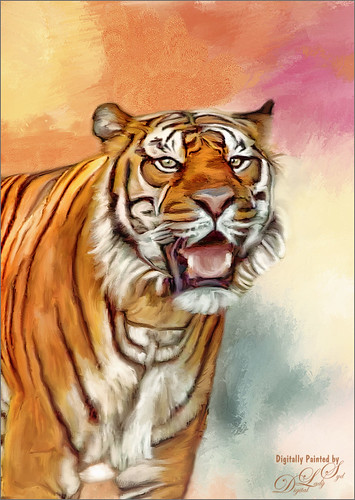
This beautiful image of a Bengal Tiger is a stock image from FreeImages.com. Wish I had taken the image. This image had lots of green leaves behind him. Topaz (see sidebar for website link) DeNoise 5 was used to remove lots of grain and color noise in this image. I used a texture I had created in Corel Painter with oil brushes. It was Free Transformed to make it fit the way I wanted it to look. Topaz Adjust and several mixer brush layers were used to paint the image. Nik Viveza 2 was used on just his face to get the nice sharp effect. That was it. This took probably around 4 hours to complete. Good thing I like to paint!…..Digital Lady Syd
A Victorian Visit
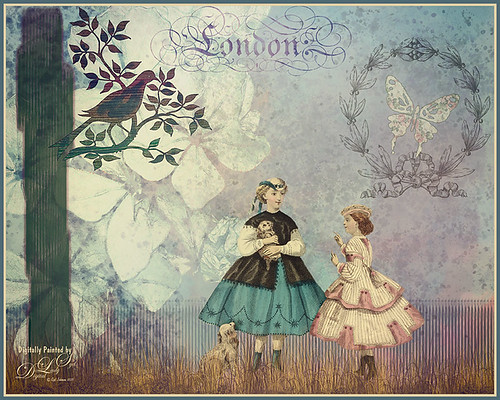
This is just a little composite of various elements that I put together for the fun of it. I love the little girl clip art that was from Mary Bailey, I believe as a magazine download – I could not find a link to her. Thought I would mention the use of Axeraider70 Edge Brushes to make the fence and tree trunk. Lots of splatters and one of my painted backgrounds were used. The butterfly shape was from Nicky Laatz and the wreath and London text were from Graphics Fairy. The bird was from the Old Design Shop. The flowers are from another one of my images. The foreground grass was from brushes by Aaron Blaise. Topaz (see sidebar for website info) Len Effects Toy Camera filter using the Memories preset with no vignette, than applying Polarization Filter set on High to brighten the image up. Nik Viveza 2 was used to direct focus to the girls. It was a lot of layers and step, but a lot of fun to do……Digital Lady Syd
Summertime!
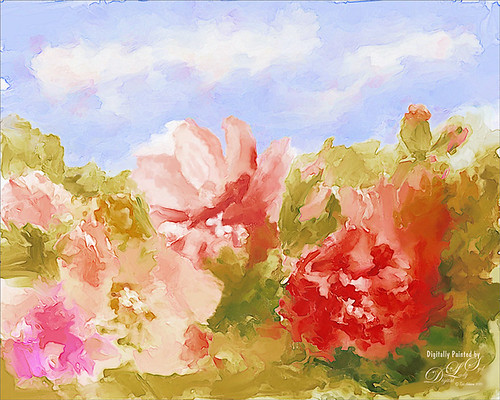
These are just some flowers I started painting in Corel Painter 2015. This used the Basic Paper with the default settings. Only an oil paint brush and a blender were used. Just a lot of fun to paint. I then brought the image into Photoshop and duplicated the background. Topaz (see sidebar for website link) Glow was opened and my SJ Mysterious II Water preset was applied. This mainly made the image more vivid. Once out of the plug-in, Grut’s O Rooster Suit brush was used in PS to smooth out uneven lines and do general clean up. Nik Viveza 2 was used to make sure the red flower was the focal point. I really enjoyed doing a little free-style painting……Digital Lady Syd
Still Life Fun
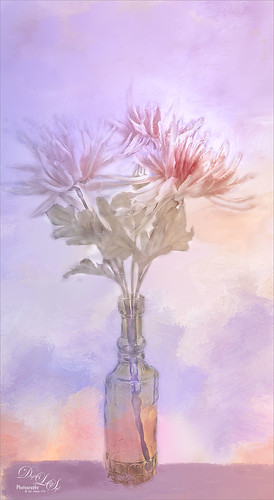
This is just a still life image I took a while ago of some flowers. Added one of my painted textures underneath, then with a black mask added to the flower layer, painted back in the flowers. The texture was copied twice and placed on top – one was set to Multiply blend mode at 54% and the other set to Color blend mode at 76%. A table and shadow were added using Grut Oil Rooster Suit brush. On a stamped layer (CTRL+ALT+SHIFT+E) Nik Viveza 2 was used to further bring out the color of the flowers. Several clean up layers were used and a few adjustment layers were added to create some contrast. I really love flowers….Digital Lady Syd
A Little Birdie Told Me So!
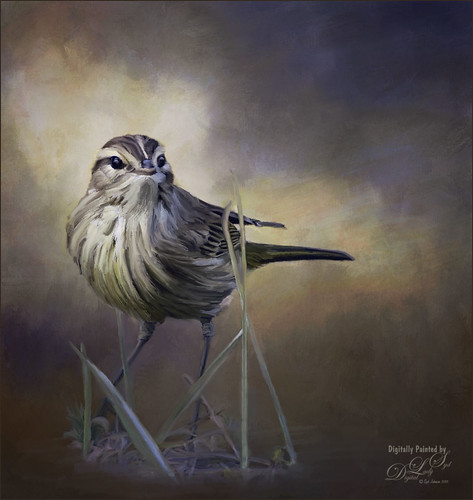
This was just a little bird I photographed near my home that was just walking around with a group of other little birds. He was placed under a couple painted textures, one I created in Painter and one by Jai Johnson called Clouds Over the Pasture. His eyes were brightened using the Exposure Adjustment Layer. Then on several different layers, the Mixer Brush was used to paint the bird. Finally on a stamped layer, Topaz (see sidebar for website link) ReStyle’s Smoke Gray Veil preset was used to give the different color effect. I love what this plug-in can do to an image! Next Nik Viveza 2 was used to direct the eye to the focal point. Another one of my textures was added on top and set to Overlay at 47% to add the really nice orange tones into the image. That was it – lot of fun here!…..Digital Lady syd
The Blushing Bride
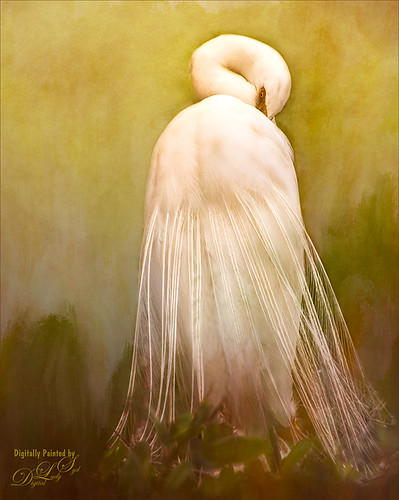
This lovely Snowy Egret with her magnificent plumage was another bird shot taken at the St. Augustine Alligator Farm rookery a few months ago. She was placed above Jai Johnson’s Emerald Green Canvas free texture (all her textures are fabulous) and with a black mask, was painted into the texture. This texture was chosen since the bird had lots of dark green foliage around her – the thin feathers could be seen better. Next a Corel Painter texture I created showing some soft plant-life in the background was placed on top and set to Hard Light blend mode at 39%. On a stamped layer (CTRL+ALT+SHIFT+E), Topaz (see sidebar for website link) Lens Effects was opened and two filters were applied: Reflector (Settings: Gold Top – Type Golden, Strength 0.65, Transition 0.37, Position 0.36, and Angle 176.4) and Add Vignette-Selective – Burnt Sienna (Settings: Placement Adjustments Focus Width 0.66, Focus Height 0.48 and Effect Center: (1751,806); Tonal Adjustment – used default sienna color, Vignette Strength 0.35, Transition 0.75, Contrast 1.63, Brightness 131.2, and Opacity 47.03). On a duplicate layer Nik Viveza 2 was used to bring out the sharpness of the eye a little more and the structure in the bird’s back. A black and white Adjustment Layer was used to adjust the focus just right and then set to Luminosity blend mode at 44% opacity. Then on another stamped layer, Topaz ReStyle’s Tuscany Memories was applied and set to Hard Light at 45% for the ReStyle section. That was it!…..Digital Lady Syd
Jumping Whales
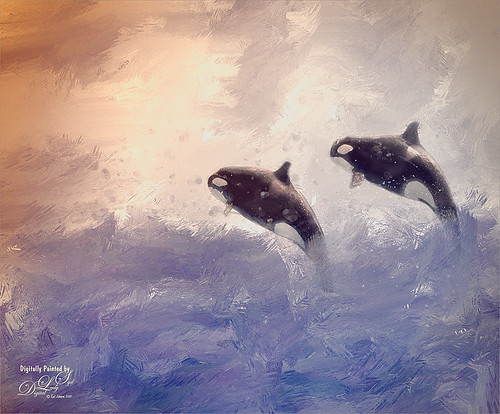
These Killer Whales were performing a few years ago at SeaWorld Orlando. I decided to place them in a water texture created in Corel Painter. I wanted them to look like they are in their natural environment. The biggest problem I had with this image was getting the lighting to look natural on the sharper whales. First the whales were painted through a black mask on top of my SJ Stormy Weather at Sea texture. Several adjustments layers were used to even out the tonal contrast and color. Then Topaz (see sidebar for website link) Lens Effects was used on a stamped layer (CTRL+ALT+SHIFT+E) and the Vignette Selective using the Golden Halo preset was used. Nik Viveza 2 was used the get rid of the color cast and turn the spots on the whale white. The texture was copied twice and placed on top of the layers – first set to Multiply blend mode at 49% layer opacity, and then set to Hard Light at 21% layer opacity. Some water splatter layers were created to get the water splashing effect using Aaron Blaise Water Splatter Brushes (all his brushes are fabulous!). On yet another stamped layer, Topaz Lens Effects was opened up again and the Toy Camera effect was chosen – used the preset Awesomeness for starters and tweaked it to get the correct sunlight effect. The last step was a Levels Adjustment Layer to even out the contrast. This was really a lot of fun to do!…..Digital Lady Syd
A Face in the Crowd
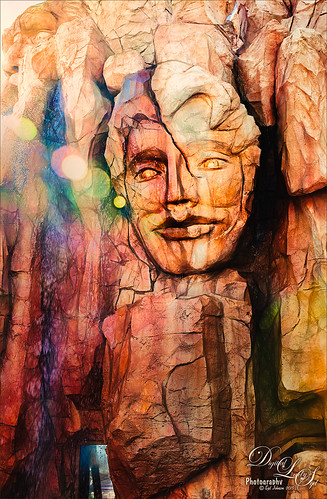
This image was taken at The Lost Continent area of Universal Studios in Orlando, Florida. It is a rather interesting engraving in the mountain. The bokeh was actually on the image I took. Not a lot was done to time, just Topaz (see sidebar for website link) Glow (my SJ Inter Web Variation preset) set to Soft Light blend mode at 50% layer opacity and Nik Viveza 2 were used to emphasize the lines and the lighting in the image. On a New Layer set to Overlay, several of the face lines were painted over to darken so you could see them more clearly. It turned out rather painterly looking!…..Digital Lady Syd
My Magical Front Yard
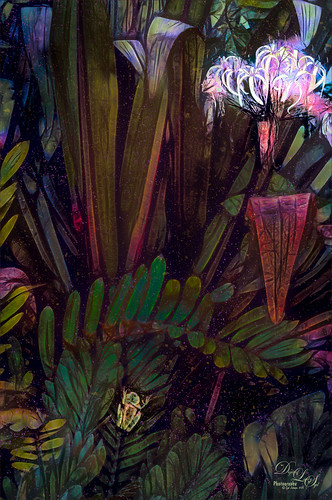
My front yard is a little crazy looking but it is a happy place, at least for the tree frog! This was just a lot of fun to do. Used Topaz (see sidebar for website link) Glow and my SJ Inter Web Variation preset set to Exclusion blend mode at 100% layer opacity. On a stamped layer (CTRL+ALT+SHIFT+E) Nik Viveza 2 was used to brighten the Tree Frog and the flower. Some painting clean up was done on a separate layer. On another stamped layer, Topaz ReStyle’s Rustic and Orange preset was applied. Another stamped layer set to Smart Object, Photoshop’s Camera Raw Radial Filter was used three times to lighten exactly where I wanted. Last step was to add some splatters more so in the dark areas to add a little more magical feel. Hope you enjoyed it!…..Digital Lady Syd
Topaz Glow Inter Web Variation preset settings: Primary Glow Type Dark, Glow Strength 1.00, Effect Sharpness 0.12, Electify 1.00, Simplify Details 0.06, Edge Color 0, Detail Strength 1.00, Detail Size 0.42, Brightness 0.16, Contrast 0.18, Saturation 0.08, Line Rotation 0, and Glow Spread 0; Secondary Glow Glow Type Light, Glow Strength 0, Effect Sharpness 0.54, Electrify 0.11, Simplify Details 0, Brightness 0, and Contrast 0; Color Overall Saturation to 0.62, Red Sat to 0.44, Yellow Sat to 1.00 Yellow Lightness -0.36, Green Sat 1.00 and Lightness -0.51, Aqua Lightness -0.36, Purple Sat 1.00, and Magenta Sat 1.00 and Lightness 0.50.
Abstract Wetlands
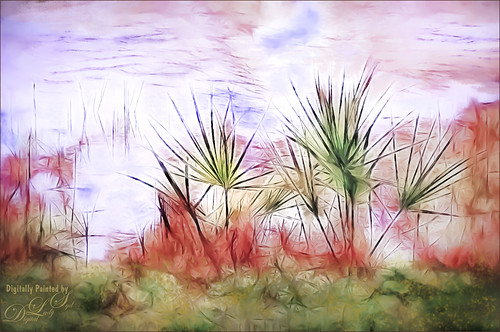
Felt like doing something a little different with a rather ordinary image. This was another shot from the Ritch Grissom Memorial Wetlands in Brevard County, Florida (also known as the Viera Wetlands). This image was first Merged to HDR in Adobe Camera Raw 9.0 – thought I would put it through its paces and it worked really well. I have a lot of HDR programs, but it is so nice to have all the ACR tools available to clean up the result.
Once the HDR file was created in ACR, the image was opened as a Smart Object in Photoshop CC2015 to add a few filter effects. Topaz (see sidebar for website link) Glow was using my Inter Web Variation preset set to Hard Light blend mode. (Here are the settings: Primary Glow Type Dark, Glow Strength 1.00, Effect Sharpness 0.12, Electify 1.00, Simplify Details 0.06, Edge Color 0, Detail Strength 1.00, Detail Size 0.42, Brightness 0.16, Contrast 0.18, Saturation 0.08, Line Rotation 0, and Glow Spread 0; Secondary Glow Glow Type Light, Glow Strength 0, Effect Sharpness 0.54, Electrify 0.11, Simplify Details 0, Brightness 0, and Contrast 0; Color Overall Saturation to 0.62, Red Sat to 0.44, Yellow Sat to 1.00 Yellow Lightness -0.36, Green Sat 1.00 and Lightness -0.51, Aqua Lightness -0.36, Purple Sat 1.00, and Magenta Sat 1.00 and Lightness 0.50. Set to Screen blend mode at 66% Strength; and no Finishing Touches.) On a stamped layer (CTRL+ALT+SHIFT+E), Topaz Impression’s Turner Storms II was added. It was turned into a Smart Object and Photoshop’s Camera Raw filter was opened – used Photoshop Cafe’s PS Cafe-euro model preset with some Basic adjustments and color changes. I really liked the fantasy feel I was getting. Some clean up on a New Layer was done. On another New Layer Kyle’s Real Watercolor Spatter Mixed brush was used on the foreground, a gradient overlay layer style added, and then a Guassian Blur filter set to 2.0 radius was applied to this layer. The last step was using Nik Viveza 2 to draw attention to the focal point. I really liked the results of this image….Digital Lady Syd
Soaring Spoonbill

Still enjoying the bird images I took at the St. Augustine Alligator Farm Rookery this Spring. The original image was captured with a totally light blue sky behind this Roseate Spoonbill. This made it easy to add a texture underneath the image (my painted texture created in Corel Painter called Seashore) and changing the blend mode of the bird layer to Multiply. Topaz (see sidebar for settings) Clarity and DeNoise 5 were applied to cleanup the the bird layer. On a stamped layer (CTRL+ALT+SHIFT+E), Topaz Glow’s Room Glow Blake Rudis preset was applied (check out Integrating Topaz Glow into Your Workflow for info on this). Next on a New Layer Fay Sirkis’s (from KelbyOne) Precious Oil Diamond Mixer was used to clean up the feathers and beak a little. Topaz Impression Watercolor II preset with no spill was applied. Nik Viveza 2 was used to bring out the color of the bird just perfectly and a Curves Adjustment Layer was used as a last step for overall contrast. I love my bird pix!…..Digital Lady Syd
Hiding Out in the Wetlands
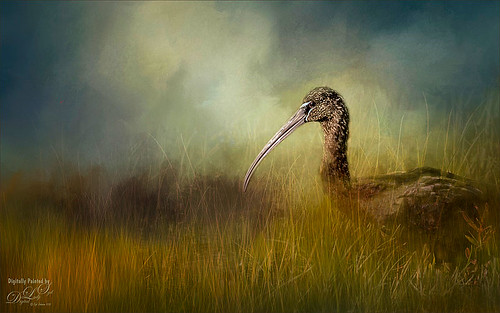
Took this image of a Limpkin bird a while back when photographing at the Ritch Grissom Memorial Wetlands in Brevard, Florida (also known as the Viera Wetlands) with my photo club. This was not actually how the bird appeared – he was trying to hide from all the tourists taking his picture by standing in a batch of grass and reeds. That was the challenge. I had heard that CC2015 had updated their Spot Healing Brush and it worked nicely on this image. I tried it in CS6 first and got marginal results. I have heard that a lot of people are having trouble with the update Healing Brush and Adobe is looking into it. So do watch the results if you are using it. Like I said, I had no problems in this image. Otherwise on a New Layer just added in some of my favorite and free Frostbo Set 2 Grass brushes 009 and 005 strokes to fill in some grass – need to lock the layer and paint over with Color Dodge and Multiply to get the natural feel. Set layer opacity to Color Dodge, duplicated layer, and adjusted opacities of both layers. Jai Johnson’s beautiful Clouds Over the Pasture texture was used and Nik Viveza 2 to add sharpness to the birds eye and beak. That was it. Love playing in Photoshop!…..Digital Lady Syd
A Little Scottish Architecture
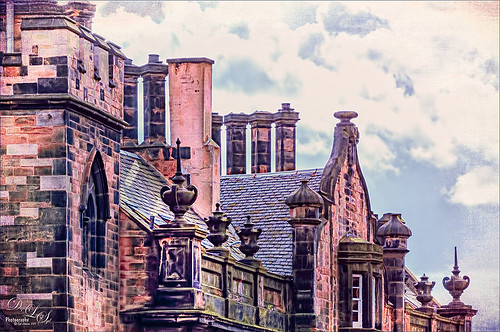
Just an image of the beautiful architecture taken near Edinburgh Castle in Scotland. The original image in Lightroom was major dark – not sure why. Used the Basic sliders to brighten up the image, but the noise was pretty bad. Therefore , in Photoshop Topaz (see sidebar for website link) DeNoise was used. Topaz Glow was used on a stamped layer above and my SJ Graph III preset was applied – layer was set to Overlay blend mode at 65% layer opacity. (Here are the settings: Primary Glow: Glow Type Dark, Glow Strength 0.17, Effect Sharpness 0.09, Electrify 0.23, Simplify Details 0.25, Edge Color 0.20, Detail Strength 18, Detail Size 0.24, Brightness 0.23, Contrast 0.17, Sat 0.01, Line Rotation 0.09, and Glow Spread 0.20; Secondary Glow: Glow Type Light, Glow Strength 0, Effect Sharpness 0.47, Electrify 0.17, Simplify Details 0, Brightness 0.36, and Contrast 0.62; Color Red Sat 1.00; Orange Sat 0.27; Yellow Sat 0.20 and Lightness 0.09; Aqua Sat 0.78 and Lightness -0.26; and Blue Sat 0.49; Finishing Touches: Effect Coverage 0, Smudge 0.00, Sharpness 0.25, Sharp Radius 0 and Vignette Size 0.) Also in the Layer Style, the sky was brought back using Blend If Underlying Layer slider and splitting the white tab (ALT+drag on tab to split) with settings of 122/145. Topaz Lens Effects Reflector filter was used to lighten up the face of the buildings (Type Golden, Strength 0.28, Transition 0.31, Position 0.49, and Angle 208.5). By adding a layer mask, the sky was painted black so the effect only applied to the buildings. Next on a stamped layer used Nik Color Efex Pro using Tonal Contrast, Brilliance/Warmth, and Vignette Lens. A vintage frame was added on top and set to Overlay blend mode. I love working on images from Scotland!…..Digital Lady Syd
Digital Lady Syd’s Rule No. 13: Paint Something Everyday
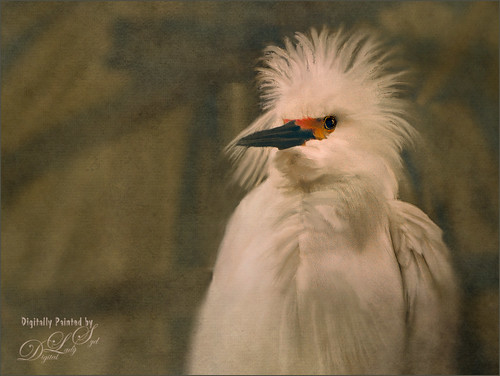
Have not done a rule in a long time, but if you are learning to paint, many of the really good digital painters are saying to “paint something everyday.” This will definitely help you improve your painting technique, and if you already have a technique, it will keep your skill level at a high level.
This guy was totally into looking around at the happenings at the St. Augustine Alligator Farm Rookery on this very busy day. When mating and building nests, the birds just do not even know you are there – it is truly amazing! For some reason, I just do not get tired of painting these guys! Just using the same Mixer Brushes that work with my style of painting. Still loving Fay Sirkis‘s (the Corel Master who makes fabulous Photoshop brushes also) Precious Oil Diamond Blender brush and a Pete Collins Portrait Smeary Mixer for the background (from KelbyOne Mixer Brush training by Pete). Used an Exposure Adjustment Layer for the eyes (see my How To Do a Quick Eye Sharpening in Photoshop ), a Color Lookup Adjustment Layer Gold Blue Abstract preset and Lighten layer blend mode, add Jai Johnson Brown-Gray canvas texture, and Nik Viveza 2 on stamped layer on top to emphasize his face. Is this guy awesome or what!…..Digital Lady Syd
Waiting For Spring
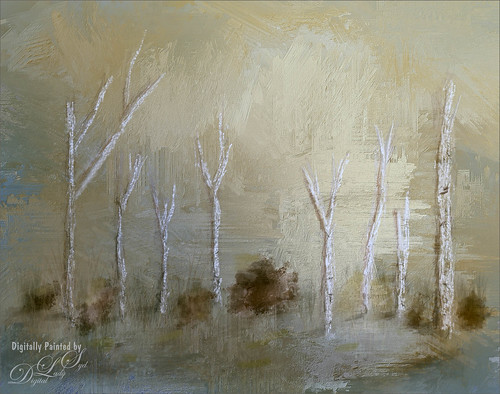
Just doing some practicing in Corel Painter. I do not do this enough, but the experts say that to actually be good you should paint every day. This image used three of the original Corel Masters brushes – Melissa Gallo, Karen Sperling and Marilyn Sholen brushes. If you get any of their brushes, you cannot go wrong. In Photoshop on a New Layer the brush I created in my Fun Photoshop Blog How To Use Photoshop’s Brush Texture Section for Painting Clean-up was used to clean up messy areas. (I really do use the techniques I present. HaHa!) Painted Textures Mist on the Lake texture was placed on top and set to Multiply blend mode. Then because I could, Topaz (see sidebar for website link) ReStyle was opened and a different color palette was selected. Sorry I do not have the settings but I think it involved the Peppermint Green preset. A Curves Adjustment Layer was added on top to add back contrast. Finally a little Nik Viveza 2 magic. That was it…..Digital Lady Syd
Painting The Lost Continent
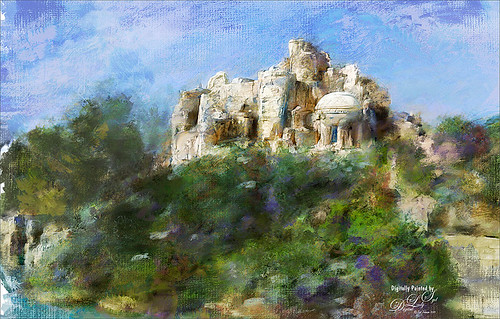
This painted image was taken at Universal Studios of The Lost Continent. It looks like it is a really cool place, which is was, but it was all fake! The building is where The Eighth Voyage of Sinbad Stunt Show is presented. Just thought everyone would like to see something other than birds!
Well, not much was done in Lightroom, just added some contrast. Took image into Corel Painter. Three sources were used to draw color into the image. The new Particle Spring Worm Hole Cloner brush was used to create a very interesting flora effect along with several other brushes. In Photoshop more clean up was done with Photoshop’s Round Blunt Mixer Brush with a texture added. Two copies of Painted Texture’s October Paint texture were added and set to Vivid Light at 19% layer opacity and Color Dodge at 37% layer opacity. Last step, Nik Viveza 2 of course. That was it!…..Digital Lady Syd
Digital Lady Syd Related Blogs:
Texturizing at The Lost Continent
Where Am I?
A Photoshop Still Life
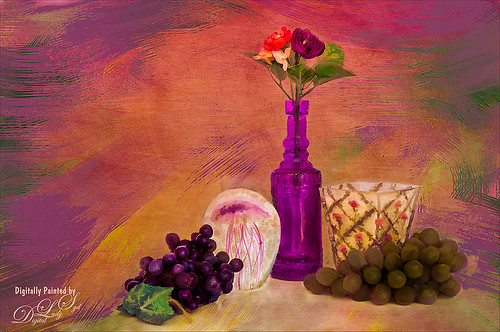
Enjoyed painting in Photoshop this set up still life I put together. Topaz (see sidebar for website link) photoFXLabs was used to add the Painted Works Texture and on separate layers above, the mixer brushes were used. The final texture was placed on top and was Jai Johnson ‘s watermelon-wall set to Soft Light. In the Layer Styles dialog, the Blend If Underlying Layer black tab was set to 88 to get the glowing effect. Nik Viveza 2 was used to direct the focal point, a Levels Adjustment Layer and Curves Adjustment Layer were used to finish it off. I really enjoyed painting this image…..Digital Lady Syd
Taking Off From the Rookery Runway
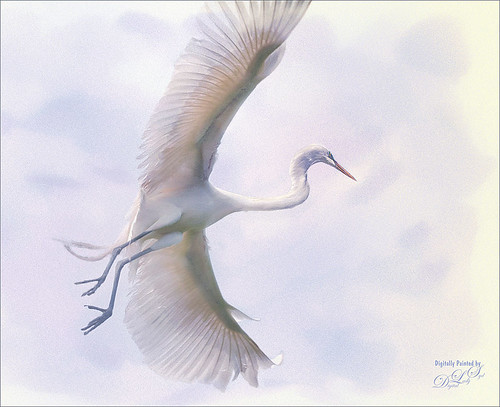
I have photographed similar images to this one of a Great Egret, but I never get tired of it. These birds are just beautiful, and in flight, even grander. This time I used a new technique from one of my favorite texture people and nature photographer. Jai Johnson recently created a video called Peach Blush Texture Demonstration on her techniques for getting her exquisite images. The one caveat is that she uses Topaz (see sidebar for website link) photoFXeffects, which I love, but does not work with CC2014 – therefore you must use CC or CS6 to use the PS interface. She also does not use Photoshop, but does all her work in the stand-alone of this interface. In Jai’s case, it does not matter as she has figured out some incredible ways to get a painterly effect by using basically the photoFX’s mask feature. I had a lot of fun doing this, but it took a while to get this correct effect. The background was one I created in Painter, and the overall grainy effect was created by setting the FX plug-in layer to Dissolve at 64% – it really give the painterly look. I used Nik Viveza 2 and a Curves Adjustment Layer to do final adjustments. Totally love the results I got using her technique. Thank you Jai!…..Digital Lady Syd
Digital Lady Syd Related Blogs:
Digital Lady Syd’s Review of Topaz photoFXlab v1.1
Courting Herons
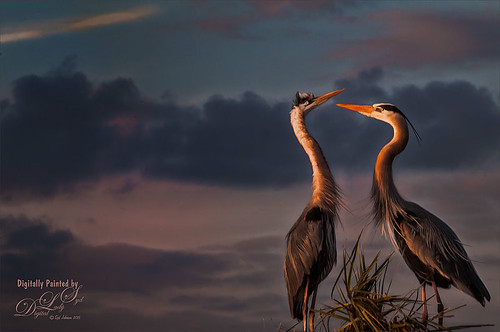
These two beautiful Great Blue Herons were in the middle of a mating ritual in their new nest on top of a palm tree during a recent visit to the Ritch Grissom Memorial Wetlands in Brevard, Florida (also known as the Viera Wetlands). Image was painted with the Mixer Brush – mainly just blending. Since the bird on the left was missing an eye, I had to copy the one from the right over, flip and adjust into the eye socket. Topaz Glow’s Room Glow preset by Blake Rudis (check out Integrating Topaz Glow into Your Workflow for info on this) was applied and set to Multiply blend mode at 48% layer opacity. Nik Viveza 2 was used on the background to even it out just a little. Since the lighting was perfect, there was little else that needed to be done. What beautiful birds!…..Digital Lady Syd
Digital Lady Syd Related Blogs:
How to Get the Soft Glow in Topaz Glow
Thinking of Pink Tulips

This is an abstract I painted from some beautiful tulips that was taken with my phone. It was first painted in Corel Painter using just some very basic strokes. A Karen Sperling texture brush from back when Painter 11 was popular was used. Color were just block in. Then the image was taken into Photoshop and on a New Layer a sketch brush was used to define the form in a few places. A Curves Adjustment Layer was used to add a little contrast. A stamped layer was created and turned into a Smart Object. Nik Viveza 2 was opened and the pink flower in the middle was accentuated to further emphasize the focal point. The last step involved adding a New Layer on top and in white, add a few spatters using Kyle’s Real Watercolor-Spatter Mixed and set to a low layer opacity to add just a little texture in certain places. Very simple to do…..Digital Lady Syd
Where Are My Eyes?
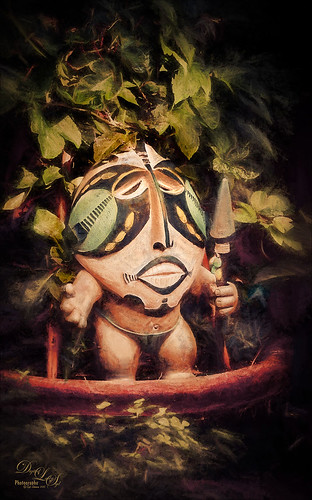
This image was taken at the St. Augustine Alligator Farm website link. I don’t know anything about it, just that it greets you when entering the attraction. Very little was done to this image. In Lightroom Trey Radcliff’s Dramatically Clean Chipmunk preset was applied. In Photoshop Topaz (see sidebar for website link) Impression’s Turner Storm II preset was applied. A white layer mask was added in PS and a little bit of the lighter areas were painted back in the face to draw some focus to it. On a stamped layer (CTRL+ALT+SHIFT+E) that was converted into a Smart Object, Nik Color Efex Pro 4 was opened. The Graduated Neutral Density filter selected (Upper Tonality -25%, Lower Tonality 7%, Blend 27%, Vertical Shift 43%, Rotation to adjust the light 158 degrees, and Highlights 1/4 of the way to right). In the same Smart Object Nik Viveza 2 was applied. A Focal Point was added to the eyes and nose area (Brightness 33%, Contrast 40%, Saturation 38% and Structure 58%). Two Curves Adjustment Layers were added – one a darken curve to separate the head from the busy leaf background, and one to add contrast to the face since an S-shape curve was used. Both layer masks were turned to black (CTRL+I inside the mask) and just localized areas were painted back with a soft white brush at 17% brush opacity. Last step involved adding a New Layer and actually painting in some color where it was needed using a very low opacity brush (12%) and sampling in the image to match areas. That was it. Lots of fun to do!…..Digital Lady Syd
Bear Checking You Out!

This image is of the bearskin that is usually at the Native American Festival in Ormond Beach, Florida, this year. In Lightroom Seim’s (see sidebar for website link) Magic Harsh Sun Fixer preset was used. In Photoshop on a duplicate layer, Topaz (see sidebar for website link) Detail was applied to overall sharpen. Topaz Impression was applied using Oil Painting by Jim Salas (light direction was changed to fit image and Texture Strength slider set to 0 since textures were added to image outside of plug-in). A couple of Flypaper Textures were applied. Then I really cropped image in to get a close up of the face. The final step involved adding my favorite filter Nik Viveza 2. Control points were placed on the nose to enhance the color and sharpen it a little to draw the eye to that part of the image. This was originally a great big image that I could not get a look I liked so the crop really made the image…..Digital Lady Syd
Here’s Looking At You
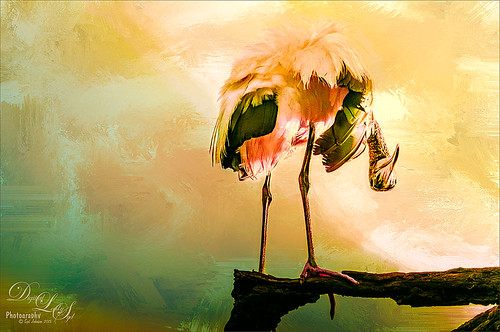
I really love these big gentle birds. This wood stork was giving everybody some serious eyeball at the St. Augustine Alligator Park recently. In Lightroom just did the Basic Slider adjustments and applied Dave Delnea’s Backlit Vertical Right and Custom Tone 002 presets. In Photoshop Topaz (see sidebar for website link) Detail 3 was applied next for overall sharpening. Topaz Glow was applied on a stamped layer. A Selective Color Adjustment Layer was added where just the Yellows were changed. Nik Viveza 2 was opened on a stamped layer and a control point was placed on the head to add more detail. Painted Textures Sunrise Canvas texture was set to Linear Burn at 50%. In the Layer Style the Blend If white tab was set and split to 190/212. Some clean up layers were added throughout to sharpen up various areas. I really liked the artsy look this bird ended up having!…..Digital Lady Syd
Very Busy Snowy Egrets
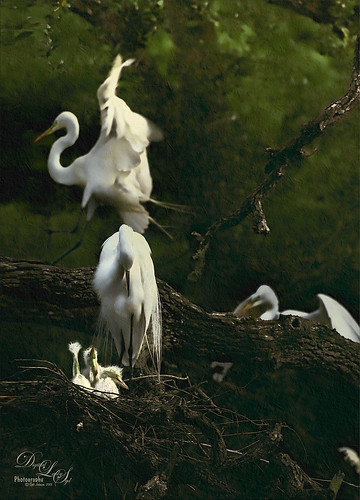
This is one of the shots I got at the St. Augustine Alligator Farm rookery. This is such a fun place to visit this time of year – the birds are totally distracted and let you take really great photos. The above is of the beautiful Snowy Egrets – at this time only a few baby birds were seen, most were nest building and mating.
Here is a quick run-down of what was done to this image: In Lightroom Seim’s (see sidebar for website link) Super HDR X preset and Dave Delnea’s Develop Preset Forestwalks Look 03 were used before bringing photo into Photoshop. A little clean up and then a stamped layer was created (CTRL+ALT+SHIFT+E) on top. Topaz (see sidebar for website link) Clarity was used to do an overall sharpening – this time I wanted a little more of an artsy look so my SJ Artsy with Highlights preset was used. (Settings: Clarity Dynamics Micro Contrast -0.86, Low Contrast -0.86, Medium Contrast 0.63, and High Contrast 0.94; Tone Level Black Level -0.19, Midtones -0.36, and White Level 0.19; HSL Filter Hue – no changes; Sat Orange 0.06, Yellow 0.63, Green 0.13, Blue 0.25 0.25, and Overall -0.45; and Lum Orange 0.36, Yellow -0.34, Green -0.42, Blue 0.61, Purple 0.11, Magenta 0.75, and Overall -0.27 – all other colors were 0.00.) A layer mask was added and the birds were faces and beaks were painted out to maintain the sharpness since this preset smooths out colors. Nik Viveza 2 was used to draw focus to the babies and help remove a bit of yellow in the bird feathers. A Levels Adjustment layer was added to add back some contrast into the image. On another stamped layer, John Derry’s Varnish-Matte-Light layer style was used to apply a little painterly feel to the whole image. That was it. I love working on these bird images!…..Digital Lady Syd




